
Why You Should Not Miss SuiteWorld 2025

SuiteWorld 2025 is more than a conference. It is a concentrated week of learning, networking and product innovation that accelerates how organizations use NetSuite. Leaders attend to see product roadmaps in person, to learn practical configuration and to validate strategic plans. If you aim to modernize finance, scale operations, or get more value from your ERP investment, missing this event is a missed opportunity. SuiteWorld 2025 brings together customers, partners and NetSuite product teams. It delivers hands on learning, strategic keynotes and sessions that address real operational problems. This blog explains why this NetSuite event should be on your calendar, what to add to your agenda and how to get the most from your time on site. Why SuiteWorld 2025 Is Unmissable SuiteWorld 2025 delivers signals and tools you cannot get elsewhere. It is the place to evaluate new features, test integrations and hear firsthand how other companies are solving the same problems you face. 1- Product Roadmap and Announcements NetSuite leaders use the stage to announce significant product updates. Seeing the roadmap live helps you plan upgrades, prioritize projects and align your IT budget with upcoming capabilities. 2- Deep Role Based Learning The event includes tailored tracks for finance, operations, developer teams and administrators. These tracks turn high level ideas into practical steps you can apply on Monday morning. 3- Hands On NetSuite Workshops NetSuite workshops give you guided practice with platform features. These sessions move beyond demos and let you configure, test and validate solutions in a controlled environment. 4- Real Customer Stories Customer panels showcase concrete results and lessons learned. These case studies help you avoid common pitfalls and fast track initiatives that produce impact. Top Features at SuiteWorld 2025 You Should Add to Your Agenda If you can only attend a few things, prioritize these elements. Each delivers direct insight into how to improve systems, operations and decision making. 1- Keynotes and Major Announcements Keynotes highlight strategic direction, especially on AI and automation. Hearing this content in person gives you context that helps shape investment decisions. 2- AI and Analytics Sessions Expect dedicated SuiteWorld sessions on AI use cases. These sessions show how to apply predictive analytics and automation to reporting, forecasting and resource planning. 3- Hands On NetSuite Workshops Workshops require pre registration for a reason. They offer practical experience with configuration, reporting and integrations. Reserve your seat early through the agenda builder. 4- Learning Lab and One on One Clinics Use the Learning Lab to get targeted, expert guidance on a specific challenge. These clinics help you remove blockers and improve implementation timelines. Who Should Attend SuiteWorld 2025 and Why SuiteWorld 2025 supports a broad set of roles. Each group leaves with different but complementary benefits. 1- CFOs and Finance Leaders You will learn how to shorten close cycles, improve forecasting and use AI in finance. Sessions show practical uses of SuiteAnalytics and revenue recognition tools. 2- NetSuite Administrators Administrators gain operational tips on performance, security and user adoption. Practical sessions cover automation, saved searches and governance. 3- Developers and Integration Teams Developers learn extensibility techniques, APIs and best practices for integrating third party systems. These sessions improve time to market for new connectors. 4- Operations and Supply Chain Leaders Operations sessions address production scheduling, inventory accuracy and logistics. You will see how to reduce lead times and improve throughput. 5- Nonprofit and Program Leaders SuiteWorld sessions for nonprofits focus on grant management, reporting and donor tracking. These tracks help mission based organizations tighten compliance and demonstrate impact. How to Prepare and How to Maximize Value from the Event Preparation makes the difference between a conference trip and a strategic outcome. Follow these steps to ensure you return with a clear plan. 1- Build Your Agenda Early Use the agenda builder to lock in workshops and key breakout sessions. Workshops fill quickly so register as soon as you secure your travel. 2- Set Clear Objectives Identify three outcomes you want from the event. Examples include selecting a partner, proving a technical pattern or validating a migration plan. 3- Bring Practical Questions Prepare real scenarios to discuss during the Learning Lab and one on one clinics. Bring sample reports, data extracts and integration diagrams. 4- Plan Post Event Follow Up Schedule internal sessions to share takeaways. Create a short roadmap that assigns owners and dates for the top three changes you will make after SuiteWorld 2025. Networking and the Value of the NetSuite Community SuiteWorld 2025 is a rare chance to meet peers who face the same operational realities. Networking yields immediate and long term benefits. 1- Peer Best Practices You will learn practical patterns from peers who have already solved problems you are starting to tackle. 2- Partner Matches Meeting partners in person accelerates partner selection and helps you find teams that match your technical and budget requirements. 3- Customer Advisory Access Talk to product managers and customer success teams who can provide clarity on roadmaps, support plans and migration windows. 4- Long Term Relationships The connections you make at SuiteWorld often turn into ongoing advisory relationships that speed future projects. Common Objections and Why They Fall Short Leaders sometimes hesitate to send teams to conferences. These are common objections and why they do not apply here. 1- Cost is high Budget spent at SuiteWorld returns value through faster implementations, better vendor selection and fewer costly mistakes. 2- Lost time away from work Well planned attendance concentrates learning and decision making into five days that save months of trial and error. 3- We can watch recordings Recorded content lacks the workshops, labs and spontaneous conversations that create breakthrough ideas. 4- We already use NetSuite Even experienced users find new efficiencies, automation techniques and partner solutions that reduce operating cost. Conclusion SuiteWorld 2025 is the must attend NetSuite event for teams that want to convert strategy into action. It combines product announcements, hands on training, peer learning and expert access in a single week. If you lead finance, operations, IT or nonprofit programs, SuiteWorld
ERP Best Practices: Planning, Data Accuracy, and Ongoing Support for Success
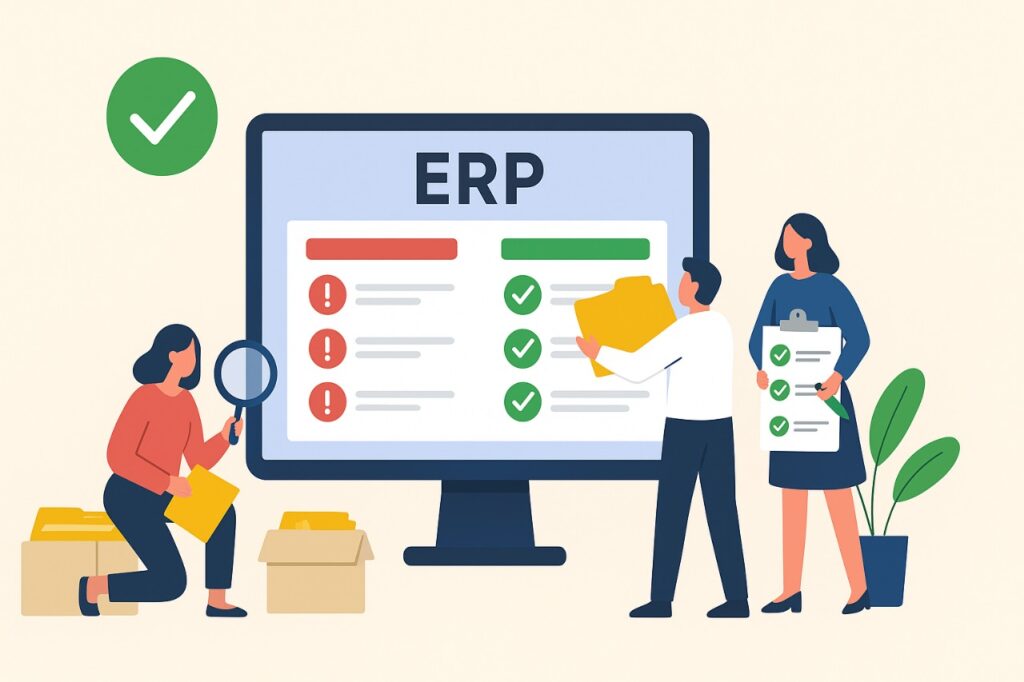
Enterprise Resource Planning systems serve as the backbone of modern organizations. They integrate core business processes, provide real-time visibility, and allow companies to scale with confidence. However, success with ERP depends less on the software itself and more on how it is planned, implemented, and supported. When companies overlook critical steps such as planning, data quality, and long-term support, ERP initiatives often fail to deliver the expected return on investment. On the other hand, organizations that adopt ERP best practices set themselves up for sustained growth and efficiency. This blog explores practical strategies around planning, data accuracy, and ongoing support that ensure your ERP project succeeds both at launch and in the long term. Why ERP Projects Struggle Without Best Practices ERP implementations are complex, touching multiple business functions and requiring coordination across teams. Common pitfalls occur when organizations underestimate effort or skip critical steps. 1- Unclear goals: Without defined business outcomes, ERP becomes a technical exercise rather than a business transformation. 2- Weak data foundations: Poor data quality leads to bad reports, compliance risks, and frustrated users. 3- Insufficient training: Users resist the system or use workarounds when they are not trained properly. 4- Lack of ongoing support: Many projects lose momentum after go-live when support structures are not in place. Planning: The Foundation of ERP Success Strong planning ensures that the ERP system aligns with business goals and reduces risks during implementation. Organizations that spend time on upfront preparation see smoother adoption and faster ROI. 1- Define clear objectives: Document business goals such as faster reporting, better compliance, or improved efficiency. Link ERP configuration directly to these outcomes. 2- Build a strong project team: Include IT, finance, operations, and end-users. Assign an executive sponsor to keep alignment with strategic priorities. 3- Map business processes: Document current processes and decide which to improve or standardize before ERP goes live. Avoid lifting inefficiencies into the new system. 4- Set realistic timelines: Balance speed with quality. Allow time for testing, training, and change management to avoid rushed rollouts. Data Accuracy: Ensuring Reliable Outcomes Data accuracy determines how much value an ERP system delivers. Accurate, consistent, and complete data builds trust in reports and ensures compliance. Poor data quality, by contrast, creates errors that ripple across departments. 1- Data cleansing before migration: Remove duplicates, standardize naming conventions, and validate accuracy before moving data into the ERP. 2- Strong master data governance: Assign data owners who maintain customer, vendor, item, and account masters. Review them regularly for accuracy. 3- Validation rules: Configure ERP fields with required formats, mandatory values, and automated checks to prevent bad data entry. 4- Ongoing audits: Monitor data quality with periodic reviews, exception reports, and corrective actions to preserve accuracy long after go-live. Ongoing Support: Driving Continuous Value An ERP system is not a one-time project. Ongoing support ensures the system evolves with business needs and continues to deliver value. Without it, users fall back to manual workarounds, updates go uninstalled, and processes stagnate. 1- Helpdesk and ticketing: Provide a structured way for users to report issues, track resolutions, and share feedback. 2- Continuous training: Offer refresher sessions and materials to help employees adapt to updates and new features. 3- Regular system updates: Apply vendor patches, upgrades, and new modules to keep ERP secure and aligned with industry practices. 4- Performance monitoring: Track system KPIs such as uptime, user adoption, and process efficiency to identify improvement opportunities. Integrating Planning, Data Accuracy, and Support Each pillar—planning, data accuracy, and ongoing support strengthens the others. When integrated, they form a framework for long-term ERP success. 1- Plan with data in mind: Include data cleansing and governance in the project plan. Treat data as a core deliverable, not a side task. 2- Support planning outcomes: Use support structures to reinforce the original objectives and measure progress against them. 3- Data-driven support: Leverage accurate ERP data to track user adoption, process efficiency, and compliance in real time. 4- Feedback loop: Use lessons learned from ongoing support to refine planning for future phases and expansions. Benefits of Following ERP Best Practices Companies that follow proven ERP best practices achieve faster ROI and avoid costly mistakes. They also build resilience in their systems and teams. 1- Higher user adoption: Employees trust the system when it delivers accurate data and they have the training to use it effectively. 2- Faster reporting and insights: Clean data and standardized processes allow for real-time dashboards and decision-making. 3- Lower compliance risk: Audit trails, accurate records, and standardized reporting reduce regulatory exposure. 4- Long-term scalability: Ongoing support and regular updates ensure the ERP system grows with the business rather than holding it back. Future Outlook: Evolving ERP Best Practices As ERP systems evolve, so do best practices. Companies that keep pace with technology trends will stay ahead. 1- AI and automation: Expect ERP systems to offer more predictive insights, automated reconciliations, and anomaly detection. 2- Cloud scalability: Cloud ERP platforms will support faster upgrades and global expansions without heavy infrastructure. 3- Integration with emerging tools: ERP systems will connect seamlessly with AI-powered analytics, CRM, and industry-specific applications. 4- Proactive support models: ERP vendors and partners will move from reactive ticket resolution to predictive support based on system usage data. Conclusion ERP systems succeed when organizations adopt proven methods that balance technology with people and processes. Careful planning ensures alignment with business goals. Data accuracy delivers reliable outcomes and builds trust. Ongoing support keeps the system relevant, scalable, and user-friendly. By embedding these ERP best practices into your approach, you create a framework that reduces risk, improves efficiency, and enables sustainable growth. Whether you are preparing for your first ERP rollout or optimizing an existing system, success lies in treating ERP as a long-term journey. Companies that get planning, data accuracy, and support right will not only achieve faster ROI but will also set the stage for ongoing transformation and competitive advantage.
SuiteWorld Agenda Builder is Now Open – Create Your Ideal NetSuite Schedule

SuiteWorld is where the global NetSuite community comes together to connect, learn, and discover what’s next in the world of cloud ERP. With thousands of attendees, hundreds of sessions, and countless networking opportunities, the experience can feel overwhelming without a clear plan. That is why the SuiteWorld Agenda Builder is now open, your personalized tool to map your conference journey, secure spots in popular NetSuite workshops, and design a SuiteWorld schedule that fits your goals. This year, SuiteWorld promises to be bigger than ever, with an emphasis on AI-powered transformation, role-based insights, and hands-on learning. By using the SuiteWorld Agenda Builder, you ensure that every minute of your time at this premier NetSuite event drives measurable value for your organization. Why the SuiteWorld Agenda Builder Matters SuiteWorld is not a one-size-fits-all conference. A CFO, a NetSuite administrator, and a supply chain manager all attend for different reasons and the SuiteWorld Agenda Builder allows each of them to focus on what matters most. Without a plan, you risk: Missing limited-capacity NetSuite workshops that require pre-registration. Overbooking yourself with overlapping sessions. Spending valuable time on sessions that may not align with your priorities. With a plan, you can: Secure workshop seats before they fill. Balance your agenda across keynotes, technical labs, and networking. Follow curated tracks designed for roles like Finance, IT, Operations, Sales, Services, or Nonprofit leaders. Maximize ROI by attending sessions that directly impact your business objectives. The takeaway is simple: the SuiteWorld Agenda Builder is the difference between wandering aimlessly and walking away with actionable insights you can apply immediately. Curated Journeys for Every Role The beauty of SuiteWorld lies in its diversity. The SuiteWorld Agenda Builder caters to that by offering curated guides for every attendee. Finance Leaders: Access sessions on AI-powered forecasting, automated reporting, compliance, and strategic cash flow management. NetSuite Administrators: Build an agenda around system optimization, SuiteAnalytics, SuiteQL, and automation best practices. Developers and IT Teams: Join deep dives into SuiteScript, integrations, NetSuite API use cases, and extensibility with third-party platforms. Operations Professionals: Add sessions on supply chain resilience, production scheduling, and warehouse management to your SuiteWorld schedule. Sales and Services Leaders: Focus on CRM enhancements, customer engagement strategies, and service delivery optimization. Nonprofit Organizations: Leverage tracks designed for grant management, donor engagement, and compliance reporting. Each attendee walks away with an agenda that reflects their unique priorities, ensuring no two SuiteWorld experiences are exactly the same. Must-Attend Highlights to Add to Your SuiteWorld Schedule Keynotes that Set the Tone SuiteWorld’s keynote sessions are legendary. Executives unveil product roadmaps, introduce innovations, and showcase real-world customer stories. This year, AI will take center stage as NetSuite leaders demonstrate how businesses can achieve more with fewer resources. AI Everywhere Expect AI to dominate discussions, with more than 70 dedicated sessions. From predictive analytics to intelligent automation, the role of AI in ERP will be on full display. Use the SuiteWorld Agenda Builder to flag these sessions and prioritize them early. Hands-On NetSuite Workshops The most popular part of SuiteWorld is its limited-capacity NetSuite workshops. These hands-on sessions give you practical experience with features and workflows in a guided environment. Because seats are limited to one workshop per attendee, registering early through the SuiteWorld Agenda Builder is critical. Breakout Sessions Across Every Track From industry-specific deep dives to best practices shared by product experts, SuiteWorld sessions cover everything from technical configuration to leadership strategy. Whether you’re a first-time attendee or a seasoned veteran, there’s a session that matches your learning curve. One-on-One Learning and Labs Beyond group sessions, SuiteWorld offers one-on-one experiences like the Learning Lab and UX Research Lab. Pre-registering through the SuiteWorld Agenda Builder allows you to secure personalized guidance from product experts and influence the future of NetSuite with your feedback. How to Use the SuiteWorld Agenda Builder The SuiteWorld Agenda Builder is designed to be simple yet powerful. Once you register for SuiteWorld, you gain access to the tool. Here is how to make the most of it: Browse the library of 300+ sessions across all tracks and industries. Select and reserve seats in hands-on NetSuite workshops before they fill. Add breakout sessions and keynotes to your SuiteWorld schedule for quick reference onsite. Use curated guides to find sessions aligned with your role or industry. Update your agenda anytime if your priorities shift before or during the event. The Agenda Builder ensures your SuiteWorld experience is both flexible and intentional. Frequently Asked Questions Q: Do I need to pre-register for all sessions? A: Only NetSuite workshops and labs require pre-registration. Breakout sessions and keynotes are open, but seating is first come, first served. Q: How many workshops can I attend? A: Each attendee can pre-register for one workshop due to high demand. Q: Can I share my SuiteWorld Agenda Builder schedule with colleagues? A: Yes, you can export and share your schedule to coordinate with team members. Q: Is the Agenda Builder mobile-friendly? A: Yes, you can access and adjust your SuiteWorld schedule from any device, including your phone during the event. Q: What if my business priorities change? A: The Agenda Builder allows you to update your selections anytime, giving you complete control over your experience. Factors Influencing Your NetSuite Subscription Cost Here are some major elements that affect how much NetSuite will cost for your business: Business Size: SMBs may only need a few modules and users, while enterprises might require extensive customization. Industry Requirements: Industries like healthcare, finance, and manufacturing may need more compliance features or specialized modules. Geographical Presence: Multi-subsidiary or multinational businesses require additional modules like OneWorld for global operations. Customization Needs: The more workflows and reports you need customized, the higher the configuration cost. Integration Needs: Connecting NetSuite to other apps (e.g., Salesforce, Shopify, or HubSpot) may involve custom APIs or middleware, adding to the cost. Secure Your Spot Today Seats for NetSuite workshops are already filling quickly, and the most popular sessions will reach capacity soon. The SuiteWorld Agenda Builder is the key to ensuring you
ERP Implementation Guide: Finance Module Best Practices for Compliance and Scalability
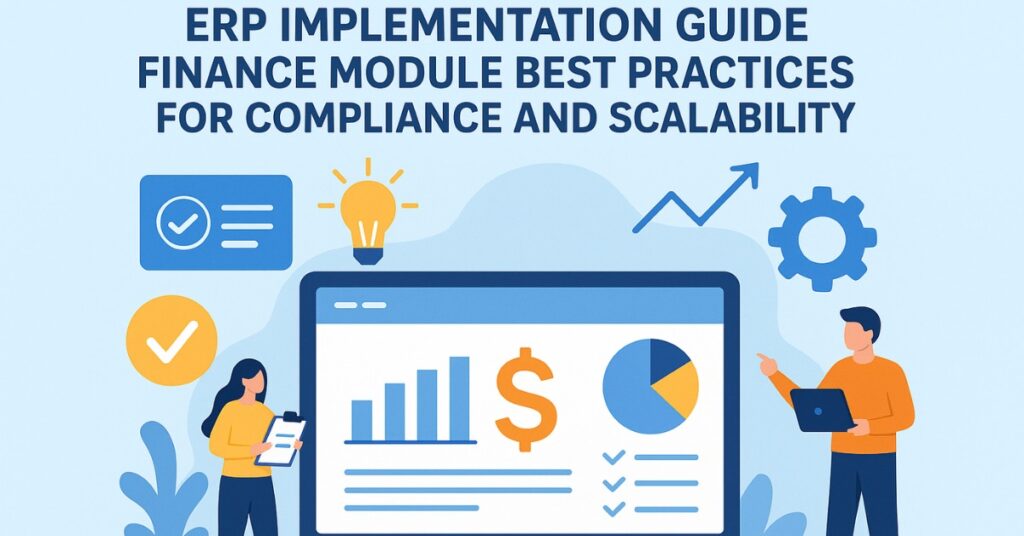
The finance module is one of the most critical components of any ERP system. It manages financial transactions, accounting, reporting, and compliance activities, making it the foundation of business stability and growth. A well-executed finance module implementation ensures accuracy in financial data, supports regulatory compliance, and enables long-term scalability. This ERP implementation guide focuses on the finance module and outlines best practices for compliance and scalability. By following these practices, organizations can reduce risks, improve efficiency, and build a financial management system capable of supporting growth. Whether a business is a startup preparing for expansion or an established enterprise streamlining operations, a successful ERP finance module implementation can become a competitive advantage. Importance of the Finance Module in ERP Systems The finance module ensures transparency, accuracy, and accountability in business operations. Without strong financial management, even the best business strategies fail. 1- Centralized Financial Data: The finance module integrates data from all departments, ensuring a single source of truth for reporting and decision-making. 2- Regulatory Compliance: ERP systems support compliance with accounting standards and tax regulations, reducing risks of penalties or legal disputes. 3- Accurate Reporting: Automated financial reports give management clear visibility into the company’s financial health and performance. 4- Scalable Operations: The finance module supports growth by handling complex transactions, multiple currencies, and evolving compliance requirements. Common Challenges in Finance Module Implementation Organizations often face difficulties while implementing the finance module. Understanding these challenges is the first step in overcoming them. 1- Data Migration Errors: Inaccurate or incomplete financial data during migration can cause long-term reporting issues and compliance risks. 2- Complex Compliance Requirements: Adhering to local and international accounting standards can be difficult without proper system configuration. 3- Integration with Other Modules: The finance module must connect seamlessly with inventory, HR, procurement, and sales modules, making integration a significant challenge. 4- User Resistance: Finance teams may resist new processes, especially when shifting from manual systems to automated ERP workflows. 5- Cost and Time Overruns: Poor planning may lead to extended timelines and higher costs, affecting the overall ROI of the ERP implementation. Best Practices for Compliance in the Finance Module Regulatory compliance is a top priority for any finance module implementation. ERP systems must be configured carefully to align with industry regulations and financial reporting standards. 1- Adopt Standardized Accounting Practices: Configure the ERP finance module in line with Generally Accepted Accounting Principles (GAAP) or International Financial Reporting Standards (IFRS) to ensure consistency and compliance. 2- Automate Tax Compliance: Use built-in ERP functionalities for tax calculations, filing, and reporting. Automation reduces human error and ensures timely compliance with local tax laws. 3- Audit Trail Management: Ensure that the ERP finance module maintains complete audit trails for all financial transactions. This feature is crucial for both internal audits and external regulatory reviews. 4- Data Security and Access Control: Restrict access to sensitive financial information through role-based permissions. Proper data governance reduces risks of fraud and unauthorized activity. Best Practices for Scalability in the Finance Module As businesses grow, their financial systems must evolve. Scalability ensures the finance module can support expansion without disruption. 1- Cloud-Based Deployment: Implementing the finance module on the cloud provides scalability, flexibility, and easier integration with new tools. 2- Multi-Currency and Multi-Entity Support: Configure the ERP finance module to handle multiple currencies and entities, allowing businesses to expand globally with ease. 3- Modular Upgrades: Adopt a phased approach to ERP implementation. Modular upgrades make it easier to expand finance functionalities as the business grows. 4- Analytics and Forecasting Tools: Use AI-powered analytics integrated with the finance module to forecast financial performance and support long-term growth strategies. Steps for a Successful ERP Finance Module Implementation Implementing the finance module requires a structured approach to ensure compliance and scalability. 1- Define Objectives Clearly: Establish specific goals for the finance module such as improving reporting accuracy, enhancing compliance, or preparing for global expansion. 2- Data Cleansing and Validation: Ensure that all financial data is clean, consistent, and verified before migration to avoid issues post-implementation. 3- Employee Training and Change Management: Provide comprehensive training for finance teams and communicate the benefits of the ERP system to reduce resistance. 4- Testing and Quality Assurance: Test the finance module extensively before full deployment. Validate reporting accuracy, tax calculations, and compliance workflows. 5- Continuous Monitoring and Optimization: Track key performance indicators such as closing cycle time, reporting accuracy, and compliance adherence to optimize system performance. Future Trends in ERP Finance Module Implementation The finance module is evolving with new technologies and regulatory frameworks. Businesses must stay updated to remain compliant and scalable. 1- AI and Machine Learning Integration: AI-powered ERP finance modules can detect anomalies, prevent fraud, and predict cash flow more accurately. 2- Blockchain for Secure Transactions: Blockchain technology is being integrated into ERP systems to provide secure and transparent financial records. 3- Sustainability Reporting: Finance modules will increasingly support ESG (Environmental, Social, Governance) reporting to meet stakeholder demands and compliance requirements. 4- Robotic Process Automation (RPA): RPA integrated with ERP will automate repetitive finance tasks such as reconciliations, vendor payments, and invoice processing. Conclusion The finance module is the backbone of any ERP system, and its successful implementation is critical for compliance, accuracy, and scalability. By following best practices such as adopting standardized accounting principles, automating compliance, ensuring secure audit trails, and planning for scalability, businesses can transform their financial management. Challenges like data migration, compliance complexity, and integration issues can be overcome with proper planning, training, and continuous monitoring. The future of ERP finance modules lies in intelligent automation, predictive analytics, and global scalability. Businesses that implement the finance module strategically will not only remain compliant but also position themselves for long-term growth and competitive advantage.
Overcoming HR ERP Implementation Challenges: Best Practices for Success
HR ERP systems have become an essential tool for modern organizations, offering the ability to manage employee data, streamline HR processes, and provide insights for strategic decision-making. However, achieving HR ERP implementation success is not always straightforward. Organizations often face multiple challenges that can hinder adoption, reduce productivity, or affect employee engagement. Overcoming HR ERP implementation challenges is critical for unlocking the system’s full potential and realizing measurable benefits. A successful HR ERP implementation ensures improved efficiency in processes such as recruitment, onboarding, payroll management, performance tracking, and employee engagement. It reduces errors, eliminates redundant manual work, and enables HR teams to focus on strategic initiatives. By understanding common challenges and adopting best practices, companies can achieve smooth HR ERP adoption and drive long-term organizational growth. Common HR ERP Implementation Challenges Implementing an HR ERP system involves technical, organizational, and human factors. Identifying and addressing these challenges early is critical to avoid disruptions and ensure smooth adoption. Resistance to Change: Employees and managers may resist new systems due to fear of disruption or unfamiliar workflows. Overcoming HR ERP implementation challenges requires clear communication, training, and involvement of staff from the early stages. Data Migration Issues: Migrating employee records, payroll data, and performance information accurately is a major challenge. Poor-quality data or inconsistent records can affect HR ERP implementation success. System Integration Complexity: HR ERP systems need to integrate with payroll, attendance, learning management, and performance systems. Integration challenges can cause delays, errors, or duplicate data entry. Budget and Timeline Constraints: ERP implementations are often costly and time-consuming. Without proper planning, organizations may face cost overruns or delayed timelines, reducing ROI and increasing employee frustration. User Adoption Problems: Even after deployment, low adoption rates among employees can prevent HR ERP systems from delivering their full value. Without proper engagement and incentives, HR ERP implementation success may remain limited. Impact of HR ERP Implementation Challenges on Business Failing to address HR ERP implementation challenges can negatively impact not only HR operations but also overall organizational performance. Reduced Efficiency: HR processes such as recruitment, payroll, and leave management may become slower and more error-prone, leading to inefficiencies. Employee Frustration: System usability issues, lack of training, or unclear processes can frustrate employees, affecting morale and engagement. Data Inaccuracy: Inaccurate or inconsistent HR data can affect compliance, reporting, and workforce planning, potentially resulting in financial or legal issues. Strategic Opportunity Loss: Without effective HR ERP adoption, organizations cannot fully leverage data insights for talent management, succession planning, or workforce optimization. Increased Operational Costs: Errors, redundancies, and inefficiencies caused by poor implementation increase operational costs, reducing the overall benefit of the system. Best Practices for Overcoming HR ERP Implementation Challenges Adopting best practices is critical to overcoming HR ERP implementation challenges and ensuring system success. Engage Stakeholders Early: Include HR managers, IT staff, and end-users from the beginning. Early engagement ensures that their needs are incorporated, reducing resistance and improving system adoption. Thorough Data Preparation: Clean, validate, and standardize all HR data before migration. Accurate data improves reporting, decision-making, and overall HR ERP implementation success. Phased Implementation Approach: Deploy HR ERP modules in phases, starting with critical functions such as payroll or employee records. This minimizes disruptions and allows staff to adjust gradually. Comprehensive Training Programs: Provide training sessions, manuals, and online resources to ensure that employees understand system workflows and functionality. Continuous support enhances user confidence and adoption. Strong Change Management Plan: Communicate the benefits of the HR ERP system clearly. Address employee concerns proactively and provide incentives for active participation to overcome resistance. Regular Monitoring and Feedback: Monitor KPIs such as system usage, error rates, and process completion times. Encourage feedback to identify areas for improvement and ensure continuous HR ERP implementation success. Additional Strategies for Successful HR ERP Adoption Beyond standard practices, advanced strategies can help organizations overcome HR ERP implementation challenges more effectively. System Customization: Tailor the HR ERP system to match organizational policies, workflows, and compliance requirements. Customized solutions ensure better usability and higher adoption rates. Leverage Analytics: Use the ERP system to generate HR analytics on employee performance, engagement, and attrition. Data-driven insights support better workforce planning and strategic decisions. Collaborate with Vendors: Work closely with ERP vendors or consultants to navigate technical issues, integration complexities, and industry-specific requirements. Plan for Continuous Improvement: HR ERP implementation is not a one-time project. Regularly review processes, update modules, and incorporate user feedback to maintain system effectiveness. Focus on Employee Experience: Ensure that the system enhances, rather than complicates, the employee experience. Simplified interfaces, self-service portals, and mobile access increase satisfaction and engagement. Conclusion Overcoming HR ERP implementation challenges is vital for organizations aiming to achieve efficiency, accuracy, and strategic advantage in HR operations. By addressing resistance to change, ensuring accurate data migration, integrating systems effectively, and following best practices, organizations can unlock the full potential of HR ERP systems. A successful HR ERP implementation improves employee engagement, streamlines HR processes, reduces operational costs, and provides valuable insights for workforce planning. Organizations that proactively tackle challenges and adopt advanced strategies can transform HR operations and drive sustainable success and growth.
ERP Implementation Success – Productivity, Cost Savings and Growth
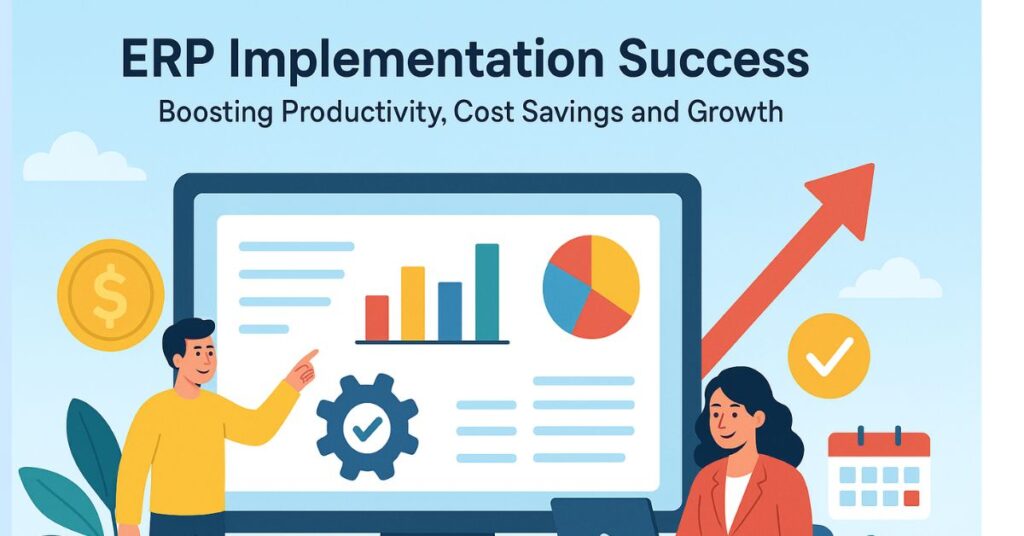
ERP implementation success is a critical factor for modern businesses looking to streamline operations and enhance overall performance. Companies that achieve ERP implementation success experience significant improvements in productivity, cost savings, and growth. By integrating all core business processes into a single system, ERP solutions enable organizations to make data-driven decisions, eliminate redundancies, and optimize resource utilization. Achieving ERP implementation success requires strategic planning, clear objectives, and active engagement from all stakeholders. Improving Productivity through ERP Implementation Implementing an ERP system successfully can transform how businesses operate. Productivity increases because employees spend less time on manual tasks and more time on strategic activities. Streamlined processes and centralized data access reduce delays and errors, allowing teams to focus on value-driven tasks. Centralized Data Access: ERP implementation success ensures that all business data is accessible from a single platform. Employees can quickly retrieve information, reducing time spent searching for records and improving decision-making. Automated Workflows: Automation of routine tasks, such as order processing, payroll, and reporting, eliminates manual work, freeing employees to focus on critical business functions. Enhanced Collaboration: ERP implementation success fosters better communication across departments. Teams can collaborate effectively, share information in real-time, and address issues promptly. Performance Tracking: Organizations can monitor employee and departmental performance through real-time dashboards, identifying bottlenecks and areas for improvement, which supports continuous productivity growth. Cost Savings Driven by ERP Implementation ERP implementation success can result in significant cost savings. By optimizing business processes, reducing errors, and improving resource allocation, companies can minimize operational expenses. A well-executed ERP implementation allows organizations to reduce waste, control inventory efficiently, and avoid redundant expenditures. Inventory Optimization: ERP implementation success allows businesses to maintain optimal inventory levels. Reduced overstocking and stockouts minimize storage costs and improve cash flow. Operational Efficiency: Streamlined processes and automated reporting reduce administrative costs and the need for extensive manual intervention. Error Reduction: With ERP implementation success, the risk of errors in financial transactions, order processing, and compliance reporting decreases, reducing the cost of corrections and penalties. Resource Allocation: ERP systems provide insights into resource usage, enabling organizations to allocate manpower, equipment, and finances efficiently and avoid unnecessary expenditures. Driving Growth with ERP Implementation ERP implementation success is not just about improving internal efficiency; it also fuels business growth. With accurate data, predictive analytics, and scalable operations, companies can expand their market presence and capitalize on new opportunities. Growth driven by ERP implementation success stems from better decision-making, faster time-to-market, and enhanced customer satisfaction. Data-Driven Decisions: ERP implementation success provides managers with real-time insights, enabling informed decisions that support business expansion and strategic initiatives. Customer Experience: By streamlining order fulfillment, inventory management, and service delivery, ERP implementation success improves customer satisfaction, loyalty, and retention. Scalability: ERP systems enable organizations to scale operations efficiently without compromising productivity, ensuring sustainable growth. Market Adaptability: ERP implementation success allows businesses to respond swiftly to market changes and emerging trends, giving them a competitive edge in dynamic industries. Challenges in Achieving ERP Implementation Success While ERP implementation success offers numerous benefits, achieving it requires overcoming certain challenges. Organizations must address technical, organizational, and human factors to ensure a smooth transition. Change Management: Employees may resist changes to established workflows. Proper training and communication are essential to achieve ERP implementation success. Integration Complexity: Integrating ERP with existing systems can be complex. Planning and testing are critical to avoid disruptions during implementation. Data Migration: Accurate data migration is essential. Inconsistent or incomplete data can hinder ERP implementation success and affect overall performance. Cost and Time Management: ERP implementation success requires careful budgeting and scheduling. Delays or overspending can reduce the expected return on investment. Best Practices for ERP Implementation Success To maximize productivity, cost savings, and growth, organizations should follow best practices during ERP implementation. These practices ensure a structured approach and mitigate potential risks. Define Clear Objectives: Establish measurable goals for ERP implementation success, focusing on process improvement, cost reduction, and growth targets. Engage Stakeholders: Involve employees from all departments to ensure ERP implementation success and alignment with organizational needs. Continuous Monitoring: Regularly monitor ERP performance metrics to evaluate implementation success and identify areas for improvement. Ongoing Training: Invest in employee training to ensure proper system usage, maximizing the benefits of ERP implementation success. Conclusion ERP implementation success is a strategic investment that drives productivity, cost savings, and business growth. By centralizing data, automating processes, and enabling data-driven decisions, ERP systems transform the way organizations operate. Companies that focus on clear objectives, stakeholder engagement, and best practices can achieve ERP implementation success and gain a sustainable competitive advantage. Embracing ERP implementation success today prepares businesses for a future of efficiency, profitability, and scalable growth.
ERP for Finance: Streamlining Financial Reporting and Risk Management
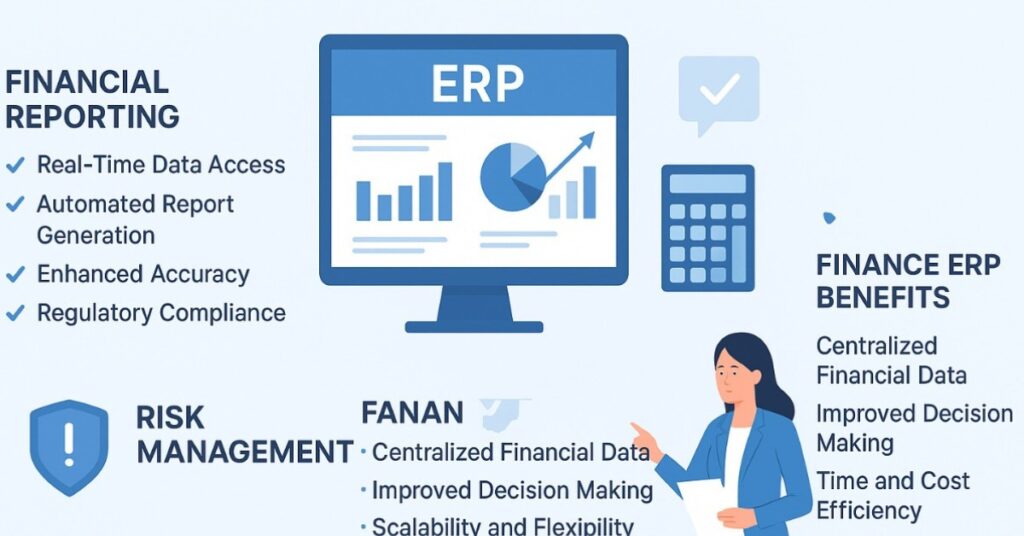
Managing financial operations in modern businesses requires accuracy, speed, and compliance. Traditional methods of handling accounting, reporting, and risk management can be slow and error-prone. ERP for finance provides an integrated solution that streamlines financial reporting and strengthens risk management. By automating processes, improving data visibility, and reducing manual errors, finance teams can make informed decisions and maintain compliance with ease. In this blog, we will explore how ERP solutions transform financial operations and risk management strategies. How ERP for Finance Improves Financial Reporting Financial reporting is a critical function for any organization. It ensures transparency, supports decision-making, and keeps the business compliant with regulatory standards. ERP for finance automates the generation of accurate reports, reduces manual errors, and provides real-time insights. Real-Time Data Access: ERP systems centralize all financial data, allowing teams to access up-to-date information instantly. This eliminates delays caused by manual data compilation. Automated Report Generation: Finance ERP systems can automatically generate financial statements, balance sheets, and income statements, saving time and ensuring accuracy. Enhanced Accuracy: By reducing manual entries, ERP for finance minimizes human errors and ensures reliable reporting for stakeholders. Regulatory Compliance: ERP solutions integrate compliance features that follow regional accounting standards and reporting regulations, reducing risks of penalties. Strengthening Risk Management with ERP for Finance Managing financial risk is crucial for business sustainability. ERP for finance provides tools to monitor, analyze, and mitigate potential risks effectively. These systems help in identifying financial anomalies, tracking cash flow, and maintaining internal controls. Real-Time Risk Monitoring: ERP systems provide dashboards that highlight financial risks such as liquidity issues or overdue receivables. Predictive Analytics: Finance ERP tools use historical data to forecast risks and support proactive decision-making. Audit Trail and Transparency: ERP maintains a complete audit trail of all financial transactions, ensuring accountability and easier audits. Internal Controls Automation: ERP solutions automate internal control processes such as approvals, reconciliations, and checks, reducing the risk of fraud or errors. Benefits of Integrating ERP into Finance Operations ERP for finance offers multiple advantages that enhance overall business performance. Centralized Financial Data: Centralized Financial Data ERP for finance consolidates all financial information into a single platform. This ensures consistency across departments, eliminates data duplication, and provides a reliable source of truth for decision-making. Teams can access accurate information instantly, improving coordination and reducing errors caused by manual handling. Improved Decision Making: Real-time insights from ERP systems enable finance teams and management to make informed strategic decisions. By monitoring cash flow, expenses, and revenue in real time, businesses can allocate resources effectively, forecast trends, and respond quickly to changing market conditions. Predictive analytics further supports planning and minimizes financial risks. Time and Cost Efficiency: Automation of repetitive tasks such as reconciliations, approvals, and financial reporting saves significant time and reduces operational costs. Finance teams can focus on strategic activities rather than manual processes. Additionally, automation reduces human errors, which enhances accuracy and prevents costly mistakes in financial operations. Scalability and Flexibility: ERP systems grow with the organization, supporting expansion and evolving business needs. They adapt to changing regulations, increasing transaction volumes, and complex reporting requirements. This flexibility ensures long-term efficiency and allows businesses to remain agile in dynamic financial environments Key Features to Look for in a Finance ERP System Selecting the right ERP solution is critical for maximizing its benefits. Some features to prioritize include: Integrated Financial Modules: Ensure the ERP system covers accounts payable, accounts receivable, general ledger, asset management, and budgeting. Customizable Reporting: Look for tools that allow customization of reports to meet specific business and regulatory requirements. Real-Time Dashboards: Dashboards with live metrics help monitor financial performance and risk indicators instantly. Audit and Compliance Tools: The system should support audit trails, compliance checks, and regulatory reporting to minimize legal and financial risks. Conclusion ERP for finance is no longer optional for businesses aiming to streamline financial reporting and manage risks effectively. With integrated systems, real-time data access, automated reporting, and robust risk management tools, finance teams can operate efficiently, reduce errors, and make informed decisions. Implementing the right ERP solution allows organizations to stay compliant, save costs, and improve overall financial performance. Investing in finance ERP is a strategic move to enhance business resilience and maintain a competitive edge in today’s fast-paced market.
How ERP Finance Module Automates Month-End Closings and Boosts Accuracy
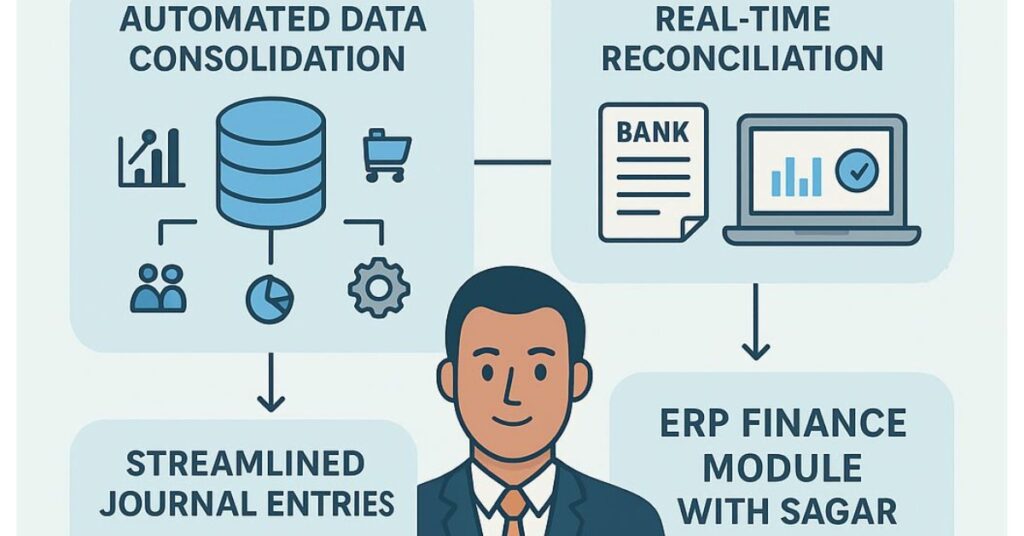
ERP finance module Month-end closing is a crucial task for finance teams in every organization. It involves reconciling accounts, validating transactions, preparing reports, and ensuring all financial data is accurate. Traditional processes are often manual, slow, and prone to errors, which can cause reporting delays and compliance issues. How ERP Finance Module Streamlines Month-End Closings An ERP finance module centralizes financial operations, integrates departmental data, and provides real-time visibility into accounts. By automating reconciliations, journal entries, and reporting, businesses reduce errors and complete month-end closings faster. Here’s how the ERP finance module with Sagar achieves this: Automated Data Consolidation: The ERP finance module with Sagar gathers financial data from departments such as sales, procurement, and operations. This eliminates manual entry, ensures all data is consolidated, and provides a single source of truth for month-end reporting. Real-Time Reconciliation: Bank statements, invoices, and ledger entries are automatically matched. The system flags discrepancies immediately, helping finance teams correct issues before closing. This ensures accuracy and speeds up the month-end process. Streamlined Journal Entries : Recurring journal entries, adjustments, and accruals are generated automatically. Manual calculations are no longer necessary, reducing errors and maintaining consistent financial records. Automated Reporting : Balance sheets, profit and loss statements, and cash flow reports are produced instantly. The ERP finance module ensures reports comply with accounting standards and facilitates faster decision-making. Audit Trail and Compliance: Every transaction processed through the ERP finance module is recorded with a detailed audit trail. This ensures transparency, eases audits, and supports regulatory compliance. Before these points, it’s important to note that the ERP finance module not only speeds up month-end closing but also reduces stress for finance teams, making their workflow smoother and more predictable. Key Features That Boost Accuracy The ERP finance module with Sagar enhances accounting accuracy and operational efficiency. Multiple users can collaborate simultaneously, share information, and approve transactions without delays. Automation reduces repetitive manual tasks and errors. Standardized processes ensure consistency across departments, while real-time visibility allows management to make informed decisions confidently. Benefits Beyond Month-End Closing Using the ERP finance module with Sagar extends benefits beyond closing cycles: Time Savings: Automated processes shorten closing cycles and free finance teams to focus on strategic initiatives. Improved Decision-Making : Real-time, accurate financial data empowers management to make informed decisions faster. Cost Efficiency : Reduced manual effort and minimized errors lower operational costs. Scalability: The ERP finance module can handle growing transaction volumes as businesses expand without adding manual workload. By integrating month-end closing automation and financial process automation, organizations can streamline operations, save costs, and maintain high accounting accuracy. Conclusion The ERP finance module with Sagar transforms month-end closing by automating data consolidation, reconciliation, journal entries, and reporting. It improves accuracy, reduces errors, saves time, and ensures compliance. Businesses adopting this module benefit from faster, more reliable month-end closings and can redirect focus from manual accounting tasks to strategic growth initiatives. For companies looking to streamline financial processes and boost operational efficiency, implementing an ERP finance module is essential.