
Comparing NetSuite vs Fishbowl: Choosing the Right Solution for Your Business
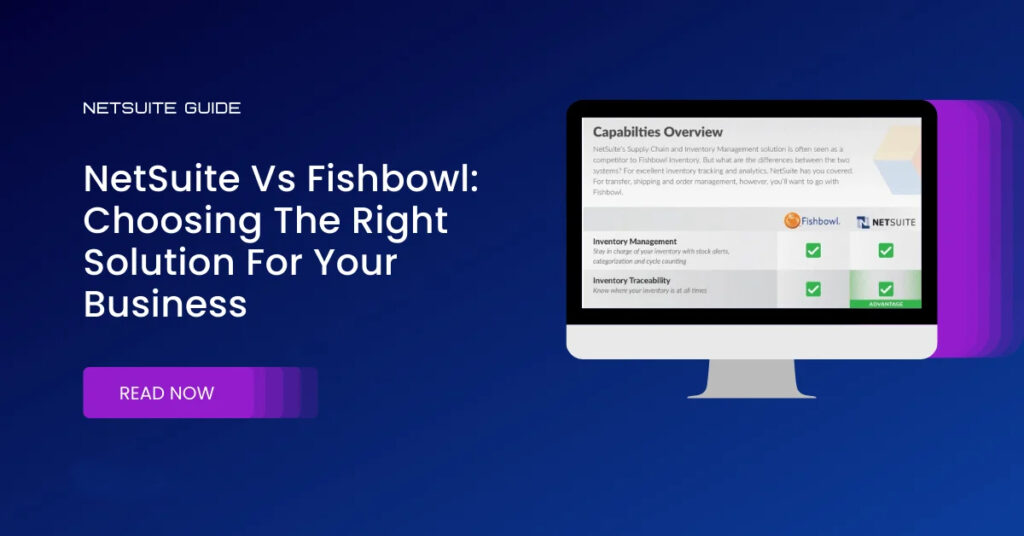
Introduction: The ERP Conundrum Unravelled Greetings, esteemed business visionaries and decision-makers! In an era where digital transformation is no longer a luxury but a necessity, the ERP landscape has become a veritable labyrinth of options, innovations, and intricacies. Amidst this dynamic backdrop, two industry stalwarts have emerged as front-runners, commanding attention, admiration, and scrutiny in equal measure: NetSuite vs Fishbowl. As we navigate this intricate ecosystem, envision a scenario akin to charting uncharted territories, where each turn presents opportunities, challenges, and decisions that shape the trajectory of your organization’s future. The stakes are high, the variables multifarious, and the implications far-reaching, making the ERP selection process a cornerstone of strategic planning, operational excellence, and competitive differentiation. Our expedition today transcends mere comparison; it’s a holistic exploration, a deep dive into the DNA of these ERP titans. We’ll dissect their multifaceted features, scrutinize their unique value propositions, and unravel the complexities that define their capabilities, limitations, and potential impact on your organization’s success. Prepare to embark on an enlightening journey that transcends conventional wisdom, challenges preconceived notions, and equips you with the insights, knowledge, and perspective needed to navigate the ERP landscape confidently. Whether you’re a seasoned veteran seeking to optimize operations, a visionary leader driving digital transformation, or an entrepreneur charting new horizons, this expedition promises to illuminate the path forward, empowering you to make informed, strategic decisions that propel your organization to new heights of innovation, efficiency, and growth. So, buckle up, embrace the spirit of exploration, and let’s unravel the ERP conundrum together. Ready to embark on this transformative journey? Your roadmap to success awaits, and the adventure begins now! NetSuite: The Pinnacle of Comprehensive Cloud Solutions Overview: NetSuite stands as a paragon of cloud-based ERP solutions, offering an expansive suite of functionalities meticulously crafted to streamline diverse business operations. From robust CRM capabilities to intricate financial management tools and e-commerce platforms, NetSuite’s comprehensive ecosystem aims to be the quintessential solution for businesses striving for operational excellence. Key Features: CRM Integration: NetSuite’s embedded CRM module empowers businesses to cultivate customer relationships, manage sales pipelines, and optimize marketing initiatives through actionable insights and analytics. Financial Management: NetSuite’s financial modules encompass a broad spectrum of functionalities, including accounting, budgeting, revenue recognition, and financial planning, ensuring fiscal integrity, compliance, and strategic financial management. E-commerce Capabilities: NetSuite’s e-commerce platform facilitates the creation of immersive online storefronts, enabling businesses to enhance customer experiences, manage inventory, and drive revenue growth through personalized marketing strategies. Pros: Scalability: NetSuite’s cloud-native architecture facilitates seamless scalability, accommodating businesses at various growth stages and providing the agility to navigate evolving market dynamics. Integrated Functionality: NetSuite’s holistic approach consolidates disparate business functions into a unified platform, fostering operational efficiency, eliminating data silos, and facilitating seamless cross-departmental collaboration. Customization: NetSuite’s robust customization capabilities empower businesses to tailor the platform to their specific requirements, industry nuances, and unique operational workflows. Global Reach: NetSuite’s multinational capabilities facilitate seamless operations across geographies, currencies, tax regimes, and compliance requirements, enabling businesses to penetrate new markets and expand their global footprint effortlessly. Cons: Cost Implications: NetSuite’s comprehensive feature set and robust capabilities come at a premium price point, potentially posing financial constraints for startups, small businesses, or budget-conscious organizations. Complexity: NetSuite’s extensive functionalities and intricate interface may overwhelm users new to ERP systems, necessitating comprehensive training, dedicated support resources, and ongoing education to maximize utilization and ROI. Implementation Timeframe: NetSuite’s deployment requires meticulous planning, resource allocation, and project management to ensure a seamless transition, minimize operational disruptions, and expedite time-to-value. Fishbowl: The Inventory Management Maestro Overview: Fishbowl carves a niche as an inventory management specialist, offering tailored solutions designed to optimize inventory control, streamline supply chain operations, and enhance operational efficiency for businesses with inventory-centric operations. Key Features: Inventory Optimization: Fishbowl’s sophisticated inventory management tools enable businesses to track stock levels, forecast demand, automate replenishment processes, and implement lean inventory strategies, thereby reducing carrying costs, minimizing stockouts, and optimizing warehouse operations. QuickBooks Integration: Fishbowl’s seamless integration with QuickBooks simplifies financial operations, eliminates manual data entry, ensures data accuracy, and facilitates synchronized data management across inventory, sales, purchasing, and accounting functions. Industry-Specific Solutions: Fishbowl’s specialized functionalities cater to businesses across various industries, including manufacturing, distribution, retail, and wholesale, with unique inventory management requirements, compliance mandates, and operational complexities. Pros: Inventory Management Excellence: Fishbowl excels in optimizing inventory control, leveraging advanced forecasting algorithms, real-time analytics, and automated workflows to enhance supply chain efficiency, reduce carrying costs, and minimize stockouts. QuickBooks Integration: Fishbowl’s seamless integration with QuickBooks streamlines financial operations, eliminates redundant data entry, ensures data consistency, and facilitates accurate financial reporting, reconciliation, and analysis. Industry-Specific Solutions: Fishbowl’s industry-specific functionalities address the unique inventory management challenges, compliance requirements, and operational nuances inherent to manufacturing, distribution, retail, and wholesale sectors, thereby enhancing operational performance, customer satisfaction, and competitive advantage. Cons: Functionalities: Fishbowl’s primary focus on inventory management may limit its applicability for businesses requiring comprehensive ERP functionalities, including CRM, financial management, human resources, and e-commerce capabilities. Integration Constraints: Fishbowl’s compatibility primarily with QuickBooks may pose integration challenges for businesses utilizing alternative accounting software, ERP systems, or specialized third-party applications, necessitating additional customization efforts, middleware solutions, or manual data synchronization processes. The Comparison: NetSuite vs Fishbowl Unveiled Scalability: NetSuite: Boasts seamless scalability, empowering businesses to navigate various growth stages, diversify product lines, penetrate new markets, and expand their global footprint with agility and confidence. Fishbowl: Designed primarily for inventory-centric businesses, Fishbowl’s scalability may be constrained for organizations requiring comprehensive ERP functionalities, multi-departmental integration, or industry-specific solutions beyond inventory management. Functionality: NetSuite: Delivers a comprehensive suite of integrated functionalities, including CRM, financial management, e-commerce, human resources, supply chain management, and business intelligence, fostering operational efficiency, data-driven decision-making, and strategic alignment across the organization. Fishbowl: Specializes in inventory management, offering industry-specific solutions tailored to optimize supply chain efficiency, enhance warehouse operations, and minimize carrying costs, while providing limited functionalities in other ERP domains such as CRM, financial management, e-commerce, and human resources. Customization: NetSuite: Offers extensive customization capabilities, enabling businesses to tailor
NetSuite vs SAP: Comprehensive Comparison to Help Businesses Decide
Today, no business is without ERP in today’s competitive business environment. The space is dominated by two major giants:
A Complete Guide to Oracle NetSuite Pricing: Costs, Factors, and Customization
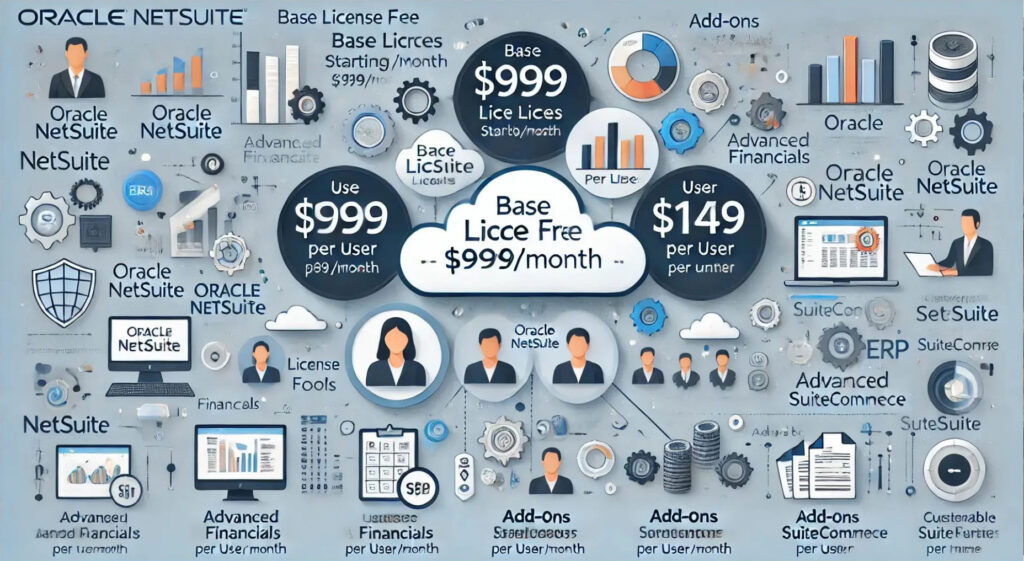
When considering Oracle NetSuite for your organization, it is important to know the pricing.
Harnessing Business Intelligence for Strategic Decision-Making
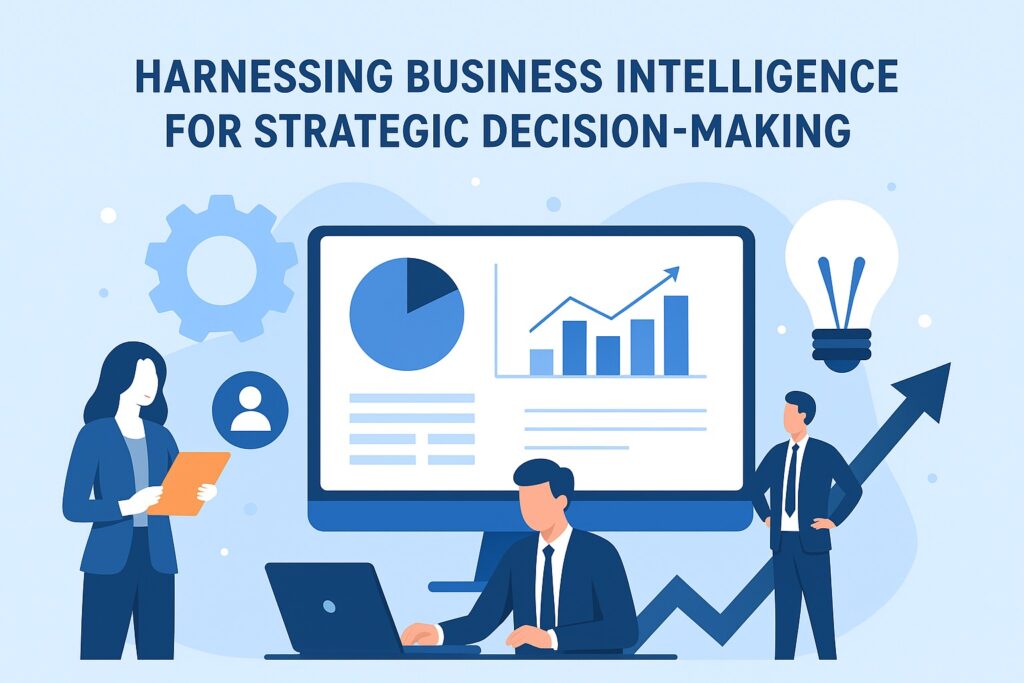
In today’s fast-paced business environment, data has become the most valuable asset for any organization. Companies generate information from sales, finance, operations and customer interactions every second. Yet data by itself does not drive value unless leaders convert it into insights. This is where harnessing business intelligence for strategic decision-making becomes crucial. Business Intelligence (BI) empowers organizations to transform raw data into meaningful insights. With BI tools, leaders make informed choices, reduce risks and uncover growth opportunities. This blog outlines how companies can implement BI effectively, the best practices to follow and the benefits it brings to strategy and execution. Why Business Intelligence Matters for Strategic Decisions 1- Faster decision-making: BI dashboards provide real-time updates on sales, revenue and operations, enabling leaders to act quickly. 2- Enhanced visibility: A well-designed BI system integrates data from multiple departments, reducing silos and creating a single version of the truth. 3- Risk reduction: BI helps leaders spot early warning signals in financial and operational data. This allows corrective action before problems escalate. 4- Competitive edge: Companies that invest in business intelligence for strategic decision-making outperform competitors by spotting trends earlier. Organizations that rely only on instinct often miss opportunities or respond too late. BI bridges this gap by grounding every strategic move in evidence. Building Blocks of Business Intelligence A successful BI strategy rests on certain building blocks. These ensure that data is collected, processed and presented in a way that supports decision-making. 1- Data integration: BI systems pull information from ERP, CRM and external sources into one centralized repository. 2- Data accuracy: Clean and reliable data ensures that dashboards and reports reflect reality. Without this, decisions may be flawed. 3- Visualization tools: Modern BI platforms use charts, heat maps and drill-down reports to make insights accessible to non-technical users. 4- Self-service analytics: Empowering employees with BI tools encourages faster decisions without waiting for IT teams. When these components are in place, companies can fully harness business intelligence to guide strategy. Best Practices for Harnessing BI Simply installing a BI platform does not guarantee results. Companies must follow best practices to maximize value. 1- Align BI with strategy: Define the business objectives first. For example, improving supply chain efficiency or optimizing marketing campaigns. Then configure BI to track progress against those goals. 2- Focus on data governance: Establish standards for data collection, storage and usage. Strong governance reduces duplication and ensures compliance. 3- Encourage adoption: Train teams to use BI dashboards daily. Adoption improves when employees see how BI simplifies their work. 4- Iterative improvement: BI should evolve with business needs. Regularly update KPIs, dashboards and data sources to stay relevant. These business intelligence best practices help ensure that BI systems remain useful and aligned with long-term objectives. Role of BI in Strategic Planning Strategic planning requires accurate forecasting and a deep understanding of trends. BI systems provide the data foundation for long-term planning. 1- Market analysis: BI platforms combine internal sales data with external market intelligence to highlight new opportunities. 2- Financial forecasting: By analyzing revenue streams, BI supports accurate projections and budget allocations. 3- Customer behavior insights: Companies can spot changing customer preferences and adjust product or service offerings. 4- Operational efficiency: Data on production cycles, supply chain delays and workforce performance guides resource planning. Incorporating business intelligence in strategic planning strengthens an organization’s ability to stay ahead of market shifts. Overcoming Challenges in BI Adoption Despite its advantages, many companies struggle with BI adoption. Identifying and addressing challenges early makes implementation smoother. 1- Data silos: Without integration, BI cannot deliver a complete view. Breaking down silos is critical. 2- Resistance to change: Employees may resist BI adoption if they do not understand its value. Clear communication and training are essential. 3- Complexity of tools: Some BI systems overwhelm users. Selecting intuitive tools ensures better adoption. 4- Cost concerns: Leaders must see BI as an investment, not an expense, given its long-term benefits. By addressing these issues, businesses can unlock the full potential of business intelligence for decision-making. Using BI for Performance Measurement BI tools provide metrics that measure whether strategies succeed. This allows leaders to refine decisions and adjust execution in real time. 1- Key performance indicators (KPIs): Dashboards track progress against goals such as revenue growth or cost reduction. 2- Benchmarking: BI compares company performance against industry standards to identify areas for improvement. 3- Scenario analysis: Leaders can test multiple scenarios, such as market expansion or price changes, before committing. 4- Predictive analytics: BI not only measures past performance but also predicts future outcomes. Performance measurement ensures that business intelligence tools for decision-making continue to create tangible value. The Future of Business Intelligence The next generation of BI is more advanced and integrated with AI and machine learning. Organizations that prepare now will gain even greater advantages. 1- AI-powered insights: Machine learning identifies patterns in data that humans may overlook. 2- Natural language queries: Users can ask questions in plain language instead of writing queries. 3- Embedded BI: Analytics will become part of daily workflows inside ERP and CRM systems. 4- Predictive decision-making: Instead of reacting to data, leaders will anticipate trends and act proactively. The future of harnessing business intelligence for strategic decision-making is about moving from descriptive reporting to predictive and prescriptive insights. Conclusion In today’s competitive world, strategic decisions must be supported by accurate insights. By harnessing business intelligence for strategic decision-making, companies achieve faster decision-making, reduce risks and drive growth. The key lies in aligning BI with strategy, ensuring data accuracy and encouraging adoption across teams. When implemented effectively, BI systems transform raw data into a powerful resource that drives long-term success. As technology evolves, BI will integrate more closely with AI and automation, helping leaders make not just smarter but also faster and more predictive decisions. Businesses that embrace BI today will be the ones defining industry standards tomorrow.
Manufacturing ERP Implementation: Optimize Production Scheduling and Reduce Downtime
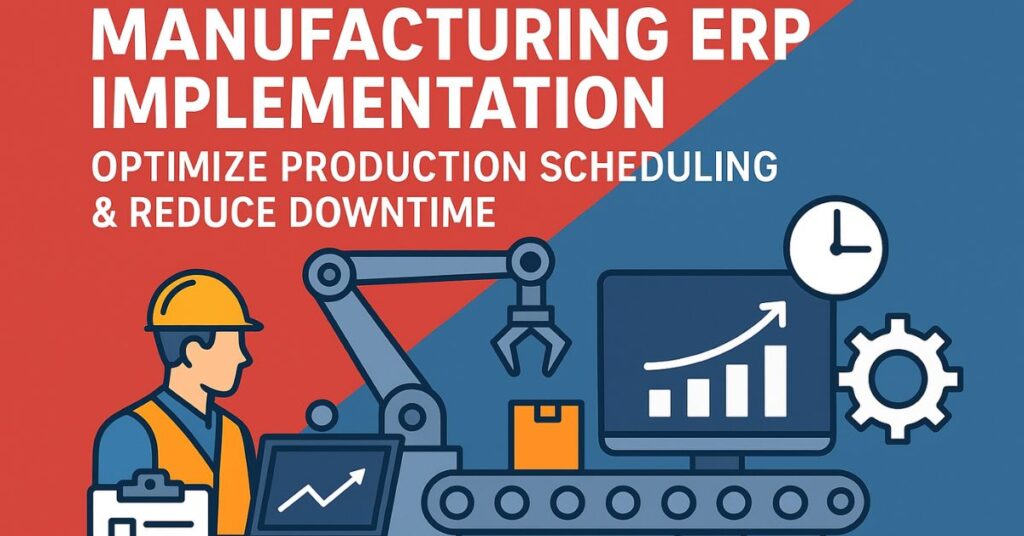
Manufacturers constantly face the challenge of balancing speed, quality and cost. In many plants, production teams rely on manual spreadsheets or siloed systems, which creates inefficiencies and leads to downtime. By investing in a manufacturing ERP implementation, organizations can connect planning, operations and maintenance in a single system. A modern ERP for manufacturing provides visibility into orders, materials and machine performance. It enables managers to optimize production scheduling, minimize disruptions and reduce downtime. This blog explores how to implement ERP effectively, with a focus on production scheduling, predictive maintenance and long-term success. Why Manufacturing ERP Implementation Matters A successful manufacturing ERP implementation delivers value beyond finance or reporting. It directly impacts shop floor performance, customer delivery and asset utilization. 1- Centralized planning: An ERP system for manufacturing consolidates data from sales, procurement and production, giving planners one version of the truth. 2- Stronger scheduling discipline: Automated scheduling aligns labor, materials and capacity, replacing error-prone manual methods. 3- Reduced downtime: Predictive maintenance tools in ERP systems prevent unexpected equipment failures. 4- Scalability: ERP grows with the business, supporting multiple plants, geographies and new product lines. By standardizing processes and improving visibility, ERP transforms the manufacturing operation into a more predictable and efficient system. Optimizing Production Scheduling with ERP Production scheduling is one of the most complex tasks in the manufacturing industry. Without the right tools, companies face bottlenecks, missed delivery dates and excess work in progress. A production scheduling ERP module helps managers align resources, orders and capacity in real time. 1- Finite capacity planning: The ERP enforces realistic limits, ensuring that no machine or team is overbooked. This prevents late orders and costly overtime. 2- Dynamic rescheduling: A strong ERP for manufacturing adapts instantly when demand shifts, materials are delayed or machines go down. 3- Material-driven scheduling: By integrating procurement and inventory, production starts only when raw materials are available. This avoids idle labor and machines. 4- On-time delivery improvements: With optimized scheduling, manufacturers can consistently meet customer commitments. Effective manufacturing ERP implementation best practices emphasize aligning scheduling with supply chain data. This integration reduces uncertainty and helps manufacturers achieve higher efficiency. Reducing Downtime Through ERP Tools Downtime is one of the biggest threats to productivity and profitability. Unexpected breakdowns halt production, waste resources and delay shipments. ERP systems address downtime with predictive tools and integrated maintenance functions. 1- Predictive maintenance: A modern ERP system for predictive maintenance in manufacturing connects with IoT devices and machine sensors. It alerts teams to potential issues before breakdowns occur. 2- Planned maintenance windows: ERP schedules maintenance during low-demand periods, ensuring that servicing does not affect order fulfillment. 3- Resource readiness: The system ensures spare parts, technicians and tools are available at the right time. This prevents delays once maintenance begins. 4- Downtime analytics: ERP tracks every incident, helping managers understand root causes and implement preventive measures. By adopting ERP implementation in manufacturing industry, businesses shift from reactive to proactive maintenance. This directly reduces downtime, increases equipment availability and boosts return on investment. Key Phases of a Manufacturing ERP Implementation A structured roadmap ensures that the ERP project achieves its goals. From planning to post-go-live, each phase of a manufacturing ERP implementation requires disciplined execution. 1- Planning and requirement gathering: Define goals such as reducing downtime, optimizing production scheduling or improving on-time delivery. 2- System configuration: Customize modules for bill of materials, routings and shop floor control. Configure ERP benefits for manufacturers such as traceability and compliance. 3- Testing and training: Run end-to-end tests of production scheduling, order execution and maintenance workflows. Train employees in sandbox environments. 4- Go-live and monitoring: Roll out in phases and monitor key metrics like schedule attainment, machine uptime and order cycle times. Following this roadmap minimizes disruption and accelerates value capture from the ERP system. Data Accuracy and Master Records ERP systems deliver accurate scheduling and maintenance insights only when the data is clean. Poor data quality creates delays, incorrect schedules and unreliable downtime reporting. 1- Clean master data before migration: Standardize part numbers, units of measure and routing steps. 2- Define ownership: Assign responsibility for materials, work centers and bills of materials to ensure accountability. 3- Enforce governance: Use ERP workflows to prevent incomplete or incorrect records from entering the system. 4- Continuous audits: Periodically review data to catch errors and ensure accuracy over time. These steps support optimizing production scheduling with ERP and strengthen decision-making on the shop floor. Change Management and User Adoption ERP systems succeed when employees adopt them. A manufacturing ERP implementation must include structured change management to prepare teams for new processes. 1- Role-based training: Provide hands-on sessions tailored for planners, supervisors, operators and maintenance staff. 2- Practical learning environments: Let users practice in sandbox environments before go-live. 3- Clear communication: Explain benefits such as fewer errors, less downtime and easier reporting. 4- Super users and champions: Build a network of trained employees who can support peers during rollout. Change management ensures that ERP is not seen as an IT project but as a tool that makes daily tasks easier and more reliable. Measuring Success and ROI Decision-makers, especially CFOs and operations leaders, must measure whether ERP investments deliver value. Tracking the right KPIs ensures accountability. 1- Overall equipment effectiveness (OEE): Measure uptime, performance and quality improvements. 2- Mean time between failure (MTBF): Confirm that machines last longer between breakdowns. 3- Schedule attainment: Track whether production orders finish on time as planned by the ERP. 4- Inventory turns: Validate whether integration with scheduling reduces excess work in progress. These KPIs prove the ERP benefits for manufacturers and help justify future system expansion. Best Practices for Long-Term Success Sustained benefits come from adopting best practices. Companies that treat ERP as a continuous improvement platform gain more than those who see it as a one-time project. 1- Start with a pilot: Roll out ERP on one product line before scaling. 2- Minimize custom code: Use standard ERP configurations to reduce future upgrade issues. 3- Integrate IoT early: Link machine sensors and shop floor
Enhancing Project Delivery with NetSuite CRM and SuiteProjects

In today’s competitive business landscape, companies cannot afford to have delays or miscommunication between sales and project delivery teams. The transition from closing a deal to executing a project is a critical phase that impacts client satisfaction and overall business efficiency. At SuiteWorld 2025, I, Sagar Gupta, had the privilege of presenting a session demonstrating how NetSuite CRM integrates seamlessly with SuiteProjects, creating a frictionless workflow that ensures smooth project delivery. This integration is a game-changer. By connecting sales data with project management tools, organizations can eliminate redundancies, improve resource allocation, and ensure accurate project execution. In this blog, we will explore the challenges businesses face, the benefits of integrating NetSuite CRM with SuiteProjects, and practical steps to leverage this solution for operational excellence. The Challenges of Sales to Project Handoff Many organizations struggle with managing sales and projects in separate systems. Typically, sales teams work in CRM systems while project teams use standalone project management software. This disconnection leads to: Data silos: Information about customer expectations, project scope, and budgets often remains isolated in different platforms. Manual errors: Transferring data from one system to another increases the risk of mistakes in project scope, timelines, and billing. Delayed execution: Lack of real-time visibility prevents project teams from starting immediately after a deal closes. Reduced client satisfaction: Misalignment between sales promises and project execution can lead to disappointment and reputational damage. By integrating NetSuite CRM with SuiteProjects, these issues are mitigated. Organizations gain a unified platform that bridges the gap between sales and project delivery. The Power of Integrating NetSuite CRM with SuiteProjects The integration of NetSuite CRM and SuiteProjects enables businesses to manage the entire customer lifecycle efficiently, from opportunity identification to project completion. Some key advantages include: Unified Data Across Teams When NetSuite CRM is connected with SuiteProjects, all customer data, project requirements, and estimates are centralized. Sales and project teams work with the same data, ensuring alignment and eliminating the risk of miscommunication. Seamless Sales to Project Handoff One of the most powerful features of this integration is the ability to launch projects directly from approved estimates in NetSuite CRM. This eliminates the need for manual data entry and ensures that all project details, including budgets, timelines, and client specifications, are accurately transferred to the project management system. Enhanced Collaboration and Communication Integrated tools allow both sales and project teams to communicate effectively within the same platform. Project managers can access sales notes and client communications, while sales teams can monitor project progress without switching platforms. Real-Time Visibility into Project Status Executives and managers gain instant visibility into project performance, enabling proactive decision-making. Tracking milestones, resource allocation, and potential bottlenecks becomes straightforward. Optimized Resource Management Integrated systems provide insights into resource availability, utilization, and allocation. This ensures that the right team members are assigned to the right tasks, avoiding overwork and improving efficiency. Accurate Billing and Revenue Recognition By linking estimates in NetSuite CRM to project deliverables in SuiteProjects, organizations can automate billing based on project milestones. This reduces errors, ensures timely invoicing, and aligns revenue recognition with project completion. Real-World Example: Sales to Project Execution Consider a marketing agency receiving a client request for a digital campaign. Using NetSuite CRM, the sales team captures the client requirements, creates a detailed estimate, and obtains approval. Immediately, the approved estimate triggers the project setup in SuiteProjects. Project managers receive all relevant details automatically. Resources are assigned based on availability and skillset. Teams collaborate using integrated communication tools, ensuring that tasks are tracked, deadlines met, and deliverables meet client expectations. Billing is automatically aligned with project milestones, ensuring transparency and accuracy. This seamless process not only saves time but also strengthens client trust and increases overall project profitability. Benefits of NetSuite CRM and SuiteProjects Integration . Improved Project Delivery Efficiency Integration reduces manual handoffs, ensuring projects start promptly after sales approval. Faster project initiation leads to improved timelines and higher client satisfaction. Enhanced Client Satisfaction Real-time access to project progress and seamless communication with project teams enhances client confidence and strengthens long-term relationships. Informed Decision-Making Unified data allows managers to monitor KPIs, project performance, and resource utilization. This facilitates better forecasting, risk management, and decision-making. Scalable Operations As businesses grow, the integrated platform supports multiple simultaneous projects without creating administrative overload, making it ideal for growing enterprises. Data-Driven Insights Analytics from both NetSuite CRM and SuiteProjects help identify trends, optimize processes, and provide actionable insights for future projects. SuiteProjects Integration and Project Delivery Optimization Implementing SuiteProjects integration with NetSuite CRM transforms how organizations approach project delivery optimization. By aligning sales estimates with project plans, businesses can optimize workflows, reduce errors, and improve profitability. Key takeaways from this integration include: Fewer administrative tasks for both sales and project teams. Increased visibility into project bottlenecks before they impact delivery. Accurate tracking of resources, budgets, and timelines. Enhanced ability to scale operations without sacrificing quality. Businesses that adopt NetSuite CRM and SuiteProjects integration report higher productivity, faster project completion, and stronger client relationships. This makes the integration not just a tool, but a strategic advantage. Conclusion The integration of NetSuite CRM with SuiteProjects represents a strategic leap for organizations seeking operational excellence. By bridging the gap between sales and project delivery, businesses can reduce errors, improve collaboration, and ensure timely project execution. At SuiteWorld 2025, I demonstrated how organizations can leverage this integration to align sales and project teams, optimize workflows, and deliver superior client experiences. In an era where efficiency and client satisfaction drive growth, adopting NetSuite CRM integrated with SuiteProjects is not just a technology upgrade—it is a competitive advantage.
SuiteWorld 2025 – Day 3 Recap: AI Takes Center Stage & Pitbull Brings the Fire

Las Vegas, October 8, 2025; If Day 1 inspired and Day 2 connected, Day 3 of SuiteWorld 2025 delivered transformation at full throttle. The energy reached a new peak as NetSuite AI innovation came alive through immersive sessions, practical demos, and real customer stories. The night ended with an electrifying Pitbull performance, creating a memorable conclusion to a highly interactive day. Attendees described Day 3 as the turning point of the conference: where strategy met execution, theory met real-world application, and colleagues became collaborators. Morning Keynote: “No Limits” Meets AI Reality The day began with a keynote building on the “No Limits” theme, now emphasizing ERP transformation and AI-driven business solutions. Gary Wiessinger (SVP of Application Development) and Brian Chess (SVP of Technology & AI) shared how AI is embedded across every workflow, from predictive forecasting and anomaly detection to self-healing automation and conversational analytics. Key examples included: Continental Battery Systems using predictive AI to optimize inventory and demand planning. EALgreen leveraging AI-driven insights to cut operational costs and increase efficiency. The keynote message was unambiguous: “AI is not a feature anymore. It’s your second brain for business.” By showcasing tangible results, the keynote framed SuiteWorld 2025 not just as a showcase of products but as a demonstration of actionable intelligence shaping modern enterprises. Game-Changing AI Sessions: From Insight to Action Day 3’s breakout tracks gave attendees hands-on experiences with NetSuite AI innovation and illustrated how AI is transforming ERP systems: NetSuite + AI: Your Real-Time Business Brain A live demo highlighted NetSuite automatically detecting a spike in expense anomalies and generating “what-if” forecast scenarios in seconds. The system anticipated business issues before the presenter could respond, leaving the audience impressed with AI’s real-time predictive capabilities. Autonomous Workflow Engines This session demonstrated workflows that self-detect failures, reroute automatically, and correct issues without human intervention. One customer cut backlog errors by 60% by leveraging these AI-driven business solutions, showing that automation is not theoretical but operational. Cross-Data Intelligence with AI Analytics Warehouse Attendees witnessed AI connecting insights across CRM, finance, and supply chain systems. Patterns invisible to analysts emerged, illustrating the potential of connected enterprise data. Analysts described the session as experiencing a “business oracle,” demonstrating the practical power of NetSuite AI innovation. Voice ERP: Just Ask NetSuite A futuristic demonstration allowed attendees to query ERP by voice: “How’s my Q3 revenue vs forecast?” Instantly, contextual dashboards and analytics appeared. This session emphasized how ERP transformation combines convenience, speed, and actionable insights to drive smarter decision-making. Afternoon: From Learning to Implementation By mid-afternoon, the Expo Hall was buzzing. Attendees weren’t asking whether they should adopt AI—they were exploring implementation. Partner booths showcased integrations for predictive inventory, AI-driven financial closes, and autonomous supply chains. Attendees actively compared notes, discussed deployment challenges, and identified immediate next steps for adopting AI-driven business solutions. The sessions reinforced a critical takeaway: NetSuite AI innovation is operational today, not a future concept. The synergy between keynote themes, breakout sessions, and Expo Hall demos made the message clear; SuiteWorld 2025 is a conference that turns insight into execution. The Party: Pitbull Ignites Vegas The evening concluded with SuiteWorld’s legendary “The Party.” Pitbull, known globally as Mr. Worldwide, headlined, performing hits like “Give Me Everything,” “Fireball,” and “Time of Our Lives.” Venue & Experience The Omnia-style venue was transformed into a high-energy concert space with synchronized LED walls, laser effects, and immersive visuals. Thousands of attendees danced, sang, and celebrated, turning networking into an unforgettable shared experience. Highlight Moments: Pitbull shouting, “Vegas, NetSuite – Dale!” to an ecstatic crowd. A real-time social wall showcasing attendee selfies, tweets, and posts. Surprise encore with confetti cannons, lighting up the stage. The event wasn’t just entertainment; it symbolized the energy, excitement, and sense of community that SuiteWorld highlights aim to foster. Networking & Community Takeaways Day 3 illustrated that conferences aren’t only about learning, they’re about connecting. Key observations: Peer-to-peer learning surged during informal interactions in the Expo Hall and evening events. Product leads and NetSuite experts actively engaged attendees, answering questions, and sparking follow-ups. Attendees recognized that the Pitbull concert, beyond entertainment, served as a networking catalyst, peers who met during the performance later discussed strategies and shared insights. The seamless integration of learning, networking, and entertainment reinforced why SuiteWorld 2025 remains a must-attend event for enterprise leaders. Strategic Takeaways from Day 3 AI is operational: NetSuite’s roadmap is implemented today, not theoretical. ERP transformation in action: Attendees left with concrete action plans. Enhanced collaboration: Networking opportunities, especially during evening events, strengthened professional relationships. Connected enterprise: SuiteWorld highlights consistently emphasized intelligent, integrated workflows and actionable insights. In short, Day 3 reinforced that NetSuite AI innovation is transforming business operations, making enterprises smarter, faster, and more connected. Looking Ahead: Day 4 Preview Day 4 will close SuiteWorld 2025 with customer success awards, final keynotes, and insights for 2026. Attendees will explore further applications of AI-driven business solutions, engage in networking, and review the tangible impact of ERP transformation on business outcomes. SuiteWorld 2025 has proven that intelligent, connected business is no longer optional; it’s the new standard.
Day Two at SuiteWorld 2025: Momentum, Innovation & Connections
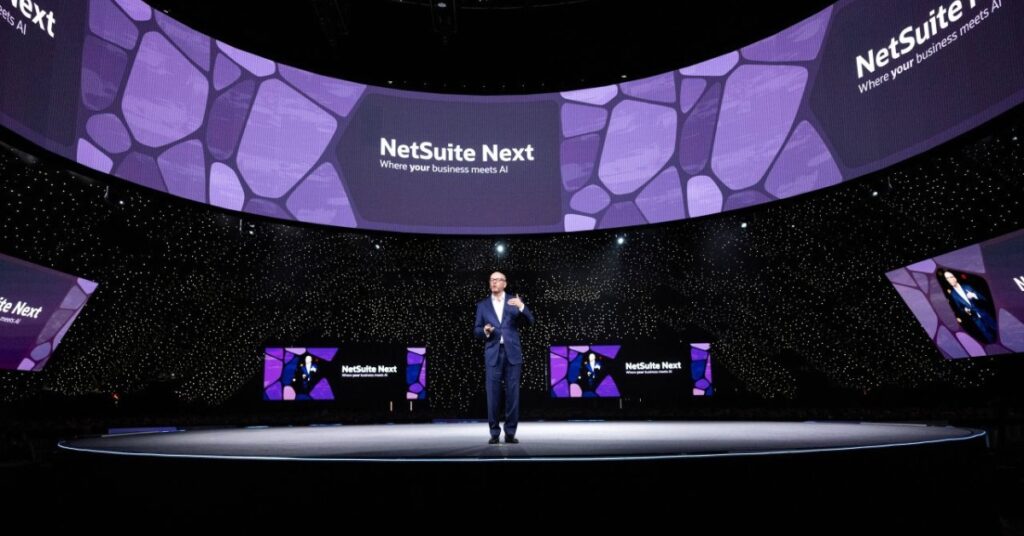
Tuesday, October 7 marked the second full day of SuiteWorld 2025, the flagship NetSuite conference known for its focus on enterprise transformation and digital scalability. After the opening momentum of Day One, Day Two established the true rhythm of the event — an immersive mix of strategic learning, AI-driven business solutions, and high-value networking opportunities. Morning Keynote: Setting the Stage for “No Limits” Day Two of SuiteWorld 2025 began with a powerful executive keynote centered on the theme “No Limits.” The keynote showcased how NetSuite AI innovation is redefining operational intelligence, helping organizations unify data, scale processes, and unlock continuous growth. Speakers emphasized key ideas that shaped the day’s sessions: Unified data systems: Using NetSuite’s integrated analytics to create a single source of truth for decision-making. Embedded AI workflows: Demonstrating how AI-driven business solutions streamline forecasting, predictive modeling, and anomaly detection. Customer success stories: Real-world examples of companies using NetSuite to scale beyond traditional limitations. The keynote set the tone for the rest of SuiteWorld 2025, signaling that this year’s focus was not only on product updates but also on the evolution of intelligent enterprise frameworks. Midday Sessions and Learning Labs The midsection of Day Two featured a range of breakout sessions and workshops across finance, analytics, operations, and commerce. Each track reinforced the strategic direction unveiled during the morning keynote, ensuring attendees could experience SuiteWorld highlights tailored to their professional goals. Breakout Sessions: Deep dives into financial automation, reporting, and advanced analytics. Learning Labs: Hands-on experimentation with NetSuite AI innovation, giving participants practical exposure to AI integrations and intelligent automation. Expo Hall: A bustling hub filled with partner showcases, the AI Arena, and live demonstrations of AI-driven business solutions. Networking Lunches: Curated spaces for CFOs, developers, and operations leaders to exchange ideas and align takeaways. Every conversation seemed to connect back to SuiteWorld 2025’s core message — achieving limitless potential through connected intelligence and data integration. Afternoon Insights and Strategic Conversations As the afternoon progressed, discussions became more forward-looking and tactical. Many attendees focused on translating new insights from the NetSuite conference into actionable strategies for their own organizations. Common talking points included: How predictive analytics could transform demand forecasting. The role of AI in simplifying compliance and financial planning. How integrated NetSuite environments can replace fragmented legacy systems. By late afternoon, attendees described the energy as focused and optimistic — the pivotal point where learning turned into strategy. Evening Industry Reception at Omnia Nightclub The evening reception at Omnia Nightclub served as one of the most anticipated SuiteWorld highlights. It provided a welcome balance to the day’s structured programming with a relaxed networking atmosphere. Venue & Experience Omnia’s dynamic layout allowed participants to transition seamlessly from professional exchanges to more casual discussions. The ambiance encouraged collaboration among peers from retail, technology, services, and manufacturing. Food and beverage stations were strategically placed, ensuring the conversations kept flowing. The setting reflected NetSuite’s own philosophy — that meaningful innovation happens through connection, not isolation. Networking and Collaboration The Industry Reception fostered genuine relationship-building beyond formal sessions. Attendees interacted with NetSuite AI innovation teams, provided feedback, and engaged in spontaneous idea exchanges that many considered the highlight of Day Two. Key dynamics included: Industry-specific networking zones for targeted discussions. Informal Q&A opportunities with NetSuite product leads. Partner mini-sessions designed for deeper integration insights. For many, the reception represented the true spirit of SuiteWorld 2025 — collaboration grounded in shared vision and innovation. Community Response & Reflections Across social channels and post-event discussions, the feedback was clear: SuiteWorld 2025 Day Two exceeded expectations. Attendees praised the coherence between AI-centric keynotes and the hands-on learning experiences. Observations included: Appr1eciation for the real-world applicability of AI-driven business solutions. Recognition that Omnia provided a more engaging venue than traditional ballrooms. Positive remarks about the accessibility of NetSuite’s leadership team. A suggestion to extend the reception to allow more time for networking. Takeaways from SuiteWorld 2025 Day Two Strategic Alignment: Every session reinforced NetSuite’s mission to deliver seamless, scalable, and intelligent enterprise solutions. Innovation in Action: NetSuite AI innovation was showcased not as theory but as a practical, deployable tool for business transformation. Connected Community: Events like the Industry Reception turned thought leadership into tangible relationships. Forward Momentum: Day Two established the foundation for organizations to operationalize new ideas and strategies. SuiteWorld 2025 continues to demonstrate why it stands at the intersection of innovation, intelligence, and impact. The conference not only celebrates technology but also creates an ecosystem where enterprises can evolve faster, smarter, and without limits.
SuiteWorld 2025: Day 1 Recap: Energy, Ideas, and Real-World Wins
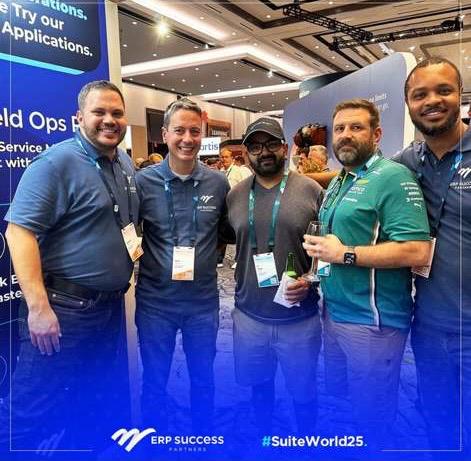
If SuiteWorld 2025 Day 1 Recap is any guide, this year is poised to be a watershed moment for the NetSuite community. From early-morning keynotes to late-night hallway chats, the energy stayed elevated. The central theme: sharper execution, smarter automation, and teams shipping faster with fewer silos. Morning Keynotes: Ideas That Resonate The opening sessions delivered substance, not fluff: Emphasis on AI where it actually helps: close the books, forecast, workflow triage; not “AI for AI’s sake.” Introduction of industry templates to shrink time-to-value. Cleaner admin experiences for professionals working daily in saved searches, scripts, and roles. Takeaway: SuiteWorld 2025 Day 1 Recap isn’t about flashy new toys. It’s about removing friction across Sales, Ops, Finance, and IT, so data flows once and works everywhere. Expo Hall Highlights: Hands-On and High Signal I devoted much of the afternoon to demos and roadmap deep dives. Three clear trends stood out: Procure-to-Pay → Cash tighter than ever Better matching, fewer manual exceptions; automation is mission critical here. Project & Field Ops get real Tasking, time capture, and mobile UX feel far more practical than before. Data pipelines without duct tape More vendors now support low-code syncs into analytic stores, no bolt-on spaghetti. Pro tip: Bring one gnarly workflow from your org and ask vendors to walk it end-to-end live. A “nice demo” is easy; your edge case is the truth serum. Breakout Sessions Worth Attending Finance Acceleration: These were not abstract theories, they were concrete patterns for month-end acceleration: Auto-allocations Rules-based reclasses Variance surfacing before the review Each tip shaved hours off the close cycle. Operations Orchestration Best sessions mapped real-world flows such as: Install/removal Split shipments Partial invoicing They also showed how to monitor exceptions at scale. If you attend breakouts, prioritize ones that include dashboards + saved searches + automation workflows + light scripting. That four-part narrative is where the magic lives. My Session: Lessons from the Trenches In my talk, I shared how we scale one end-to-end workflow across Sales, Print/Install, and Finance without burning out admins. Attendees loved these three takeaways: “One truth, many views.” Maintain a single authoritative record. Provide role-based dashboards instead of cloning data for each team. Automate the boring 80%. Use scripts and workflows to default values, connect lines, and guard against bad states. Let humans manage the contextual 20%. Instrument everything. Treat saved searches like logs. If you can’t see exceptions in real time, you manage on anecdotes. Slides and examples are polished and ready. Ping me if you want copies. Hallway Conversations: Real Wins, Real Impact The magic of SuiteWorld often happens between sessions: A controller cut close time by 2 days by standardizing item usage and auto-posting accruals. An ops lead mapped every fulfillment exception into one board; support tickets dropped by 40 %. An admin treated scripts as guardrails, not crutches; fewer editable fields, fewer ways to break, far fewer 2 AM calls. These stories enrich the SuiteWorld 2025 Day 1 Recap because they show what’s possible. What I’m Taking Back to the Team Exception-first dashboards for Finance and Ops. Surface the 2 % that matters. Template kits per workflow: saved search packs + roles/permissions + workflow JSON + notes. Reuse as a strategy. Change windows discipline: ship increments every Tuesday/Thursday after updates meetings. Predictability beats heroic pushes. The mood, in one line: Less theater. More throughput. Who Should Care About SuiteWorld 2025 Day 1 Recap CFOs: Automated controls and faster variance visibility are now practical, not visionary. COOs/Ops: Better install and fulfillment flows, clearer status tracking—fewer Slack wars, more delivery. Admins/Developers: Cleaner paths to build, test, and monitor with fewer brittle edges. Quick Tips for Day 2 Pick one strategic theme (Finance speed, Ops clarity, revenue growth). Attend only sessions that compound it. Block 30 minutes to convert notes into 2–3 pilot changes you can ship in the next 10 days. Meet 3 people who’ve solved your exact problem. Ask to see their saved searches or dashboards, not just stories. Gratitude Huge thanks to everyone who stopped by, asked hard questions, and shared real numbers. This community thrives on candour and working code. Heading to SuiteWorld tomorrow? I’ll be around the expo and a couple of ops/finance breakouts. If you want to trade dashboards, war stories, or ideas for exception-driven workflows, come say hi. Let’s make the rest of the week relentlessly practical.
ERP Implementation Roadmap: Key Phases from Planning to Post-Go-Live

Implementing an Enterprise Resource Planning (ERP) system is one of the most significant initiatives an organization can undertake. The process requires more than software installation. It demands careful planning, phased execution, and strong user adoption strategies. Without structure, ERP projects often fail to deliver value or run into delays and cost overruns. A well-defined ERP Implementation Roadmap provides organizations with clarity and direction. It breaks down the journey into structured phases, from initial planning through post-go-live support. In this blog, we will explore each phase of the roadmap, discuss the challenges, and highlight best practices for a successful ERP implementation. Phase 1: Planning and Preparation The planning stage lays the foundation for ERP success. Organizations that invest time in preparation experience fewer disruptions later. 1- Define clear objectives: Establish business goals, whether streamlining operations, reducing costs, or improving compliance. 2- Build the project team: Include stakeholders from finance, IT, operations, and leadership to ensure alignment. 3- Select the right ERP solution: Evaluate ERP platforms that match organizational requirements, scalability, and industry needs. 4- Develop a project plan: Create a timeline with milestones, responsibilities, and risk mitigation strategies. Phase 2: Business Process Analysis and Design An ERP should support optimized workflows, not replicate inefficient ones. This phase focuses on aligning the system with business processes. 1- Map current processes: Document how existing workflows operate across departments. 2- Identify gaps and inefficiencies: Highlight bottlenecks and areas where automation can drive improvements. 3- Design future-state workflows: Create optimized processes that align with the ERP’s functionality. 4- Validate with stakeholders: Ensure leadership and end-users agree on the redesigned processes. Phase 3: System Configuration and Customization Once the design is finalized, the ERP system is configured to match organizational requirements. 1- Configure core modules: Set up finance, HR, supply chain, or industry-specific modules. 2- Customize where necessary: Tailor workflows or scripts only if standard functionality does not meet requirements. 3- Integrate with other systems: Connect ERP with CRM, payroll, or legacy tools to ensure seamless data flow. 4- Document configurations: Keep records for training, audits, and future reference. Phase 4: Data Migration and Accuracy Data migration is often one of the most challenging phases of the ERP Implementation Roadmap. Poorly handled migration can undermine the entire project. 1- Audit existing data: Cleanse duplicate, outdated, or inaccurate records before migration. 2- Define data ownership: Assign responsibility for data accuracy to relevant departments. 3- Migrate in stages: Move data in phases and validate accuracy at each step. 4- Perform data validation: Test migrated data thoroughly to ensure accuracy and completeness. Phase 5: Testing and Quality Assurance Comprehensive testing ensures the system performs correctly before it goes live. 1- Unit testing: Validate individual functions and modules within the ERP. 2- Integration testing: Confirm workflows between modules and third-party systems work seamlessly. 3- User acceptance testing (UAT): Involve end-users to ensure the system meets business needs. 4- Simulate real-world scenarios: Test month-end close, purchase orders, or inventory updates under actual conditions. Phase 6: Training and Change Management ERP adoption depends heavily on user confidence and acceptance. Training and change management bridge the gap between technology and people. 1- Develop training programs: Provide role-based training tailored to user responsibilities. 2- Offer multiple formats: Use workshops, e-learning, and hands-on sandbox practice. 3- Communicate benefits: Explain how the ERP will simplify tasks and reduce workload. 4- Manage resistance: Address concerns proactively through open communication. Phase 7: Go-Live Execution The go-live stage brings the ERP system into production. Success requires careful coordination and support. 1- Set a realistic timeline: Avoid peak operational periods to minimize business disruption. 2- Deploy in phases if possible: Rolling out modules gradually can reduce risk. 3- Ensure support readiness: Provide IT teams and helpdesks to resolve issues quickly. 4- Monitor performance closely: Track system response, data accuracy, and user feedback in the first weeks. Phase 8: Post-Go-Live Support and Continuous Improvement ERP implementation does not end at go-live. Continuous monitoring and improvements ensure long-term success. 1- Provide hypercare support: Offer dedicated assistance in the immediate weeks after go-live. 2- Collect user feedback: Gather insights from employees to identify challenges and training needs. 3- Refine workflows: Adjust processes to improve efficiency and leverage new ERP capabilities. 4- Plan for upgrades: Stay prepared for ERP vendor updates, patches, and enhancements. Benefits of Following a Structured ERP Implementation Roadmap Organizations that adopt a structured roadmap experience measurable advantages. 1- Improved project success rates: A roadmap reduces risks of delays and cost overruns. 2- Better user adoption: Structured training and change management drive higher engagement. 3- Stronger compliance: Proper configuration and documentation help meet audit and regulatory needs. 4- Long-term scalability: A roadmap ensures the ERP system grows with the organization. Conclusion ERP implementation is not a single event but a structured journey. A clear ERP Implementation Roadmap guides organizations through each critical phase, from planning and process design to post-go-live support. By focusing on preparation, data accuracy, testing, training, and continuous improvement, businesses can reduce risks and unlock the full value of their ERP investment. For organizations looking to drive efficiency, scalability, and compliance, the roadmap is not optional. It is the foundation for ERP success. Companies that follow this structured path will experience smoother rollouts, stronger adoption, and long-term operational gains.