
Social Workshop: Using NetSuite SuiteAnalytics to Build Grant Presentation for Non-Profit
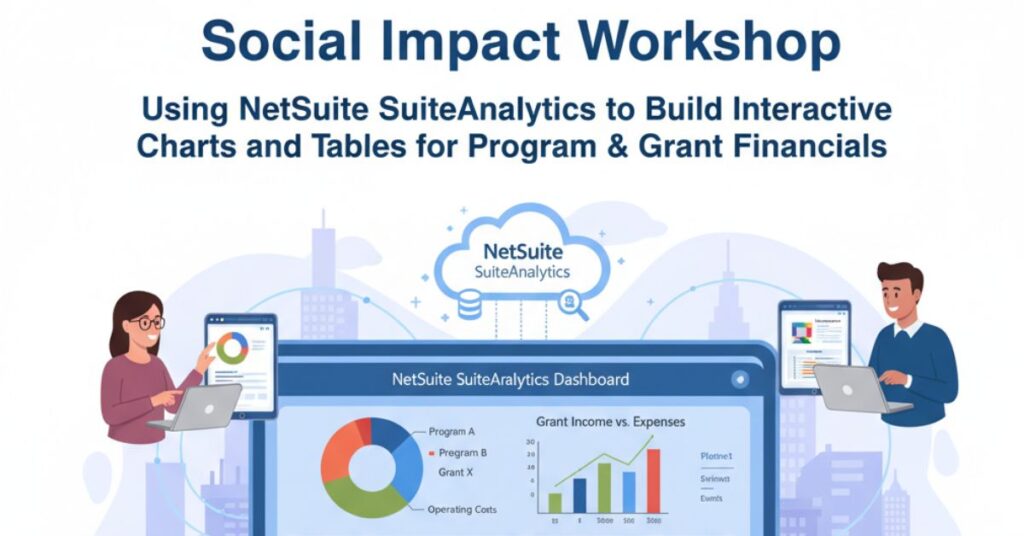
Nonprofits face increasing pressure to show accountability, transparency, and impact. Whether reporting to donors, preparing grant applications, or presenting to a board, finance teams in the nonprofit sector must deliver clear insights into program funding, expenses, and outcomes. Traditional spreadsheets and static reports often fail to capture the complexity of nonprofit operations. This is where NetSuite SuiteAnalytics emerges as a powerful enabler. At the upcoming Social Impact Workshop: Create Interactive Charts and Tables for Program and Grant Financials on Tuesday, October 14, 2025, from 2:00 p.m. to 3:00 p.m. CDT, nonprofits will learn how to use SuiteAnalytics to create datasets, build visual dashboards, and transform raw data into actionable insights. A follow-up workshop is also scheduled for Tuesday, October 21, 2025, ensuring participants gain hands-on practice and reinforcement. By leveraging NetSuite SuiteAnalytics, nonprofit finance leaders can move beyond manual data entry and fragmented reports, toward interactive, real-time financial intelligence that supports stronger decision-making. Why NetSuite SuiteAnalytics Matters for Nonprofit Financial Reporting Nonprofits operate in a dynamic environment where grants, restricted funds, and compliance reporting intersect. The need for precise, timely reporting is critical. NetSuite SuiteAnalytics is designed to provide nonprofits with the ability to: Consolidate financial, program, and grant data into one platform. Reduce reliance on offline spreadsheets and manual reconciliations. Build interactive reports that show financial performance at both macro and micro levels. Visualize program-specific income, expenses, and grant utilization. SuiteAnalytics allows nonprofit leaders to go beyond numbers. It enables storytelling through dashboards that highlight program impact, grant performance, and financial sustainability. This visibility is not just useful—it is essential for organizations that must prove accountability to donors, regulators, and stakeholders. Key Features of NetSuite SuiteAnalytics for Nonprofits The workshop will focus on practical demonstrations of how NetSuite SuiteAnalytics equips nonprofits with smarter financial management tools. Key capabilities include: Creating Datasets for Financial Insights: Participants will learn how to create datasets that bring together program and grant financials. Instead of maintaining scattered files, SuiteAnalytics centralizes critical information so decision-makers can view complete financial pictures in real time. Building Workbooks and Dashboards: Nonprofits can build SuiteAnalytics workbooks to generate pivot tables, graphs, and charts tailored for board presentations or grant reporting. Dashboards ensure that executives, finance leaders, and program managers see only the most relevant data. Interactive Visualizations: Static spreadsheets limit understanding. With SuiteAnalytics, nonprofits can design interactive charts and tables that allow users to drill down into specific transactions, track grant restrictions, or monitor program expenses. Grant Income and Expense Tracking: One of the toughest challenges nonprofits face is ensuring grant income and expense reporting aligns with restrictions. SuiteAnalytics provides structured workflows for tracking revenue, expense recognition, and release from restrictions, minimizing compliance risks. Data-Driven Collaboration: SuiteAnalytics also enables cross-department collaboration. Program managers can see how funds are allocated, while finance teams can ensure compliance, and executives can visualize the broader impact. What Participants Will Learn with NetSuite SuiteAnalytics This Suite Capacity workshop is designed as a hands-on experience for nonprofit finance teams. Attendees will walk away with the ability to: Create SuiteAnalytics datasets for grant-related revenue and expenses. Design financial dashboards that provide visibility into program and grant performance. Build charts and pivot tables that enhance board reporting and donor transparency. Customize dashboards to fit organizational reporting needs. Engage with other nonprofits to share strategies and best practices in leveraging SuiteAnalytics. The follow-up workshop on October 21, 2025 provides additional guidance, reinforcing skills learned in the first session and deepening the practical application of SuiteAnalytics in nonprofit reporting. SuiteAnalytics vs Microsoft: Why Nonprofits Choose NetSuite Many nonprofits still rely on Microsoft Excel or Microsoft-based financial systems to track grants and program financials. While these tools are familiar, they lack the scalability, automation, and visualization capabilities of NetSuite SuiteAnalytics. Key reasons nonprofits choose SuiteAnalytics over Microsoft include: Centralized Data: Unlike Excel files scattered across teams, SuiteAnalytics stores and processes data within the NetSuite ecosystem. Real-Time Accuracy: Financial data updates automatically, reducing the risk of outdated or duplicate information. Advanced Reporting: Microsoft solutions often require manual customization, while SuiteAnalytics provides pre-built nonprofit-focused templates. Collaboration-Friendly: NetSuite dashboards can be shared across teams, improving visibility and accountability. This workshop underscores why nonprofit organizations looking to scale, comply with grant requirements, and demonstrate transparency benefit from adopting SuiteAnalytics as their financial reporting engine. Eligibility for Participation This Social Impact Workshop is designed specifically for eligible nonprofit NetSuite customers. Participation criteria include: The organization’s primary purpose must be non-religious and non-political. The organization must not discriminate based on race, ethnicity, religion, gender, sexual orientation, age, disability, appearance, language, education, or veteran status. The organization cannot be a government entity or a public higher education institution. By meeting these eligibility requirements, nonprofits ensure that the focus remains on empowering mission-driven organizations that prioritize inclusivity and social good. Featured Speaker The workshop will be led by Steve Heye, Social Impact Business Process Director at Oracle NetSuite. With deep expertise in nonprofit technology transformation, Steve brings practical insights into how nonprofits can maximize the value of NetSuite SuiteAnalytics. His guidance will help participants bridge the gap between technical features and real-world nonprofit challenges. Conclusion: How NetSuite SuiteAnalytics Strengthens Grant Management Nonprofits today cannot afford to rely on outdated tools for grant management and program reporting. Donors, regulators, and boards demand more visibility, more transparency, and more accuracy. By adopting NetSuite SuiteAnalytics, nonprofits can: Eliminate inefficiencies in manual reporting. Gain real-time insights into grant performance. Build financial dashboards that tell a compelling story of impact. Align program and financial data for stronger decision-making. The Social Impact Workshop: Create Interactive Charts and Tables for Program and Grant Financials is an unmissable opportunity for nonprofits to see SuiteAnalytics in action. From building datasets to designing dashboards, this workshop provides both the tools and strategies nonprofit leaders need to transform financial reporting. With NetSuite SuiteAnalytics, nonprofits can future-proof their financial operations, enhance donor trust, and deliver greater impact on the communities they serve.
The Top Small Business ERP System USA: Solutions for SMB Growth
In today’s competitive landscape, small and medium businesses (SMBs) in the United States face unique challenges. From managing limited resources to keeping up with customer demands, efficiency is crucial. Enterprise Resource Planning (ERP) software provides an all-in-one solution to manage operations, streamline workflows, and boost growth. Particularly in the U.S., finding the top small business ERP system USA is a priority for SMBs looking to thrive in competitive markets. In this blog, we will explore some of the best ERP solutions designed for SMBs, their benefits, and why investing in the right system is critical for long-term success. NetSuite ERP: A Cloud-Based Powerhouse NetSuite ERP is often regarded as the top small business ERP system USA for good reason. This cloud-based platform integrates financials, inventory, and customer relationship management (CRM) into one seamless system. Its versatility and scalability make it ideal for SMBs looking to streamline operations and scale over time. NetSuite’s real-time dashboards provide actionable insights, enabling decision-makers to respond swiftly to market trends. The platform’s affordability and pay-as-you-go subscription model allow small businesses to invest wisely without straining budgets. With automated processes, NetSuite eliminates redundancies, making operations more efficient and transparent. SAP Business One SAP Business One is a popular choice for SMBs looking for an affordable ERP solution without sacrificing essential features. This system consolidates accounting, inventory, and sales management into one platform, reducing complexity and enabling businesses to operate more efficiently. Designed with SMBs in mind, SAP Business One offers flexibility through its modular structure. Businesses can start small and expand as they grow, adding modules like HR or project management when needed. Its user-friendly interface ensures that teams can adopt the software with minimal training, saving time and resources. Odoo: Modular and Customizable Odoo is an open-source ERP solution that’s perfect for SMBs seeking flexibility and customization. With over 30 integrated modules, Odoo caters to various industries, including manufacturing, retail, and service-based businesses. The platform’s modular approach ensures SMBs only pay for the features they need, making it a budget-friendly option. Its seamless integration with third-party tools and intuitive interface enhances usability, allowing businesses to implement the software without extensive IT support. Whether managing e-commerce or tracking inventory, Odoo delivers exceptional functionality tailored to your needs. Microsoft Dynamics 365 Business Central For businesses already invested in the Microsoft ecosystem, Dynamics 365 Business Central is a top contender. This ERP solution integrates seamlessly with tools like Excel, Outlook, and Teams, creating a unified experience across operations. Business Central provides robust financial management, inventory control, and customer service capabilities. Its AI-driven insights help SMBs identify opportunities and streamline processes. Whether deployed on-premises or in the cloud, this ERP solution ensures flexibility and scalability to grow alongside your business. Zoho ERP Zoho ERP is designed for small businesses seeking a simple yet effective solution for managing operations. The system offers modules for project management, invoicing, and CRM, making it a comprehensive tool for service-oriented businesses. Zoho’s cloud-based design ensures accessibility from anywhere, allowing teams to collaborate remotely. The platform’s analytics tools help businesses track KPIs and monitor performance, ensuring operational efficiency. With affordable pricing and seamless integration with Zoho’s ecosystem of apps, this ERP solution is a reliable choice for SMBs. Acumatica Cloud ERP Acumatica Cloud ERP is an excellent choice for SMBs looking for scalability and industry-specific solutions. Unlike traditional pricing models, Acumatica charges based on resource usage, making it cost-effective for growing teams. This platform excels in providing tools for manufacturing, retail, and distribution industries. Its mobile-friendly design and AI-driven automation simplify workflows, enabling businesses to focus on growth. With real-time data access and robust reporting features, Acumatica empowers decision-makers with the insights they need to stay competitive. QuickBooks Enterprise QuickBooks is well-known among small businesses for its accounting capabilities. QuickBooks Enterprise takes it a step further by offering ERP-like features, including advanced inventory management, payroll, and multi-location tracking. This platform is particularly suitable for SMBs transitioning from basic accounting software to a more comprehensive system. Its affordability and ease of use make it an excellent stepping stone for businesses planning to adopt full-fledged ERP systems in the future. Sage Intacct Sage Intacct specializes in financial management, making it ideal for SMBs with complex accounting needs. The platform supports multi-entity and multi-currency operations, ensuring compliance for businesses operating internationally. Sage Intacct’s cloud-based architecture ensures data accessibility and security. Its powerful reporting tools enable SMBs to track financial performance and identify areas for improvement. Integration with Salesforce further enhances its functionality, providing a seamless experience for managing both finances and customer relationships. Selecting the Right ERP for Your Business When choosing the top small business ERP system USA, SMBs must consider factors like budget, scalability, and industry requirements. Here’s what to look for: Cost Efficiency: Ensure the ERP fits within your budget while offering essential features. Customization: Choose a solution that can be tailored to your specific needs. Ease of Integration: Ensure the ERP integrates seamlessly with existing tools. Scalability: Opt for a platform that can grow with your business. User Experience: A user-friendly interface reduces training time and boosts adoption. Conclusion Investing in the right ERP software can transform small and medium businesses, enabling them to streamline operations, improve decision-making, and achieve sustainable growth. From NetSuite’s robust cloud capabilities to Odoo’s modular flexibility, the top small business ERP system USA options cater to diverse needs. At ERP with Sagar, we’re here to guide SMBs in making informed ERP decisions. With the right system in place, your business can overcome challenges, seize opportunities, and thrive in today’s competitive market.
Connect Salesforce Data to NetSuite: Streamlining the Order-to-Cash Process
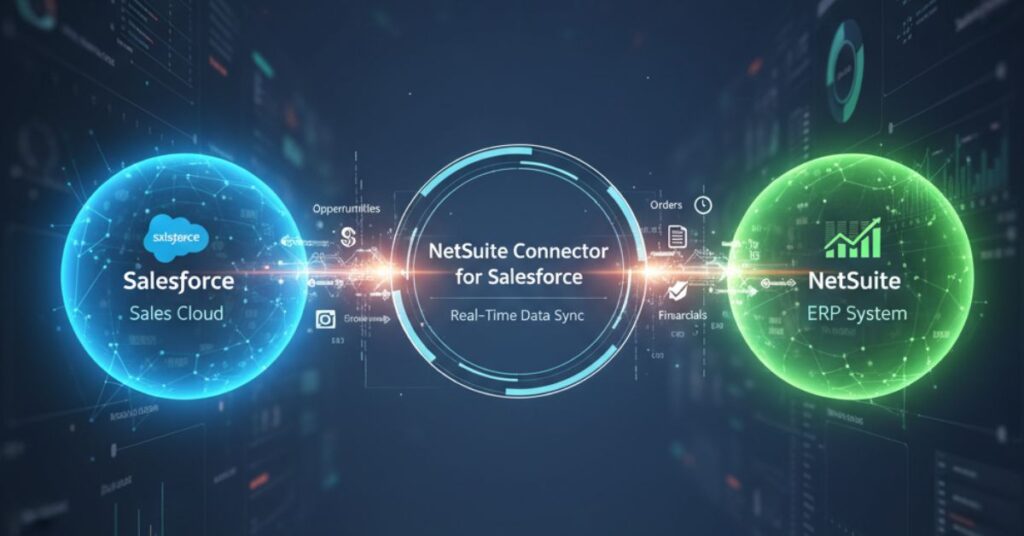
Disconnected systems are a common pain point for growing businesses. When your CRM and ERP are not synchronized, sales and finance teams often face duplicate data entry, inconsistent information, and delays in revenue recognition. For companies using Salesforce and NetSuite, manually reconciling these systems is both time-consuming and error-prone. The NetSuite Connector for Salesforce bridges this gap. Powered by the NetSuite Integration Platform, it enables real-time syncing of opportunities, orders, financials, and customer data. This ensures that sales and finance teams are always working from the same accurate information. On Wednesday, October 1, 2025, from 10:00–10:30 a.m. PDT, Oracle NetSuite will host a virtual event titled Connect Salesforce Data to NetSuite, highlighting how this pre-built connector transforms the order-to-cash process and supports operational efficiency. Why Synchronizing CRM and ERP Systems is Critical Disconnected systems create inefficiencies that ripple across the organization. Duplicate Entry and Errors: Manual data transfers often result in mistakes, requiring time-consuming corrections. Revenue Delays: Delays in order creation or syncing affect cash flow and reporting. Fragmented Insights: Without synchronized data, teams cannot make timely, informed decisions. Operational Inefficiency: Teams spend more time reconciling data than focusing on value-added tasks. The NetSuite Connector for Salesforce addresses these issues by enabling seamless data flow between CRM and ERP, reducing operational bottlenecks. Key Features of the NetSuite Connector for Salesforce The connector is designed to simplify integration and improve productivity across departments. Streamline Operations: Automate data transfer to reduce manual effort and minimize errors. Eliminate Data Silos: Real-time syncing ensures sales and finance teams share consistent information. Recognize Revenue Faster: Instant order creation accelerates the order-to-cash cycle and cash flow. Simplify Setup and Monitoring: Native NetSuite integration provides dashboards and self-service monitoring for easy management. By adopting this solution, businesses can ensure data accuracy, faster order processing, and enhanced collaboration between sales and finance. How the Connector Supports Business Growth The NetSuite Connector for Salesforce is more than an integration tool—it is a strategic enabler for scalable operations. Improved Efficiency: Reduces repetitive tasks, allowing teams to focus on strategic activities. Data Accuracy: Ensures consistent information across CRM and ERP systems, reducing risk of misreporting. Enhanced Collaboration: Real-time updates create alignment between departments for better decision-making. Faster Revenue Cycles: Streamlined order-to-cash processes increase operational agility and cash flow. For businesses scaling rapidly, these improvements translate into measurable benefits, including reduced operational risk and better customer experiences. Practical Use Cases The connector proves its value in multiple real-world scenarios: Sales and Finance Alignment: Synchronizes opportunities, quotes, and orders, so finance teams can process transactions without waiting for manual input. High-Volume Order Processing: Ensures large volumes of orders are automatically reflected in NetSuite, supporting peak demand without bottlenecks. Revenue Recognition Compliance: Accurate and timely order syncing helps businesses comply with accounting standards and internal policies. Cross-Department Visibility: Sales, operations, and finance teams have instant access to shared data, improving collaboration and reducing miscommunication. Each scenario highlights how the connector mitigates inefficiencies while supporting growth and scalability. Why Attend the Webinar This event is tailored for organizations using Salesforce and NetSuite who want to accelerate their order-to-cash processes and improve operational efficiency. Attendees will: See how the NetSuite Connector for Salesforce enables real-time data syncing. Understand how to streamline operations and eliminate manual data entry errors. Learn how to accelerate revenue recognition with instant order creation. Explore dashboard tools for simplifying setup and monitoring of integrations. The session provides actionable guidance that can be applied immediately to enhance business performance. Factors Influencing Your NetSuite Subscription Cost Here are some major elements that affect how much NetSuite will cost for your business: Business Size: SMBs may only need a few modules and users, while enterprises might require extensive customization. Industry Requirements: Industries like healthcare, finance, and manufacturing may need more compliance features or specialized modules. Geographical Presence: Multi-subsidiary or multinational businesses require additional modules like OneWorld for global operations. Customization Needs: The more workflows and reports you need customized, the higher the configuration cost. Integration Needs: Connecting NetSuite to other apps (e.g., Salesforce, Shopify, or HubSpot) may involve custom APIs or middleware, adding to the cost. Featured Speakers The webinar will feature leading experts in CRM-ERP integration and NetSuite solutions: Danielle Profita Briner Product Marketing Director, Commerce and Connectors, Oracle NetSuite Faybiana Walker-Cunningham Staff Solution Consultant, Oracle NetSuite They will provide both technical insights and practical use cases to demonstrate the value of the connector in real business contexts. Strategic Benefits of Connecting Salesforce and NetSuite Organizations that adopt the NetSuite Connector for Salesforce unlock multiple strategic advantages: Enhanced Productivity: Teams spend less time on manual data reconciliation. Scalability: As businesses grow, real-time syncing supports larger volumes of transactions and users. Improved Decision-Making: With synchronized data, leadership can make faster, data-driven decisions. Competitive Advantage: Reducing operational bottlenecks ensures smoother customer experiences and faster order fulfillment. By integrating CRM and ERP, organizations future-proof their operations and position themselves for sustainable growth. Preparing Your Organization for Integration Before adopting the connector, businesses should assess: Current Workflow Gaps: Identify where manual entry or delays occur. Data Quality: Ensure existing Salesforce and NetSuite records are clean and accurate. User Access and Roles: Determine which teams need access to synchronized data. Monitoring and Governance: Plan dashboards and alerts to maintain integration health. A well-prepared organization maximizes the benefits of NetSuite integration and ensures seamless adoption of the connector. Conclusion Disconnected systems can create significant operational challenges. The NetSuite Connector for Salesforce addresses these by synchronizing CRM and ERP data in real time, reducing errors, accelerating revenue recognition, and enhancing collaboration. This webinar, Connect Salesforce Data to NetSuite, scheduled for Wednesday, October 1, 2025, from 10:00–10:30 a.m. PDT, will provide a detailed demonstration of the connector’s capabilities. Attendees will learn how to streamline operations, eliminate data silos, and scale their business efficiently. By implementing the connector, organizations ensure data accuracy, faster order-to-cash processes, and a foundation for future growth. Don’t miss the chance to see how NetSuite integration can transform your CRM-ERP workflow and empower both sales and finance teams
Stay Ahead of Infrastructure Demands: Choosing the Right NetSuite Service Tier
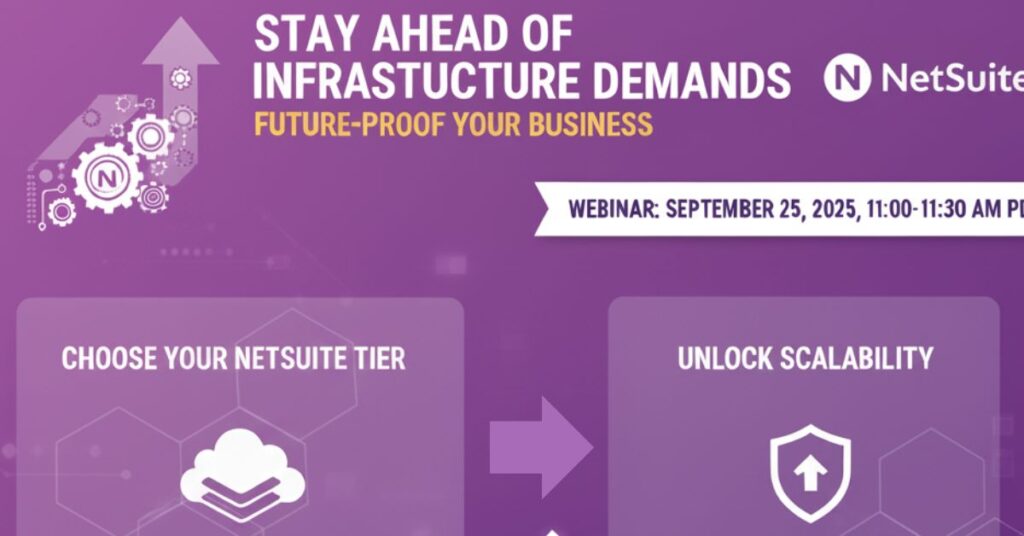
As businesses grow, their infrastructure requirements expand. Transaction volumes increase, more users rely on systems for daily tasks, and peak demand seasons can create bottlenecks that affect performance. Without the right infrastructure alignment, companies risk inefficiencies, downtime, and slow response times. To address this challenge, Oracle NetSuite offers flexible Service Tiers designed to match the pace of business growth. On Thursday, September 25, 2025, from 11:00–11:30 a.m. PDT, Oracle NetSuite will host a virtual event titled Stay Ahead of Your Infrastructure Demands as You Grow: Future-Proof Your Business with the Optimal NetSuite Service Tier. This session will help business leaders understand how choosing the right Service Tier reduces operational risks and supports long-term scalability. Why Infrastructure Capacity Matters for Growing Businesses Every growing business faces a tipping point where infrastructure limitations start to create friction. From delayed transaction processing to difficulties scaling operations, underestimating capacity needs can directly affect performance. Transaction Volume Growth: As businesses expand, daily transactions multiply, requiring higher system throughput. Concurrent Operations: Multiple departments rely on NetSuite simultaneously, increasing pressure on system capacity. User Expansion: Growth often brings more employees, partners, and vendors onto the system, adding complexity. Storage Needs: The volume of financial, operational, and customer data increases, requiring additional secure storage. Choosing the right NetSuite Service Tier allows organizations to plan for these demands before they cause bottlenecks. Understanding NetSuite Service Tiers NetSuite Service Tiers provide businesses with different levels of infrastructure capacity. Aligning with the right tier ensures performance does not decline as user and transaction volumes grow. Greater Transaction Throughput Capacity: Businesses in high-growth sectors can process larger volumes of transactions seamlessly. Support for Concurrent Operations: The right tier supports more departments and workflows running at the same time. Enhanced User Capacity: Expanding organizations can onboard new users without compromising performance. Additional Storage Resources: Larger data volumes are accommodated with expanded storage availability. By selecting the appropriate NetSuite Service Tier, companies reduce operational risks and future-proof their infrastructure. Key Benefits of Scaling with NetSuite Service Tiers Aligning with the optimal service level provides tangible advantages for scaling businesses. Improved System Performance: Operations remain smooth even during peak demand. Reduced Bottlenecks: Higher throughput minimizes delays in transaction-heavy environments. Better User Experience: Employees across finance, operations, and sales benefit from faster, more reliable access. Long-Term Scalability: Organizations can grow confidently knowing infrastructure can expand with them. These benefits make Service Tiers a strategic decision for companies preparing for the next phase of growth. Practical Scenarios Where Service Tiers Matter Real-world examples highlight why scaling infrastructure proactively is essential: Retailers During Peak Seasons: Businesses in retail or e-commerce see transaction spikes during holidays. Service Tiers prevent slowdowns that affect customer experience. Global Expansion: Companies expanding into new markets need to support more users and operations across time zones. Data-Heavy Industries: Manufacturing, finance, and healthcare generate large volumes of data requiring robust storage capacity. High-Growth Startups: Scaling startups rely on fast systems to maintain momentum and meet investor expectations. In each case, aligning with the right NetSuite Service Tier ensures infrastructure matches operational needs. Why Attend the Webinar This virtual event will help attendees assess their current infrastructure and prepare for future growth with the right service tier. Key takeaways include: Understanding NetSuite Service Tiers and how they support scalability. Learning how to increase transaction throughput during high-demand periods. Exploring options for supporting more users and concurrent operations. Discovering how additional storage capacity safeguards performance as data grows. Participants will leave with practical insights to future-proof their NetSuite investment. Featured Speakers The session will feature experts from Oracle NetSuite with deep knowledge of cloud infrastructure and service scalability: Joseph Clancey Product Marketing Senior Analyst, Oracle NetSuite Franz Bazar Principal Cloud Technologist – TCOE, Oracle NetSuite Their combined expertise will provide both technical and practical perspectives on optimizing infrastructure capacity. Future-Proofing Your NetSuite Investment One of the biggest risks in scaling a business is waiting too long to upgrade infrastructure capacity. When system limitations appear, they can slow down transactions, reduce productivity, and even impact customer experience. By aligning with the appropriate NetSuite Service Tier, companies mitigate these risks. Future-proofing is not about over-investing. It is about proactively choosing a service level that matches expected growth, ensuring infrastructure supports strategy rather than holding it back. Businesses that adopt this mindset build resilience and agility for long-term success. Conclusion As businesses scale, infrastructure becomes a critical factor in operational performance and growth. Delays, bottlenecks, and system slowdowns are not just IT challenges, they directly affect revenue, customer experience, and competitiveness. The NetSuite Service Tier framework provides a structured way to align capacity with growth needs, ensuring organizations stay ahead of demand.
A Complete Guide to Oracle NetSuite Pricing: Costs, Factors, and Customization – Duplicate – [#7550]
NetSuite remains one of the most popular cloud ERP systems in 2025, trusted by businesses of all sizes for finance, operations, supply chain, and CRM. While the platform offers powerful scalability, understanding its cost structure is not always straightforward. Pricing varies based on company size, industry, modules, and customization requirements. For buyers, this raises practical questions: How much does NetSuite cost in 2025? What should CFOs budget for licensing, implementation, and support? And how can organizations plan for both the upfront investment and long-term value? In this blog, we provide a complete guide to NetSuite Pricing 2025, including subscription models, per-user licensing, implementation expenses, and best practices for budgeting. Why Understanding NetSuite Pricing Matters Before choosing an ERP, businesses must have clarity on pricing. NetSuite costs are not one-size-fits-all, and preparation ensures you make informed decisions. 1- Transparency for budget planning: Knowing the cost range allows finance leaders to allocate budgets accurately. 2- Alignment with growth strategy: Different NetSuite editions support different business sizes, so picking the right one ensures scalability. 3- Avoiding hidden costs: Implementation and customization expenses often exceed license fees if not planned properly. 4- Calculating ROI: Clear pricing helps CFOs weigh the upfront investment against expected efficiency gains. NetSuite Subscription Costs in 2025 NetSuite pricing starts with an annual subscription fee, which covers the ERP platform, core modules, and support. Costs vary widely depending on company size and industry requirements. 1- Small businesses: Subscriptions typically start around $15,000 to $25,000 per year, suitable for startups and growing firms. 2- Mid-market organizations: Pricing ranges from $40,000 to $80,000 annually, as these companies often need advanced modules and more users. 3- Large enterprises: Subscriptions can exceed $100,000 per year, especially when global operations and complex integrations are involved. 4- Industry add-ons: Retail, manufacturing, and service sectors may pay more for specialized modules such as SuiteCommerce, Advanced Manufacturing, or OneWorld. NetSuite User Licensing Fees User access drives an additional layer of cost. Each employee who needs access to the system must be licensed. 1- Full user licenses: These typically cost around $99 to $125 per month per user (about $1,200–$1,500 annually). 2- Employee center licenses: Designed for basic tasks such as timesheets or expense submissions, these cost significantly less, helping companies control budgets. 3- Role-based access: Businesses can optimize costs by assigning licenses only to users who need advanced functions, rather than giving everyone full access. 4- Scaling with growth: CFOs must plan for additional user costs as the business expands or as more employees need system access. Total First-Year Investment When subscriptions, user licenses, and implementation are combined, businesses must plan for a substantial first-year spend. 1- Entry-level budgets: Small firms can expect to spend $25,000 to $50,000+ in the first year. 2- Growing mid-market firms: Budgets generally range from $70,000 to $150,000, depending on module complexity. 3- Enterprise deployments: Costs often exceed $200,000 to $300,000+, particularly for global operations. 4- Beyond year one: After implementation, ongoing costs are typically lower, focused on subscriptions, user licenses, and incremental updates. Factors That Influence NetSuite Pricing Several variables shape the final cost for each business, making it essential to understand what drives pricing up or down. 1- Modules selected: Financials, CRM, HR, eCommerce, and supply chain modules all add to base costs. 2- Customization level: Tailoring workflows and integrations increases both implementation time and consulting fees. 3- Geography: Global rollouts with multiple currencies, tax rules, and subsidiaries raise licensing and implementation costs. 4- Partner involvement: Working with a NetSuite solution provider can affect both pricing and the quality of implementation. NetSuite Pricing for CFOs and Decision-Makers For CFOs, pricing is not only about upfront costs but also about long-term ROI. A strategic approach ensures value is maximized. 1- Total cost of ownership (TCO): CFOs must calculate five-year costs including licenses, upgrades, and support. 2- Value of automation: NetSuite often reduces manual work in finance and operations, leading to measurable labor savings. 3- Scalability planning: Budgeting for additional users and modules ensures the ERP system grows with the business. 4- Negotiation strategy: Decision-makers can often negotiate better terms by committing to longer contracts or bundling modules. Best Practices to Optimize NetSuite Pricing Whether you are a small business buyer or a CFO, following best practices ensures your investment pays off. 1- Start small and scale: Begin with essential modules and expand as business needs grow. 2- Use role-based licensing: Avoid over-licensing by carefully assigning user roles. 3- Leverage sandbox testing: Prevent costly disruptions by testing changes before deploying them live. 4- Engage expert partners: Implementation partners can help optimize setup, reducing costly mistakes in the long term. Conclusion NetSuite Pricing 2025 reflects the platform’s flexibility. While subscriptions may start at around $15,000 per year, total first-year investments can exceed $300,000 for large, complex enterprises. The range depends on modules, users, implementation scope, and business size. For general buyers, understanding subscription tiers and licensing options helps avoid surprises. For CFOs and decision-makers, the focus should be on total cost of ownership, ROI, and scalability planning. With the right budgeting approach, clear knowledge of costs, and alignment with business goals, NetSuite becomes not just a software purchase but a long-term growth enabler.
Why Your Business Needs an ERP System in 2024
How an ERP system can benefit your company is probably one of your first concerns if you’re just starting to think about implementing one. If you have a business not just consulting the ERP Expert is enough, you also need to understand the basics of ERP. An ERP system acts as a central database for your entire business, providing a wealth of reporting capabilities and a plethora of strategies to boost efficiency and cut expenses throughout your enterprise. These are only some of the main justifications for investing in ERP, nonetheless, we are here to help you learn more about what this technology can accomplish for your company. What features will this system offer your company that it does not have now? How can the technology promote growth and save costs? We’re here to help by thoroughly examining the benefits ERP can offer your company. An ERP system’s basic idea is to consolidate all departments and their data onto a single platform, although the advantages are numerous. The following are some benefits that an ERP system provides and are must have for a business. Top 7 Reasons Why Your Business Needs an ERP System in 2024? Data Security: Data has become a valuable asset for businesses since it is so important in making the best decisions possible, and ERP software can help secure that asset. The level of protection is increased because all of this data is in one location rather being dispersed over several systems with different security levels. Spreadsheets and other documents that are kept on staff members’ workstations and distributed over email are replaced by it. Your data is usually spread across several distant servers with a cloud ERP system to create redundancies and guard against a single point of failure, which adds an extra degree of protection. This is particularly crucial if your business deals with a lot of private client information. Standardized/Centralized Data: The fact that all data from many departments is kept in one location accounts for a large portion of ERP’s value. In the absence of such a system, data is frequently dispersed throughout a business in a variety of spreadsheets and programs, making it more difficult for employees to find what they need. Furthermore, this method frequently produces redundant data in irregular formats, which presents further difficulties.Since an ERP system standardizes all of your important data, it can also assist with that. You won’t encounter any problems while running reports or analytics because everything will be in the same format because it’s all in one system. Standardized data gives you all the knowledge you need to make better decisions. You should consult the ERP Expert to understand about the standardized data. Compliance: The amount of work needed to comply with any standards your business must follow can be significantly decreased by having correct, current records that are searchable and easy to locate. The software’s customizable reporting features also make it much simpler to monitor compliance and make required adjustments. Additionally, since all the information an auditor could need to evaluate is readily available, you become considerably more auditable. Some ERP systems can even handle rules like the Sarbanes-Oxley Act (SOX) or particular financial standards like GAAP. In order to keep you in compliance, the best solutions will also be updated to reflect any modifications to these rules. Maintaining compliance can be challenging, particularly in highly regulated industries, but ERP makes it much more doable. Productivity: There are numerous ways that an ERP system can significantly increase productivity. One method is by automating a lot of routine, basic chores, which frees up staff members to work on other projects that add greater value to the company. By simplifying procedures and cutting down on the amount of time people spend looking for the information they require, it can also enable them to finish a range of jobs more quickly. Employees don’t need to ask around for a specific set of data or specifics on how certain procedures operate because they have visibility into the entire organization. Increased productivity also reduces the need to hire as many people as would be required in the absence of an ERP platform. Visibility: Another wide-ranging, essential advantage of ERP is visibility; it is a potent tool that allows everyone to see different parts of the company. Because managers have access to all pertinent context, they can make decisions more quickly and effectively. For instance, in order to prevent having too much or too little stock, the purchasing team can incorporate the status of purchase orders that are now in route but have not yet arrived at the warehouse into the orders they are going to submit. In the end, being able to see the state of the data and processes that other teams are managing helps all teams and individual contributors perform better. Additionally, it saves the time and effort required to only look for this information. Scalability: Leading ERP systems have the advantage of allowing you to employ the features you require right now while yet having the option to add more later. As your company expands and changes, the system can grow with it. As your teams expand, you may also add more users.Just because your company has changed, even significantly, since you put the current ERP system in place doesn’t mean you have to buy a new one. The greatest scalability by the ERP Expert will be offered by a cloud ERP system. Since cloud systems are hosted on distant servers, adding the additional resources required to maintain the solution’s functionality is much simpler than doing it yourself. Cost Saving: The most compelling argument for business owners and executives to purchase an ERP system is that it reduces total expenses, frequently significantly. Numerous operational and administrative expenses can be eliminated or drastically reduced by the automation we’ve already covered. For example, this software frequently eliminates manual data entry or procedures that need lengthy paper trails. There is a lot of room for additional cost savings
Meet Your AI CFO Assistant: Empowering Finance Leaders in the Age of AI
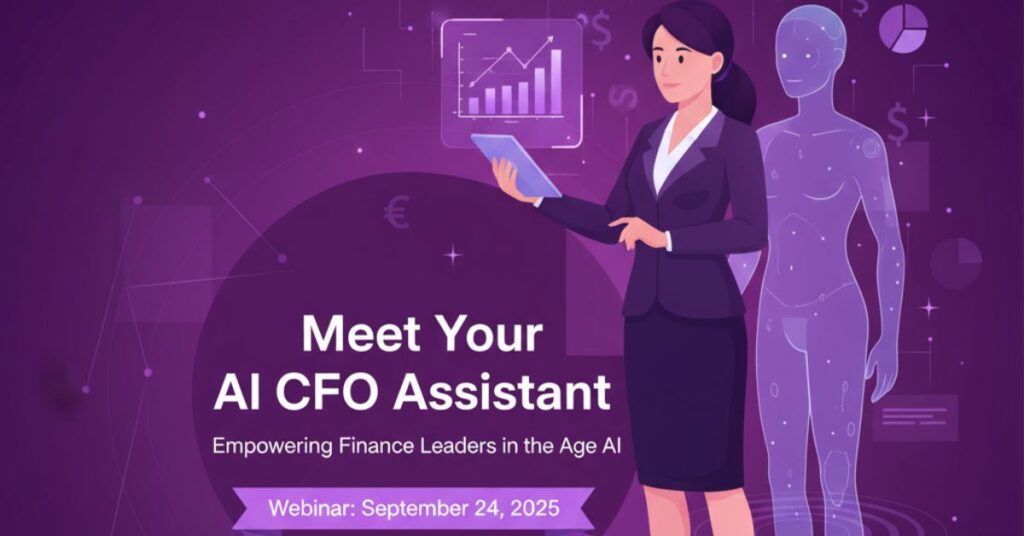
The world of finance is undergoing a rapid shift. CFOs are no longer confined to historical reporting and compliance oversight. Instead, they are expected to act as visionaries, growth partners, and data-driven strategists. At the same time, the financial landscape is becoming more complex, with globalized markets, increasing compliance demands, and the sheer volume of transactional data in enterprise systems like NetSuite. This transformation creates both opportunities and challenges. Finance leaders must deliver faster insights, more accurate forecasts, and strategic advice to executive teams. Traditional tools and manual processes cannot keep up. This is where the AI CFO Assistant enters the picture. Acting as a digital co-pilot, seamlessly integrated with NetSuite AI, it automates reporting, accelerates analysis, and enhances strategic decision-making with AI in finance. On Wednesday, September 24, 2025, from 1:00–2:00 p.m. EDT, Oracle NetSuite will host a webinar showcasing how the AI CFO Assistant empowers finance leaders to move beyond routine reporting and into strategic value creation. The Evolving Role of the CFO in the Age of AI CFOs are navigating an era defined by agility and foresight. The traditional back-office role is giving way to a new reality: the CFO as a strategist and growth driver. However, the volume and speed of financial data create unprecedented complexity. This is where AI in finance can make a measurable difference. From Operator to Strategist: CFOs are transitioning from operational oversight to strategic partnership, driving business transformation. Agility in Decision-Making: AI for CFOs enables faster scenario planning and rapid pivots when market conditions shift. Managing Data Overload: By applying NetSuite AI, finance teams can manage vast transactional datasets and extract actionable insights in real time. Future-Proof Leadership: Leveraging an AI CFO Assistant future-proofs the finance function, preparing leaders for increasing complexity and expectations. How the AI CFO Assistant Transforms Finance The AI CFO Assistant is more than a tool. It represents a new way of working where finance leaders leverage intelligent automation and predictive analytics to stay ahead of the curve. Real-Time Reporting: CFOs can see performance dashboards that demonstrate how AI transforms financial reporting. Instead of waiting for end-of-month closings, they gain instant visibility into revenues, expenses, and profitability. Accurate Forecasting: With AI-powered forecasting for CFOs, cash flow simulations and scenario modeling improve planning accuracy. The assistant anticipates risks and opportunities, enabling data-backed strategy. Connected Data Sources: The digital CFO assistant in NetSuite integrates with contracts, invoices, and external reports, giving leaders a holistic view. Finance Automation: By automating analysis, reconciliations, and anomaly detection, the assistant reduces manual workload, freeing leaders to focus on innovation and strategy. Benefits for Finance Leaders The shift to AI-enabled finance delivers tangible benefits for CFOs and their teams. Faster Insights: Automated reporting and finance automation compress timeframes for closing and analysis. Improved Risk Management: With predictive alerts, CFOs can catch errors, anomalies, or compliance issues before they escalate. Collaboration Across Functions: Shared AI-driven insights help executives align on budgets, growth strategies, and risk assessments. Focus on Value: By reducing time spent on manual data crunching, CFOs dedicate more time to strategic decision-making with AI in finance. Real-World Use Cases of the AI CFO Assistant The true power of the AI CFO Assistant lies in practical application. Finance leaders adopting NetSuite AI gain competitive advantages in several areas: Financial Close Acceleration: Automated reconciliations cut closing cycles from weeks to days. Budget Variance Analysis: The assistant identifies deviations in budgets and forecasts, helping teams adjust quickly. Cash Flow Monitoring: CFOs gain predictive insights into liquidity, avoiding last-minute surprises. Strategic Planning: Leaders use AI for CFOs to model expansion scenarios, mergers, or new revenue streams with higher confidence. Why Attend the Webinar The upcoming session offers finance leaders, strategists, and NetSuite users a unique opportunity to see these innovations in action. You will: Learn how AI transforms financial reporting and accelerates insight delivery. Explore demonstrations of AI-powered forecasting for CFOs. Discover how to bridge data silos using NetSuite AI integrations. Gain actionable practices to adopt a digital CFO assistant in NetSuite for future scalability. NetSuite Pricing for CFOs and Decision-Makers For CFOs, pricing is not only about upfront costs but also about long-term ROI. A strategic approach ensures value is maximized. 1- Total cost of ownership (TCO): CFOs must calculate five-year costs including licenses, upgrades, and support. 2- Value of automation: NetSuite often reduces manual work in finance and operations, leading to measurable labor savings. 3- Scalability planning: Budgeting for additional users and modules ensures the ERP system grows with the business. 4- Negotiation strategy: Decision-makers can often negotiate better terms by committing to longer contracts or bundling modules. Featured Speakers This event brings insights from experts in both finance transformation and AI adoption: Ranga Bodla Geetanjli Dhanjal, Managing Director, Riveron With decades of combined expertise, the speakers will illustrate how AI in finance is not just a trend but an essential strategy for the modern CFO. Preparing for the Future with an AI CFO Assistant The role of the CFO is rapidly evolving, and with it comes heightened expectations from boards, investors, and executive peers. Manual processes and fragmented systems are no longer sufficient. Finance leaders who embrace AI for CFOs will not only keep pace but set the direction for their organizations. The AI CFO Assistant transforms how finance operates by making analysis faster, reporting smarter, and strategy sharper. From finance automation to anomaly detection, the solution enhances control while enabling CFOs to lead with agility. More importantly, it ensures strategic decision-making with AI in finance is not an aspiration but an everyday reality. Conclusion Finance leaders stand at the crossroads of transformation. The demands of modern markets, coupled with the potential of AI, create a once-in-a-generation opportunity to reshape the CFO office. The AI CFO Assistant, powered by NetSuite AI, offers the tools and intelligence to deliver real-time reporting, accurate forecasts, and unified data insights. This upcoming webinar will showcase how AI transforms financial reporting, demonstrates AI-powered forecasting for CFOs, and provides best practices for adopting a digital CFO assistant in NetSuite. By attending, finance leaders will learn how to
Social Impact Workshop: Grant Management for Nonprofits with NetSuite

Nonprofit organizations rely heavily on grants to fund their missions, but managing and reporting these funds is often complex. Each grant comes with its own requirements for tracking income, recording expenses, and reporting back to funders. Manual processes or outdated systems often create inefficiencies that lead to compliance risks or missed opportunities. NetSuite’s SuiteSuccess Social Impact configuration offers nonprofits a powerful tool to streamline grant management and simplify reporting. To help nonprofit teams harness these capabilities, Oracle NetSuite is hosting a Social Impact Workshop: Grant Management for Nonprofits on Tuesday, September 23, 2025, from 2:00–3:00 p.m. CDT, followed by a Follow Up Workshop on Tuesday, September 30, 2025, from 2:00–3:00 p.m. CDT. This interactive session will focus on leading practices for entering revenue and expenses tied to grants, configuring NetSuite for nonprofit needs, and understanding how transactions tie into reporting. Why Grant Management is Critical for Nonprofits Grant funding is the lifeblood of many nonprofits, but managing it effectively requires accuracy and transparency. 1- Compliance with funder requirements: Each grant has unique guidelines, making consistent reporting critical. 2- Transparency for stakeholders: Donors, boards, and auditors expect clear, accurate financial records. 3- Resource efficiency: Automating income and expense tracking reduces manual work for finance teams. 4- Mission alignment: Proper tracking ensures funds are used appropriately to maximize impact. By improving grant management practices, nonprofits can strengthen trust, attract new funding, and increase overall effectiveness. What You Will Learn in the Workshop This hands-on session will help participants understand the practical steps to manage grants within NetSuite. 1- Tracking income transactions: Learn how to correctly record grant revenue to align with restrictions. 2- Expense allocation: See how to capture and report expenses tied to specific funding sources. 3- Release from restriction process: Understand how NetSuite manages restrictions when conditions are met. 4- Reporting integration: Explore how income and expense entries flow seamlessly into financial reports. These insights will ensure nonprofit finance teams can manage grants with confidence and clarity. Leading Practices for NetSuite Grant Management The workshop will also cover best practices that nonprofits can implement right away using SuiteSuccess Social Impact. 1- Configuring SuiteSuccess for grants: Optimize your setup to reflect unique nonprofit funding needs. 2- Data entry consistency: Adopt practices that ensure accurate and reliable grant records. 3- Automating reporting: Use NetSuite’s reporting tools to reduce manual work and speed up compliance. 4- Aligning with funder requirements: Ensure system outputs meet diverse reporting obligations. These practices help nonprofits streamline their processes while ensuring compliance and transparency. Why NetSuite Over Microsoft for Nonprofits A key part of the discussion will compare NetSuite with alternatives like Microsoft for grant management. 1- Nonprofit-specific configuration: SuiteSuccess Social Impact is built specifically for nonprofits, unlike generic ERP tools. 2- Integrated processes: NetSuite unifies financials, donor management, and compliance in one system. 3- Scalable for growth: As nonprofits expand, NetSuite supports additional grants, programs, and geographies. 4- Proven track record: Thousands of nonprofits worldwide trust NetSuite to manage mission-critical operations. For organizations evaluating solutions, this workshop highlights why NetSuite stands out as the platform of choice. Interaction and Peer Learning Opportunities Unlike pre-recorded webinars, this session will be fully interactive, giving nonprofits the chance to learn directly from experts and peers. 1- Engage with NetSuite experts: Ask questions and clarify grant management challenges in real time. 2- Learn from peers: Hear how other nonprofits track and report grants effectively. 3- Tailored discussions: Gain insights relevant to your organization’s funding models. 4- Actionable takeaways: Leave with practical steps that can be implemented immediately. Since these workshops are not recorded due to customer interaction, attending live is the only way to benefit fully. Who Can Attend The workshop is open to nonprofit NetSuite customers that meet specific eligibility criteria. 1- Primary purpose: Organizations must have a non-religious and non-political mission. 2- Commitment to inclusion: Eligible nonprofits cannot discriminate based on race, religion, gender, or other protected categories. 3- Non-government entities: Government agencies and public higher education institutions are not eligible. 4- Mission-focused organizations: The workshop is designed for nonprofits committed to social impact. This ensures that the session focuses on the needs of mission-driven organizations working for the greater good. Featured Speaker: Steve Heye The session will be led by Steve Heye, Social Impact Business Process Director at Oracle NetSuite. Steve brings years of experience in helping nonprofits adopt technology to improve efficiency and mission delivery. His expertise lies in simplifying complex financial processes and ensuring organizations get maximum value from NetSuite’s Social Impact program. Participants will benefit from his deep understanding of nonprofit challenges and his practical, hands-on approach to solving them. Why You Should Register This workshop offers a rare opportunity for nonprofit leaders and finance professionals to gain direct, actionable knowledge. 1- Hands-on learning: See exactly how to manage income and expenses tied to grants in NetSuite. 2- Expert insights: Learn from one of Oracle NetSuite’s leading nonprofit experts. 3- Peer collaboration: Exchange experiences with other nonprofit finance professionals. 4- Follow-up opportunity: Reinforce your knowledge during the September 30, 2025 follow-up workshop. For nonprofits looking to maximize the impact of their grant funding, this workshop is a must-attend event. Conclusion Grant management is both an opportunity and a challenge for nonprofits. Done well, it ensures compliance, builds donor trust, and strengthens mission impact. Done poorly, it risks compliance issues and lost funding. The Social Impact Workshop: Grant Management for Nonprofits, scheduled for September 23, 2025, with a follow-up session on September 30, 2025, provides the tools, strategies, and insights nonprofits need to succeed. By focusing on practical aspects of income and expense tracking, leveraging SuiteSuccess Social Impact, and connecting with nonprofit peers, this workshop equips organizations to manage grants effectively. With Steve Heye leading the discussion, participants will leave with actionable steps to optimize their processes and maximize the value of NetSuite. Do not miss this opportunity to learn, interact, and prepare your nonprofit for stronger financial management and greater mission success.
What is an ERP System? A Comprehensive Guide to Enterprise Resource Planning
Given the fast pace of today’s business world, technology has a vital role in making businesses run smoothly and improving their productivity to make their businesses successful. Amongst many such critical technologies that are being used today are Enterprise Resource Planning systems, or ERP systems for short. But what exactly is an ERP system? And how does it work? Here is a detailed guide about ERP systems, its benefits, and how businesses can use them for maximum efficiency. What is an ERP System? An ERP system, which is short for Enterprise Resource Planning, is a software platform applied by organizations to handle and automate the core business processes, such as accounting, procurement, inventory management, human resources, and much more. By integrating all various departments and functions into one system, an ERP facilitates improved data flow, lowers errors, and creates smoother processes. ERP systems are designed to centralize information so that different departments can access the information. This, therefore, eliminates silos within an organization. Whether it is manufacturing, finance, or human resources, an ERP system ensures that all departments have access to the same up-to-date information. Key Features of an ERP System Centralized Database: Most ERP systems have the data held within a central database that provides a department with the latest information it may need. Automate Processes: ERPs are very efficient in automating most of the business operations like order processing, payroll, and replenishment of stocks. The automation decreases labor, as most human error is avoided. Data Real Time: Information from the ERPs may be used for real-time analysis by the managers and the management teams. Scalability: As the business grows, ERP systems are designed to scale and support more processes and users. Customization: Modern ERP systems offer customization to meet specific industry needs. Businesses can tailor the system to their unique requirements. How Does an ERP System Work? An ERP system is generally designed on a modular architecture. Various modules are designed to perform different business functions. The modules interact with each other so that data consistency can be ensured and cross-departmental collaboration can be made possible. Here’s how an ERP system works: Data Collection: An ERP system collects data from various business functions such as sales, inventory, and human resources. This data is stored in a centralized database. Data Processing: The ERP system processes the data and, therefore, generates insights and reports that are useful to various departments. Data Distribution: The processed data is distributed in real-time across the organization so that all departments are working with the same information. Decision-Making: Managers and employees use the data generated by the ERP system to make informed decisions and optimize business processes. Collaboration: ERP systems encourage interdepartmental collaboration due to its unified platform and data sharing, eliminating information gaps and ensuring consistency of information. Types of ERP Systems ERP systems differ in several forms, targeting various businesses and industries, including the following: On-Premise ERP: On-premise ERP systems are installed on the servers and computers in the organization. An on-premise ERP, theoretically, gives a company complete control over data and systems. It can, however be cumbersome when requiring maintenance and updates by a dedicated IT team or the business for infrastructure administration. Businesses that require absolute security, and others, for which their industry dictates customized systems, may appreciate this model of ERP. Cloud-Based ERP: These systems of cloud ERP are web-hosted. They present the companies with the plus of accessing data from everywhere provided they have internet connection. This suits those firms that rapidly need to scale and cannot bother themselves with infrastructure administration. The model also involves relatively low capital costs with no need for keeping up with hardware maintenance. It’s also simpler to update the software besides other maintenance functions. Hybrid ERP: A hybrid ERP system is a combination of both on-premise and cloud-based ERP systems. This type of ERP will allow businesses to keep their sensitive data on-premise and utilize cloud-based tools for other functions, making the solution more customizable. Hybrid systems are flexible, and they allow businesses to scale while maintaining control over critical business functions. How to Choose the Right ERP System for Your Business Selecting the right ERP system for your business is an important decision that needs much consideration of various factors. Here is a step-by-step approach to help you choose the best ERP system for your organization: Identify Your Business Needs: Begin by listing the key business processes to be implemented in the ERP system. Do you need modules in accounting, inventory control, and human resources? Determine the modules that would suit your needs by writing down the requirements, then select an appropriate ERP system that would answer these demands. Organisational Size: The size of your organization will also determine the choice of an ERP system. A cloud-based, cost-effective ERP solution may be appropriate for smaller businesses, whereas more robust, on-premise systems may be necessary for larger enterprises. The business size will also determine the complexity of the ERP system and the number of users that need access to it. If you face difficulty in understanding the size you should take this query to top ERP consultants in the USA. Evaluate ERP Vendors: Identify some research regarding ERP vendors who can be helpful to your business. If you need help in doing this, consider reaching out to the top ERP consultants in the USA. With a good vendor, look for one that can ensure excellent customer support, is scalable, and able to integrate with the company that is growing along with yours. Scalability: Your ERP system should be scalable enough to support further growth. As your business grows, you will need an ERP system that increases data and users without loss of performance. Choose a scalable system so that you do not have to change the software as your business grows. Check if it is Customizable: Some businesses have specific ways of doing things, meaning the ERP system should be customized. Ensure that the selected ERP software allows for features customization to
How To Integrate NetSuite and Salesforce: Explore 3 approaches

NetSuite and Salesforce integration can revolutionize how your business operates, improving efficiency, accuracy, and communication between sales and finance teams. Do any of these challenges sound familiar? Difficulty keeping customer and financial data aligned across NetSuite and Salesforce? Frustration with manual data entry causing delays and errors? Searching for a way to connect these platforms to optimize your processes? Choosing the right integration strategy is essential to ensure it meets your company’s technical needs and operational goals. Let’s dive into three integration options to help you find the best fit for your business 3 Solutions for NetSuite and Salesforce integration 1 – Native Connectors for NetSuite and Salesforce Native connectors are ready-made tools designed to link NetSuite’s ERP functions with Salesforce’s CRM capabilities, enabling seamless data exchange. A notable example of this type of connector for NetSuite Salesforce integration is Breadwinner. Effortless Data Synchronization Native connectors like Breadwinner allow real-time synchronization of critical data, including orders, invoices, and payments. This ensures all teams access accurate, up-to-date information within their respective platforms, reducing the need for manual data entry. For instance, Breadwinner lets sales teams view a customer’s financial details, such as outstanding invoices and payment history, directly in Salesforce. This transparency empowers sales teams to make informed decisions during customer interactions. Boosted Team Collaboration When finance and sales share access to the same reliable data, collaboration improves. Finance can process payments faster, while sales can answer customer questions with greater confidence, resulting in an enhanced customer experience. Quick Setup with Minimal Expertise Native connectors are typically easy to configure, making them ideal for businesses that want a fast and straightforward integration. Support services provided by tools like Breadwinner further simplify the implementation and maintenance process. Low Maintenance & Reliable These solutions require minimal upkeep and automatically ensure data consistency. For companies where accuracy is critical, a native connector offers a dependable, cost-effective integration. 2 – Integration Platforms as a Service (iPaaS) iPaaS solutions are cloud-based platforms designed to connect NetSuite, Salesforce, and other business applications. They offer greater customization and flexibility compared to native connectors. Automated & Adaptable Workflows iPaaS platforms can automate data flows based on triggers, such as new sales orders or updates to customer records. This not only saves time but also reduces errors and provides better visibility across systems. Complex But Versatile While iPaaS platforms are powerful, their complexity can be a drawback for businesses with limited technical expertise. Initial setup and ongoing management may require skilled IT support, which adds to the overall cost. Ideal for Multi-Application Integration For companies needing to integrate multiple tools beyond NetSuite and Salesforce, iPaaS offers scalability and versatility. However, for simpler requirements, its robust features may feel excessive. 3 – Custom-Built Integration Custom development offers a tailored approach, allowing businesses to design an integration that meets their exact needs and processes. Highly Customizable With a custom-built solution, you can address complex workflows or integrate additional systems alongside NetSuite and Salesforce. This flexibility is invaluable for businesses with unique requirements. Resource-Intensive Developing a custom integration requires significant investment in skilled developers, time, and maintenance. Regular updates may also be necessary to keep the solution compatible with evolving software and business needs. Best for Specialized Needs For organizations with highly specific demands that cannot be met by other methods, custom development provides the precision and adaptability required, though at a higher cost. How To Choose The Right Integration Method When deciding on the best approach to integrate NetSuite and Salesforce, consider your business’s specific needs, technical capabilities, and budget: Native connectors are perfect for companies seeking an easy-to-implement, reliable solution with minimal maintenance. iPaaS platforms are better suited for organizations managing complex workflows or integrating multiple systems. Custom development is ideal for addressing highly specialized requirements but requires significant resources. A well-executed integration bridges the gap between your ERP and CRM systems, fostering improved collaboration, data accuracy, and decision-making. This ultimately drives better business outcomes.