
ERP Implementation Challenges and How to Overcome Them: Insights from an ERP Leader

ERP Implementation Implementing an Enterprise Resource Planning (ERP) system is one of the most significant transformations a business can undergo. A well-executed ERP system streamlines operations, improves efficiency, and provides data-driven insights. However, the path to successful ERP implementation is filled with potential challenges that can lead to cost overruns, project delays, and system failures. As an ERP leader, understanding and addressing these challenges proactively can mean the difference between a smooth ERP implementation and a costly failure. In this blog, we will explore the top ERP implementation challenges and provide expert solutions to help your business navigate them effectively. Lack of Clear Goals and Objectives Challenge One of the most common reasons for ERP failure is the lack of clearly defined goals. Without a clear roadmap, businesses may struggle to measure success, leading to misalignment between the ERP system and business needs. Solution Define measurable objectives such as improved efficiency, cost reduction, and better decision-making. Align ERP implementation goals with overall business strategy. Involve key stakeholders in setting priorities to ensure the system meets all department needs. A strong ERP leader ensures that every step of implementation is aligned with strategic business goals, minimizing ambiguity and maximizing efficiency. Inadequate Budgeting and Cost Overruns Challenge ERP implementations often exceed the initial budget due to unforeseen costs such as system upgrades, customization, and additional training. Underestimating these expenses can lead to project delays or even failure. Solution Develop a realistic budget that includes implementation, training, and ongoing maintenance costs. Factor in potential customization needs and software scalability. Regularly review expenses to ensure the project stays on track. A seasoned ERP leader carefully analyzes budgetary requirements and establishes a cost-effective strategy to avoid unnecessary spending. Resistance to Change from Employees Challenge ERP systems change how employees work, and resistance to change is a major roadblock. Employees may feel overwhelmed by new processes, leading to low adoption rates. Solution Communicate the benefits of the new ERP system early and often. Provide comprehensive training tailored to different user roles. Encourage feedback and involve employees in the transition process. By fostering an environment of open communication, an ERP leader ensures smooth adoption and minimizes resistance to change. Poor Data Migration and Data Quality Issues Challenge Migrating data from legacy systems to a new ERP platform is a complex process. Poor data quality, duplication, or missing information can lead to serious business disruptions. Solution Conduct a data audit before migration to ensure accuracy. Clean and format data to remove duplicates and errors. Perform rigorous testing to verify data integrity post-migration. A proactive ERP leader works closely with IT teams to ensure seamless data migration, avoiding costly mistakes. Choosing the Wrong ERP Solution Challenge Not all ERP systems are created equal. Selecting an ERP solution that doesn’t align with your business needs can lead to inefficiencies and additional costs. Solution Assess business requirements before selecting an ERP system. Choose an ERP that is scalable and industry-specific. Consult an ERP leader to guide the selection process. Investing in the right ERP solution from the start ensures long-term success and scalability. Insufficient Training and Support Challenge Even the most advanced ERP system will fail if employees don’t know how to use it effectively. Lack of training leads to frustration, errors, and underutilization of ERP features. Solution Provide role-based training tailored to different user groups. Offer ongoing support through help desks, tutorials, and workshops. Implement a change management plan to assist employees in adapting. An ERP leader ensures that training is a priority, empowering employees to maximize the system’s capabilities. Inadequate System Testing Challenge Skipping thorough testing before deployment can lead to system errors, integration failures, and operational disruptions. Solution Conduct unit testing, integration testing, and user acceptance testing (UAT). Simulate real-world business scenarios to identify potential issues. Have an ERP troubleshooting plan in place before going live. By prioritizing testing, an ERP leader ensures a smooth transition without technical roadblocks. Integration Issues with Existing Systems Challenge Many businesses use multiple software solutions for different departments. A new ERP system must integrate seamlessly with existing systems; otherwise, it can cause data silos and operational inefficiencies. Solution Choose an ERP that supports third-party integrations with existing tools. Work with IT teams to ensure smooth data exchange. Implement middleware solutions if direct integration is not possible. An experienced ERP leader anticipates integration challenges and works proactively to ensure system compatibility. Unrealistic Implementation Timelines Challenge Many businesses underestimate the time required for ERP implementation. Rushing the process can lead to incomplete configurations, data migration errors, and system failures. Solution Develop a realistic timeline with well-defined milestones. Allow adequate time for testing and employee training. Monitor progress and adjust timelines as needed. A skilled ERP leader ensures that project timelines are flexible yet structured, balancing speed with quality. Lack of Post-Implementation Support Challenge ERP implementation doesn’t end at go-live. Without proper post-implementation support, businesses may struggle with system updates, troubleshooting, and optimization. Solution Set up a dedicated support team to handle post-implementation issues. Continuously monitor system performance and user feedback. Schedule regular ERP audits and updates. A responsible ERP leader ensures that ongoing support and maintenance keep the ERP system running efficiently. Conclusion ERP implementation is a complex but rewarding process that can significantly enhance business efficiency. However, challenges like resistance to change, budget overruns, data migration issues, and inadequate training can hinder success. By proactively addressing these issues and seeking guidance from an ERP leader, businesses can ensure a seamless transition. By setting clear goals, investing in proper training, and selecting the right ERP system, companies can optimize their ERP implementation and maximize ROI. With the right strategies in place, businesses can leverage ERP solutions to drive long-term success.
The Hidden Costs of ERP Implementation: What to Watch Out For
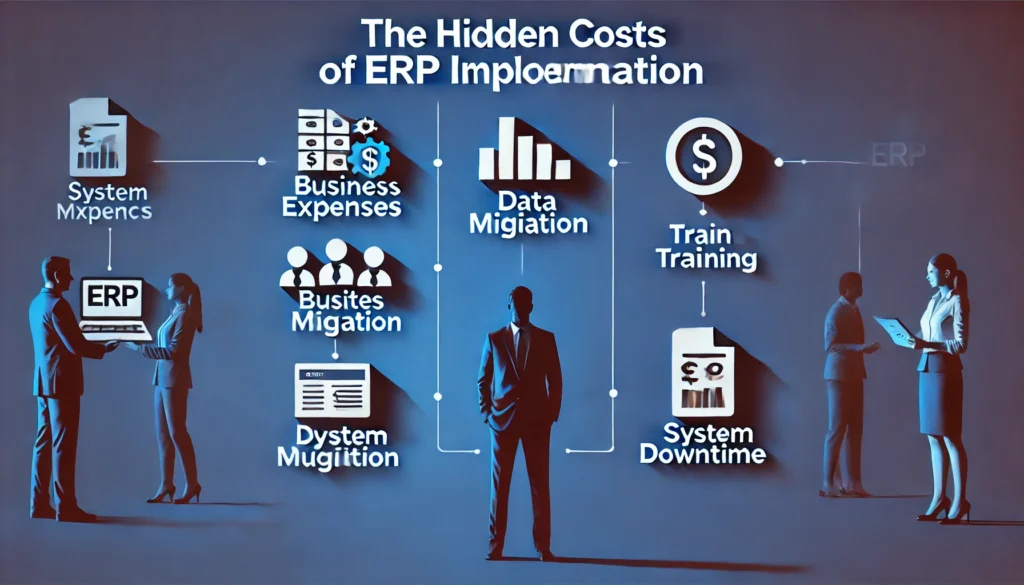
ERP Implementation Implementing an Enterprise Resource Planning (ERP) system is a significant investment for any organization. It can streamline processes, improve decision-making, and increase efficiency. However, like any major project, there are hidden costs that businesses often overlook when planning an ERP implementation. These hidden costs can quickly add up and impact your overall ROI, making it crucial to understand them upfront. An ERP leader plays a vital role in guiding organizations through the implementation process, identifying potential hidden costs, and ensuring that businesses can manage them effectively. In this blog, we will discuss some of the most common hidden costs associated with ERP implementation and how to prepare for them. Training and Change Management Costs One of the most underestimated costs of ERP implementation is the expense of training and change management. While ERP systems are designed to improve efficiency, their complexity can require substantial time and resources to train employees on how to use the system effectively. Costs include: Training sessions: These can be expensive, especially if external consultants are brought in to conduct the training. Lost productivity during training: Employees need time to get up to speed, and their productivity may dip during the learning curve. Ongoing training: After the system is live, periodic training sessions may be necessary to ensure employees remain proficient with the ERP system as updates and new features are rolled out. An ERP leader can help plan a structured training program and ensure that your team is adequately prepared, reducing the risk of disruptions. Data Migration Costs Migrating data from legacy systems to a new ERP system can be a complex and costly process. It’s not just about moving data; it’s about ensuring that the data is cleaned, transformed, and correctly mapped to the new system. If this is not done carefully, it can lead to data quality issues that affect the accuracy of reporting and decision-making. Costs involved in data migration: Data cleansing: Ensuring that data is accurate, up-to-date, and relevant for migration can be time-consuming and expensive. Data mapping and transformation: The process of transforming data to fit the new ERP system may require specialized skills, which can be costly. Testing: Extensive testing is required to ensure the accuracy and integrity of the migrated data. An ERP leader can ensure that proper data migration strategies are in place to minimize these costs and mitigate any risks associated with data transfer. Customization and Integration Costs ERP systems often require customization to meet the specific needs of a business. While some ERP systems are flexible out of the box, others may require significant modifications to integrate with existing systems, processes, and third-party applications. Customization and integration costs can include: Software customizations: Tailoring the ERP to fit the unique requirements of your business may require hiring developers or working with external consultants, both of which come with additional costs. System integration: Integrating the ERP system with other tools such as CRM, HR software, or accounting systems can be complex and costly. Testing and debugging: Ensuring that customizations and integrations function correctly can result in additional testing and debugging time. An ERP leader helps manage these costs by carefully assessing the needs for customization and ensuring that integration efforts are aligned with business objectives. Vendor and Consultant Fees While you may choose an ERP solution based on its price, don’t forget to account for the ongoing costs of working with vendors and consultants. ERP vendors may charge for additional support, customization, and upgrades. Consultants may also charge hourly or project-based fees to assist with the implementation, integration, or system optimization. Key costs to consider include: Implementation consultants: They help plan, manage, and execute the ERP system’s deployment. Ongoing support: ERP vendors may charge for ongoing technical support and updates. Software updates: Many ERP systems require periodic updates, and these may come at an additional cost. To manage these costs effectively, an ERP leader can ensure that you’re choosing the right vendors and consultants who can deliver value while keeping your budget intact. System Downtime and Disruption During the ERP implementation process, there may be a period of system downtime or disruption as the new system is integrated into the business. This can affect the productivity of employees, disrupt operations, and result in lost revenue. Costs associated with downtime: Business disruption: If employees cannot access critical systems or data, it may affect customer service, order processing, and other essential functions. Lost sales or opportunities: The longer the downtime, the more likely it is that business operations will be impacted, leading to lost sales and business opportunities. Employee frustration: System downtime can frustrate employees, leading to decreased morale and productivity. An ERP leader plays a critical role in managing system downtime, ensuring that it is minimized and that operations can continue smoothly during the transition. Ongoing Maintenance and Upkeep Even after the ERP system is fully implemented, businesses need to account for the ongoing costs associated with maintaining and updating the system. ERP systems require regular maintenance to ensure that they are running smoothly, secure, and up to date with the latest features. Maintenance costs include: Regular system updates: ERP systems often require updates to stay compliant with regulations or to integrate new features. Technical support: A support team may be necessary to troubleshoot issues and resolve any problems that arise. System monitoring: Ongoing system monitoring ensures that any issues are detected early, minimizing downtime and disruptions. Your ERP leader will ensure that the maintenance of the ERP system is planned and budgeted for, so these ongoing costs are not overlooked. Opportunity Costs While ERP systems offer significant benefits, there is also an opportunity cost associated with the time and resources dedicated to the implementation process. During this time, other initiatives or projects may be delayed or put on hold as the focus shifts to ERP deployment. These costs include: Lost opportunities for growth: Resources dedicated to ERP implementation could have been used for other growth initiatives. Disruption to other projects: The time spent on
10 Tips for a Successful ERP Implementation: Insights from an ERP Strategist
ERP implementation Implementing an ERP system is a major undertaking for any business. Whether you’re upgrading from legacy systems or implementing an ERP for the first time, a successful ERP implementation requires careful planning, execution, and continuous evaluation. An ERP system can significantly streamline operations, improve efficiency, and enhance decision-making across various departments. However, its success largely depends on how well the implementation process is managed. An ERP strategist plays a crucial role in helping businesses implement ERP systems efficiently. In this blog, we will share 10 valuable tips to ensure a smooth and successful ERP implementation. Define Clear Objectives and Goals The first step in any successful ERP implementation is to define clear and measurable objectives. Without a roadmap, it’s easy to lose track of the project and overrun your budget. Start by identifying key goals such as: Streamlining business processes Improving data accuracy Enhancing reporting capabilities Reducing operational costs Having a clear vision allows you to align the ERP implementation with your company’s strategic objectives. It also helps your ERP strategist focus on the most critical areas of your business, ensuring that the ERP system meets your specific needs. Involve Stakeholders from the Beginning A common mistake in ERP implementations is not involving all key stakeholders early on. It’s essential to engage people from various departments, such as finance, operations, HR, and IT, who will be directly impacted by the new system. By involving stakeholders from the start, you ensure that: Everyone has a clear understanding of what the ERP system will deliver. All departments’ specific needs and pain points are addressed. Employee buy-in and support for the system are achieved. Your ERP strategist should facilitate these discussions to ensure all voices are heard, and the system is tailored to meet the diverse requirements of your organization. Choose the Right ERP Solution Not all ERP systems are created equal, and choosing the right one for your business is essential. The market offers various ERP solutions, but not all of them will suit your business model. Factors to consider include: Scalability: Can the system grow with your business? Industry-specific features: Does the ERP solution support your industry’s unique needs? User-friendliness: Will employees be able to easily adopt the system? An ERP strategist can guide you through the selection process, ensuring that you choose the best solution based on your business requirements, goals, and future growth plans. Develop a Detailed Project Plan A detailed project plan is critical for a smooth ERP implementation. Your plan should outline: Project scope and timeline Key milestones and deadlines Resource allocation (team members, finances, technology) Risk management strategies This plan serves as the roadmap for the entire ERP implementation process. It ensures that all parties know their responsibilities and helps you stay on track, minimizing delays and cost overruns. Set Realistic Timelines and Expectations ERP implementations can be complex, and it’s crucial to set realistic timelines and expectations from the start. Underestimating the time and effort required can lead to rushed decisions, poor system configuration, and team frustration. A well-planned timeline should allow for: Proper testing and debugging Adequate training and onboarding Adjustments based on user feedback Train Your Team Effectively Training is one of the most critical elements of a successful ERP implementation. Employees need to fully understand how to use the new system to ensure it’s adopted across the organization. Invest in training sessions that: Are role-specific: Different departments will use the ERP system in various ways, so ensure training is tailored to each team’s needs. Include hands-on experience: Allow employees to interact with the system before it goes live. Offer ongoing support: ERP training should not be a one-time event. Continuous learning opportunities will help employees stay up-to-date with new features and processes. An ERP strategist can assist in creating a comprehensive training program that ensures all users are proficient in the system. Test the System Thoroughly Thorough testing is essential before going live with your ERP system. Testing ensures that all features are working as expected and identifies any potential issues that need to be addressed. Testing should include: Unit testing: Check individual functions and features. Integration testing: Ensure the system integrates smoothly with existing tools and workflows. User acceptance testing (UAT): Allow end-users to test the system to ensure it meets their needs. Your ERP strategist should oversee the testing process, making sure that everything is functioning correctly and that any issues are resolved before the system goes live. Ensure Data Accuracy and Migration Data migration is one of the most challenging aspects of ERP implementation. Moving data from legacy systems to the new ERP system must be done carefully to avoid data loss or inaccuracies. Ensure that: Data is cleaned and formatted correctly before migration. Test the migration process with sample data to ensure accuracy. Implement a backup plan to safeguard against data loss. An ERP strategist can help with data migration planning and execution, ensuring that your data is successfully transferred without compromising integrity. Communicate Throughout the Process Communication is key to a successful ERP implementation. Regular communication ensures that everyone is on the same page and that potential issues are addressed early on. Hold regular meetings to update stakeholders on progress. Keep employees informed about changes and what to expect. Be transparent about challenges and how they’re being handled. Effective communication builds trust and encourages collaboration, ensuring that the ERP implementation is a team effort. Monitor and Evaluate Post-Implementation Performance After the ERP system is live, the work is far from over. Continuous monitoring and evaluation are essential to ensure that the system is meeting expectations. Regularly assess system performance. Gather feedback from users to identify areas for improvement. Continuously optimize the system to align with evolving business needs. An ERP strategist can help you evaluate your system’s performance post-implementation and guide you in making adjustments for continuous improvement. Conclusion A successful ERP implementation requires careful planning, thorough training, and ongoing support. By following these 10 tips and leveraging the expertise of an ERP strategist,
The Evolution of ERP: From Legacy Systems to AI-Driven Platforms
AI-Driven Enterprise Resource Planning (ERP) systems have become indispensable tools for businesses seeking to manage operations efficiently. Over the decades, ERP has undergone significant transformations, evolving from cumbersome legacy systems to intelligent, AI-driven platforms that define The Future of ERP Systems. This blog delves into the journey of ERP technology, highlighting its milestones, innovations, and the promising future it holds for organizations worldwide. The Legacy ERP Era In its infancy, ERP systems were massive, on-premise software solutions designed to integrate core business processes such as finance, inventory, and manufacturing. Known as legacy ERP systems, these platforms were groundbreaking at the time but came with limitations. Characteristics of Legacy ERP Systems: High Initial Costs: Expensive infrastructure and licensing fees made ERP adoption exclusive to large corporations. Lack of Flexibility: Customization was limited, requiring businesses to adapt their workflows to fit the software. On-Premise Dependency: Restricted access to systems tied to physical locations, hindering remote work capabilities. Manual Data Handling: Relied on significant manual input, increasing the risk of human error and inefficiency. Despite these limitations, legacy ERP systems laid the foundation for modern ERP advancements, proving the value of integrated business management. The Shift to Cloud ERP Solutions The advent of cloud computing revolutionized ERP systems. Businesses no longer needed to rely on bulky on-premise solutions, as cloud ERP introduced unprecedented accessibility and scalability. Benefits of Cloud ERP: Cost Efficiency: Eliminated the need for expensive hardware, offering subscription-based pricing models. Remote Access: Enabled users to access data and processes from anywhere, fostering collaboration and remote work. Real-Time Data: Provided live updates and insights, empowering businesses to make data-driven decisions. Easy Upgrades: Vendors handled updates, ensuring systems remained current without burdening internal IT teams. Cloud ERP became a catalyst for innovation, paving the way for smarter, faster, and more intuitive systems. The Role of AI and Automation in Modern ERP Systems As businesses sought greater efficiency, The Future of ERP Systems emerged with the integration of artificial intelligence (AI) and automation. These technologies transformed ERP from a tool for process management into a driver of innovation and growth. Key AI-Driven Features in ERP: Predictive Analytics: AI algorithms analyze historical data to forecast trends, enabling proactive decision-making. Process Automation: Reduces manual tasks, such as data entry and invoice processing, freeing up employees for strategic initiatives. Chatbots and Virtual Assistants: Provide real-time support to users, improving efficiency and user experience. Enhanced Security: AI-powered systems detect anomalies and prevent cybersecurity threats. AI integration is redefining the capabilities of ERP, allowing businesses to stay ahead in an increasingly competitive landscape. Emerging Trends Shaping The Future of ERP Systems ERP technology continues to evolve, driven by innovations that address the changing needs of businesses. Here are some key trends to watch: Industry-Specific ERP Solutions: Businesses are shifting toward ERP systems tailored to their unique requirements, such as healthcare, retail, and manufacturing. These solutions streamline processes while meeting industry compliance standards. Blockchain Integration: Blockchain enhances data security and transparency, making it a valuable addition to ERP systems, particularly in supply chain management. Internet of Things (IoT) Connectivity: IoT devices feed real-time data into ERP systems, improving inventory tracking, equipment maintenance, and operational efficiency. Hyperautomation: Combines AI, machine learning, and robotic process automation (RPA) to automate end-to-end workflows, maximizing productivity. User-Centric Design: Future ERP systems prioritize intuitive interfaces and customization options, ensuring users can navigate platforms with ease. Challenges in Adopting Next-Generation ERP Systems While the advancements in ERP are exciting, businesses may face challenges during the transition: High Implementation Costs: AI-driven ERP systems can require substantial upfront investments. Data Migration Issues: Transferring data from legacy systems to modern platforms may pose technical challenges. Change Management: Employees may resist adopting new systems, emphasizing the need for comprehensive training and support. Organizations must work with experienced ERP partners and strategists to navigate these hurdles effectively. Why Businesses Need an ERP Strategist Adopting and optimizing ERP systems requires careful planning and expertise. An ERP strategist plays a pivotal role in guiding businesses through this process by: Analyzing Business Needs: Assessing operational pain points to recommend the most suitable ERP solution. Planning Seamless Integration: Ensuring the new ERP system integrates seamlessly with existing tools and workflows. Enhancing User Adoption: Developing training programs to familiarize employees with the system and its features. Driving Long-Term ROI: Monitoring system performance and recommending upgrades or enhancements as needed. With the support of an ERP strategist, businesses can maximize the value of their ERP investments and stay competitive in their industries. Conclusion From legacy systems to AI-driven platforms, The Future of ERP Systems is defined by innovation, scalability, and efficiency. As businesses embrace advanced technologies like AI, IoT, and blockchain, ERP systems are becoming more than just management tools, they’re transforming into strategic assets. For organizations seeking to thrive in a digital-first world, staying ahead of ERP trends and working with an ERP strategist is essential. By leveraging cutting-edge ERP solutions, businesses can streamline operations, enhance decision-making, and unlock new opportunities for growth.
Cloud ERP vs. On-Premise ERP: Which Is Right for You?
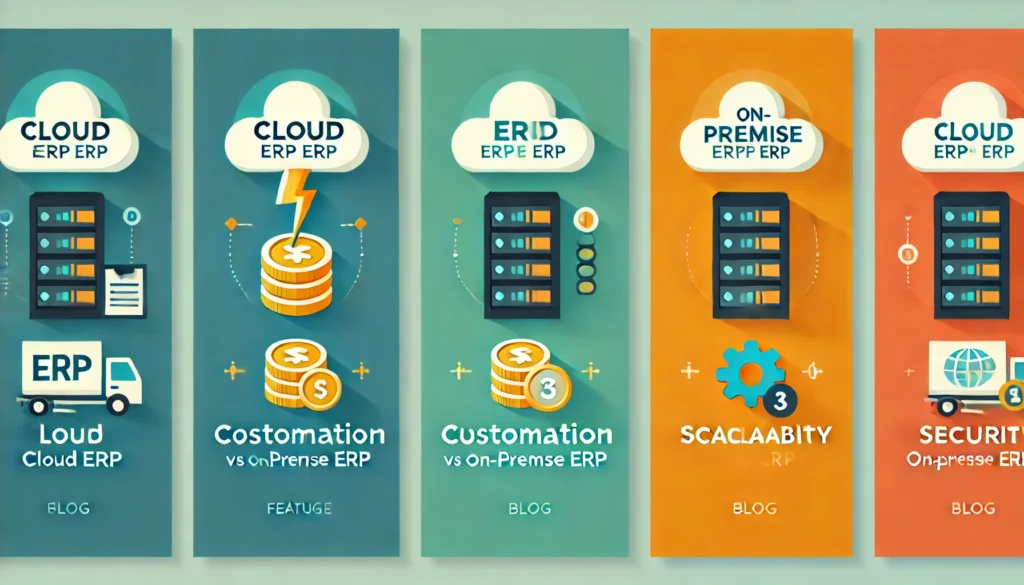
Cloud ERP The modern business landscape demands agility, efficiency, and technology that scales with growth. Enterprise Resource Planning (ERP) systems are essential for managing complex operations, but one key decision businesses face is choosing between cloud ERP and on-premise ERP. This decision isn’t one-size-fits-all, it depends on your business’s needs, growth trajectory, and resources. As an ERP strategist, understanding the nuances of both options is crucial to guiding organizations toward the right solution. This blog explores the core differences, benefits, and challenges of cloud ERP and on-premise ERP to help you make an informed choice. What is Cloud ERP? Cloud ERP refers to a system hosted on remote servers and accessed via the internet. It operates on a subscription-based model, where businesses pay recurring fees for access. Vendors manage system maintenance, updates, and data storage, providing a hands-off approach for companies. Key Advantages of Cloud ERP: Cost Efficiency: No upfront hardware or infrastructure costs. Subscription-based pricing reduces initial investments. Scalability: Easily adapts to changing business needs by adding or removing users and features. Accessibility: Enables remote access from anywhere with an internet connection, perfect for hybrid or global teams. Automatic Updates: Vendors handle system updates, ensuring the software remains current without requiring manual intervention. Enhanced Security: Enterprise-grade security protocols are often superior to what small to mid-sized businesses can implement independently. What is On-Premise ERP? On-premise ERP is hosted on a company’s in-house servers and managed by internal IT teams. Unlike cloud ERP, it involves purchasing the software and associated hardware upfront, along with ongoing maintenance costs. Key Benefits of On-Premise ERP: Full Control: Businesses retain complete control over their data and system configurations. Customization: Offers extensive customization to meet specific industry or operational needs. No Dependence on Internet: The system operates independently of internet connectivity, reducing downtime risks in areas with unreliable networks. Data Privacy: For industries with strict compliance requirements (e.g., healthcare or finance), on-premise ERP provides greater control over sensitive data. Long-Term Cost Savings: Once implemented, the lack of subscription fees can result in cost savings over time for businesses with predictable needs. Comparing Cloud ERP and On-Premise ERP Factor Cloud ERP On-Premise ERP Deployment and Maintenance Deployment is quick, with vendors managing maintenance and updates. Requires significant IT resources for installation, maintenance, and updates. Cost Structur A subscription-based model with recurring fees. Ideal for businesses wanting predictable expenses. High upfront costs but lower long-term expenses without subscription fees. Scalability Easily scalable to accommodate business growth. Scaling requires additional hardware and infrastructure investments. Security Vendors provide enterprise-grade security measures, but data is stored offsite. Data is stored on local servers, giving businesses complete control. Customisation Customization options may be limited by the vendor. Offers extensive customization to meet specific business needs. Which ERP Is Right for Your Business? Deciding between cloud ERP and on-premise ERP requires assessing your business’s priorities, resources, and growth plans. An ERP strategist can help analyze your requirements and guide you toward the most effective solution. Cloud ERP Is Best For: Small to mid-sized businesses with limited IT resources. Companies with remote or global teams needing anytime, anywhere access. Organizations seeking predictable, subscription-based costs. On-Premise ERP Is Best For: Businesses in highly regulated industries prioritizing data control. Companies requiring extensive system customization. Organizations with dedicated IT teams to manage and maintain the system. Emerging Trends in ERP Deployment As technology evolves, the debate between cloud ERP and on-premise ERP is shifting. Many businesses are exploring hybrid solutions that combine the flexibility of the cloud with the control of on-premise systems. Key Trends to Watch: Hybrid ERP Models: Allow businesses to maintain critical data on-premise while leveraging cloud features for flexibility. AI and Machine Learning Integration: Advanced analytics and automation features are becoming standard in both deployment types. Increased Focus on Data Security: As cyber threats rise, ERP vendors are prioritizing robust security measures for both cloud and on-premise systems. Subscription Flexibility: Vendors are introducing pay-as-you-go models for cloud ERP, making it more accessible for smaller businesses. How an ERP Strategist Can Help Choosing the right ERP system is a significant decision with long-term implications. An ERP strategist plays a crucial role in simplifying this process by: Conducting a thorough needs assessment. Evaluating vendor options based on business requirements. Ensuring seamless implementation and integration with existing systems. Developing training programs to maximize user adoption. Working with an ERP strategist ensures that your investment aligns with your organizational goals and delivers maximum ROI. Conclusion The choice between cloud ERP and on-premise ERP depends on your business’s unique needs, resources, and goals. Cloud ERP offers unmatched flexibility and scalability, while on-premise ERP provides control and customization. By partnering with an ERP strategist, businesses can navigate this complex decision-making process with confidence, ensuring their ERP system is optimized for success. Whether you’re a growing enterprise or an established organization, investing in the right ERP solution is critical for driving efficiency, streamlining operations, and achieving long-term growth.
ERP for Healthcare: Streamlining Operations and Patient Care with the Help of an ERP Strategist
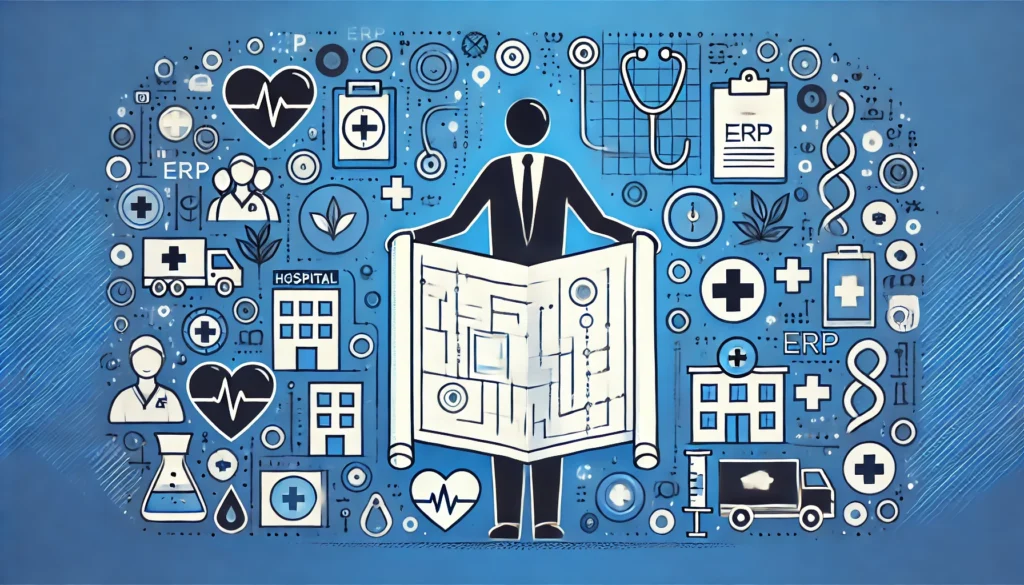
ERP strategist In the rapidly evolving healthcare industry, efficiency, accuracy, and patient-centric care are more critical than ever. Managing hospital operations, patient data, and regulatory compliance can be daunting without the right tools. This is where an ERP strategist and the implementation of healthcare ERP solutions play a transformative role. ERP (Enterprise Resource Planning) systems are increasingly becoming the backbone of healthcare organizations, enabling them to streamline processes, reduce costs, and enhance patient care. Why Healthcare Needs ERP Systems The healthcare sector involves managing an enormous volume of data, from patient records to inventory, billing, and regulatory compliance. Relying on disparate systems often leads to inefficiencies and errors, directly impacting patient care. Key Challenges Faced by Healthcare Organizations: Fragmented data across multiple departments. Delayed access to critical patient and operational data. Inefficiencies in resource and inventory management. Difficulty in meeting stringent regulatory requirements. An ERP system consolidates these processes into a unified platform, ensuring seamless coordination and transparency across departments. How an ERP Strategist Can Help An ERP strategist specializes in identifying the unique needs of a healthcare organization and recommending tailored ERP solutions. Here’s why their expertise is indispensable: Needs Assessment: An ERP strategist analyzes existing workflows and identifies inefficiencies to recommend the right solution. Customization: They ensure that the ERP system is customized to address healthcare-specific needs like HIPAA compliance, patient care, and supply chain management. Implementation Guidance: With an ERP strategist, healthcare providers experience a smoother implementation process, minimizing disruptions. Scalability Planning: They design the ERP system to grow with the organization, ensuring long-term sustainability. Benefits of ERP in Healthcare ERP systems bring unparalleled efficiency and transparency to healthcare operations. Let’s explore how they impact the industry: Streamlining Administrative Processes: ERP systems centralize administrative tasks such as appointment scheduling, billing, and payroll management. This reduces manual errors and improves turnaround times. Enhancing Patient Care: With real-time access to patient records and medical histories, healthcare providers can make faster and more informed decisions, leading to better patient outcomes. Optimizing Inventory Management: Hospitals and clinics must manage a wide range of supplies, from surgical instruments to pharmaceuticals. ERP systems enable accurate inventory tracking, ensuring critical supplies are always available. Regulatory Compliance: Healthcare organizations operate in a highly regulated environment. ERP systems help track compliance requirements, generate necessary reports, and reduce the risk of penalties. Cost Reduction: By automating repetitive tasks and optimizing resource allocation, ERP systems significantly lower operational costs. Improved Data Security: ERP systems ensure robust security for sensitive patient information, safeguarding it from unauthorized access or breaches. ERP Modules Essential for Healthcare Organizations Healthcare ERP solutions are designed with industry-specific modules to meet operational needs. Key modules include: Patient Management: Tracks appointments, medical histories, and treatments. Inventory Management: Monitors the stock of medical supplies and equipment. Financial Management: Handles billing, insurance claims, and payroll. Human Resource Management: Manages staff scheduling, recruitment, and training. Compliance Management: Ensures adherence to healthcare regulations and standards. Top ERP Solutions for Healthcare While there are several ERP options available, healthcare organizations must choose solutions tailored to their needs. Popular choices include: SAP for Healthcare: Renowned for its robust patient management and financial tracking capabilities. Oracle NetSuite: A cloud-based ERP known for scalability and real-time data access. Infor CloudSuite Healthcare: Designed specifically for healthcare providers, offering comprehensive compliance tools. Steps to Successfully Implement ERP in Healthcare Implementing an ERP system can be a complex process, but with the guidance of an ERP strategist, healthcare providers can ensure success: Step 1: Define Goals and Requirements: Clearly outline the objectives of the ERP system, such as improving patient care or streamlining financial management. Step 2: Select the Right ERP Solution: Evaluate various ERP systems to determine the best fit for your organization’s needs. Step 3: Involve Stakeholders: Engage department heads and staff to ensure the ERP system aligns with their workflows. Step 4: Plan for Training: Provide comprehensive training to staff for smooth adoption of the system. Step 5: Monitor and Optimize: Regularly evaluate the ERP system’s performance and make necessary adjustments to maximize ROI. Future Trends in ERP for Healthcare The future of healthcare ERP is shaped by advancements in technology, making systems even more efficient and patient-focused. AI and Machine Learning: ERP systems integrated with AI can predict patient needs and automate administrative tasks. IoT Integration: Devices connected to the Internet of Things (IoT) can provide real-time data to ERP systems, improving patient monitoring. Cloud-Based Solutions: The shift toward cloud-based ERP systems ensures greater flexibility, scalability, and cost-effectiveness. Conclusion In the ever-evolving healthcare landscape, ERP systems are no longer a luxury; they are a necessity. By streamlining operations, enhancing patient care, and ensuring compliance, ERP systems empower healthcare organizations to thrive. Partnering with an ERP strategist is crucial for choosing and implementing the right solution, ensuring the system meets current and future needs.
A Step-by-Step Guide to ERP Data Migration: Ensuring Seamless Transition with ERP Innovations Unveiled
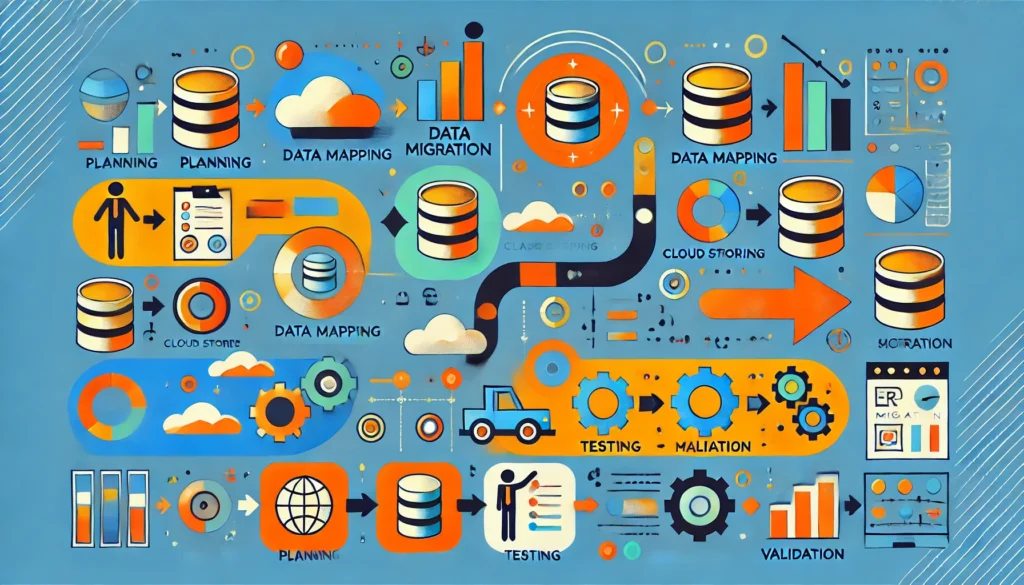
ERP Data Migration Data migration is one of the most crucial aspects of implementing a new Enterprise Resource Planning (ERP) system. It involves transferring data from your legacy systems to the new ERP system. This process requires careful planning, execution, and monitoring to ensure that the migration is successful and that the business can function without disruption. In this blog, we provide a step-by-step guide to ERP data migration, and highlight how ERP Innovations Unveiled can simplify the process, ensuring a smooth transition for your business. What is ERP Data Migration? ERP data migration refers to the process of transferring data from your existing ERP system or other databases to your new ERP system. The data typically includes key business information such as financial records, customer details, inventory data, and more. The aim of the migration is to ensure that all critical data is seamlessly transferred, mapped correctly to the new system, and that there is minimal disruption to business operations. Why is ERP Data Migration Important? Data migration is a critical step in the ERP implementation process because it ensures that the new system operates smoothly from day one. Without proper data migration, your new ERP system will be incomplete, leading to data inconsistencies, errors, and operational inefficiencies. Effective data migration allows businesses to make the most of their new ERP system by ensuring that essential data is transferred accurately, reducing operational risks and improving decision-making. Step 1: Plan Your Data Migration Strategy A successful ERP data migration begins with thorough planning. The ERP Innovations Unveiled process involves understanding your business requirements, defining the scope of migration, and ensuring that you have the necessary resources in place. Key actions during this stage: Define objectives: Clearly articulate why you’re migrating and what you expect to achieve with the new ERP system. Identify data sources: Determine which data needs to be transferred, including legacy systems, external sources, and third-party applications. Set a timeline: Establish a realistic timeline for the migration, including key milestones such as data mapping, testing, and system integration. Choose migration tools: Use the right ERP migration tools that help streamline the process and ensure data accuracy. By creating a detailed migration strategy, businesses can mitigate risks and ensure that the migration proceeds smoothly. Step 2: Data Mapping and Cleansing Once the migration strategy is in place, the next step is to clean and map your data. Data mapping ensures that the data in the legacy system is transferred to the correct fields in the new ERP system. Data cleansing, on the other hand, involves eliminating errors, duplicates, and outdated information from the legacy system before migration. Key actions during this stage: Data cleansing: Remove inaccurate, redundant, or obsolete data from your legacy systems. This will ensure that only clean, relevant data is transferred. Data mapping: Map legacy system fields to the corresponding fields in the new ERP system. This step is crucial to avoid any discrepancies after migration. Using the right tools and following best practices for data mapping and cleansing ensures that the new system will be populated with high-quality, accurate data. Step 3: Conduct a Test Migration Before performing the full data migration, it’s essential to conduct a test migration. This is essentially a “dry run” of the entire migration process, but with a subset of your data. The purpose of a test migration is to identify potential issues that could arise during the actual migration and fix them before the real process begins. Key actions during this stage: Perform a mock migration: Migrate a small portion of your data to ensure that everything transfers smoothly and without issues. Review the test results: Carefully evaluate the results of the test migration, ensuring that data accuracy, format consistency, and field mapping are correct. Resolve any issues: Identify and fix any problems that were found during the test migration before proceeding with the full migration. This testing phase reduces the risk of disruptions or errors during the final migration process. Step 4: Full Data Migration Once the test migration is successful, it’s time to proceed with the full data migration. This is where you will transfer all of your business data to the new ERP system. During this phase, it’s important to ensure that the process is done efficiently, with minimal downtime or disruptions to business operations. Key actions during this stage: Migrate data in batches: It’s often recommended to migrate data in manageable batches, especially if there is a large volume of data, to avoid overloading the system. Monitor migration progress: Continuously monitor the migration process to ensure everything is proceeding as planned. Address issues immediately: Be ready to tackle any issues that arise during the migration, from system incompatibilities to data mapping errors. Following the plan carefully during this phase will ensure that all data is successfully transferred and that the system remains operational. Step 5: Post-Migration Testing and Validation After migrating all the data to the new ERP system, thorough testing and validation are essential to ensure that the migration was successful. The ERP Innovations Unveiled phase ensures that the data is functioning as expected within the new system and that users can access and use it effectively. Key actions during this stage: Test data integrity: Check that all data has been transferred accurately and is working correctly within the new system. Validate business processes: Ensure that key business processes such as financial transactions, reporting, and inventory management are functioning smoothly. Train employees: Provide adequate training to your employees on how to use the new system, including any changes in the workflow. Effective testing and validation ensure that the new ERP system is ready to go live and that employees are comfortable using it. Step 6: Go Live and Continuous Monitoring After testing and validation, it’s time for the ERP system to go live. However, the work doesn’t stop here. Continuous monitoring is essential to ensure the new system runs smoothly and that any issues are addressed promptly. Key actions during this stage: Go
The Best ERP Solutions for Manufacturing Businesses: Insights from an ERP Strategist
ERP solutions In today’s fast-paced and competitive manufacturing landscape, businesses are constantly seeking ways to streamline their operations and enhance efficiency. Implementing the right Enterprise Resource Planning (ERP) system can make all the difference. As an ERP strategist, understanding which ERP solutions suit your manufacturing business is critical for achieving seamless operations and long-term growth. Why Manufacturing Businesses Need ERP Systems Manufacturing businesses face unique challenges, from managing complex supply chains and optimizing production schedules to maintaining inventory levels and ensuring product quality. ERP systems offer integrated solutions that simplify these processes by consolidating data and automating workflows. With the help of an ERP strategist, businesses can identify the best ERP solutions to address their specific needs. Key Benefits of ERP for Manufacturing: Improved Production Planning: Real-time data allows manufacturers to optimize production schedules and reduce downtime. Inventory Optimization: Track inventory levels, reduce waste, and maintain the right stock to meet demand. Enhanced Supply Chain Visibility: Monitor supplier performance and ensure timely deliveries. Regulatory Compliance: Simplify adherence to industry standards and government regulations. Top ERP Solutions for Manufacturing Businesses Choosing the right ERP system can be overwhelming, especially with the wide range of options available. Here are some of the top ERP solutions tailored for the manufacturing sector: 1. NetSuite ERP NetSuite is a cloud-based ERP system that offers robust features for manufacturing businesses. It provides real-time visibility into production, inventory, and financials, making it an ideal choice for manufacturers of all sizes. Key Features: Production planning, inventory management, supply chain automation, and financial reporting. Benefits: Scalable, user-friendly, and customizable to specific manufacturing needs. 2. SAP Business One SAP Business One is designed for small to medium-sized manufacturing businesses. Its comprehensive tools for production planning, inventory tracking, and quality control make it a powerful solution. Key Features: Advanced material requirements planning (MRP), inventory optimization, and real-time analytics. Benefits: Industry-specific modules and seamless integration with other SAP products. 3. Microsoft Dynamics 365 Microsoft Dynamics 365 is a versatile ERP system that integrates seamlessly with other Microsoft tools like Office 365. It offers tailored solutions for manufacturing operations, supply chain management, and customer engagement. Key Features: AI-driven insights, predictive maintenance, and advanced analytics. Benefits: Easy integration, scalability, and flexibility. 4. Infor CloudSuite Industrial (SyteLine) Infor CloudSuite is designed specifically for manufacturers. It offers comprehensive tools for managing production, inventory, and customer relationships. Key Features: Advanced scheduling, shop floor control, and supply chain management. Benefits: Cloud-based, customizable, and built for manufacturing efficiency. 5. Epicor ERP Epicor ERP is a popular choice among manufacturers due to its focus on production optimization and supply chain management. Key Features: Manufacturing execution systems (MES), inventory tracking, and financial management. Benefits: Industry-specific capabilities and user-friendly interface. How an ERP Strategist Can Help Selecting and implementing the right ERP system can be a daunting task. This is where an ERP strategist comes in. An ERP strategist helps businesses identify their unique requirements, evaluate options, and implement solutions that align with their goals. Role of an ERP Strategist: Needs Assessment: Analyze business processes and identify pain points. Vendor Evaluation: Compare ERP systems based on features, costs, and scalability. Implementation Planning: Develop a roadmap for successful deployment. Ongoing Support: Ensure the ERP system evolves with changing business needs. Features to Look for in Manufacturing ERP Systems When selecting an ERP system, consider features that address the specific challenges of manufacturing businesses. Production Management: An ERP system should streamline production processes, optimize resource utilization, and reduce downtime. Inventory Control: Advanced inventory tracking features help manufacturers maintain optimal stock levels and reduce waste. Supply Chain Integration: A robust ERP system provides real-time visibility into the supply chain, enabling better supplier coordination and demand forecasting. Regulatory Compliance: Manufacturers must comply with industry standards and government regulations. An ERP system simplifies this process through automated reporting and documentation. Customizability: Every manufacturing business is unique. Choose an ERP system that can be tailored to your specific needs. The Future of ERP for Manufacturing ERP systems are constantly evolving to meet the demands of modern manufacturing. Emerging technologies like artificial intelligence (AI), machine learning (ML), and the Internet of Things (IoT) are reshaping how manufacturers use ERP systems. Trends to Watch: AI-Powered Insights: Predictive analytics for better decision-making. IoT Integration: Real-time data from connected devices for enhanced efficiency. Cloud-Based Solutions: Scalable and cost-effective ERP systems for businesses of all sizes. Conclusion For manufacturing businesses, the right ERP system is not just a tool but a strategic asset that drives efficiency, innovation, and growth. Whether you’re a small-scale manufacturer or a large enterprise, investing in ERP for Growing Enterprises can transform your operations and improve your bottom line. At ERP with Sagar, we specialize in guiding businesses toward the best ERP solutions for their unique needs. With the insights of an ERP strategist, you can optimize processes, reduce costs, and stay ahead in a competitive market. Contact us today to discover how we can help you achieve your manufacturing goals!
How to Optimize Your ERP System for Maximum ROI
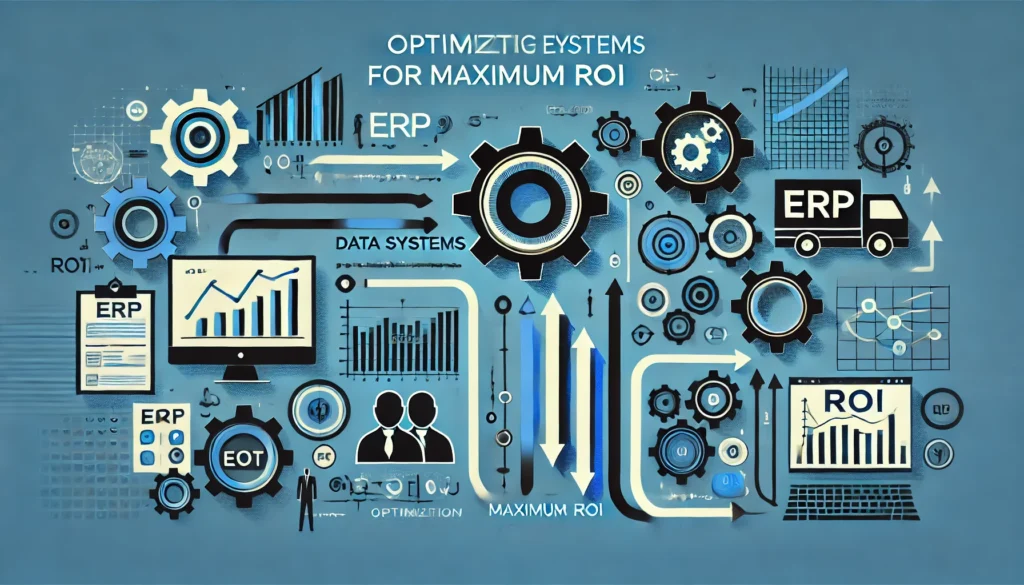
Maximum ROI By focusing on Custom ERP Solutions for Your Business, you can tailor your ERP system to meet your unique needs and maximize its potential. In today’s competitive business environment, investing in an ERP system is essential to streamline operations, improve decision-making, and enhance productivity. However, the real value of an ERP system lies in how effectively it is utilized to generate a strong return on investment (ROI). Why Maximum ROI Matters in ERP Systems Return on investment is a crucial metric for assessing the success of any ERP implementation. It reflects how well the system contributes to cost savings, operational efficiency, and revenue growth. With ERP systems often requiring significant financial and time investments, optimizing them is key to ensuring that you reap substantial benefits over time. Choose the Right ERP System Maximizing ROI begins with selecting the ERP system that best aligns with your business needs. Generic solutions may not address the complexities of your operations, which is why Custom ERP Solutions for Your Business are vital. Customization ensures that your ERP system is tailored to your industry, processes, and objectives. Key Points to Consider: Scalability: Choose a system that grows with your business. Industry-Specific Features: Opt for features designed for your sector. Integration Capabilities: Ensure seamless integration with existing tools. Invest in Employee Training A well-optimized ERP system is only as effective as the people who use it. Inadequate training can lead to underutilization of features, errors, and inefficiencies. By providing comprehensive training programs, you empower your employees to maximize the system’s potential. Benefits of Training: Increased productivity through effective system use. Reduced errors in data entry and processing. Higher employee satisfaction and confidence in using the ERP system. Leverage Real-Time Analytics Modern ERP systems, especially customized ones, offer robust analytics and reporting tools. These tools provide insights into business operations, helping leaders make informed decisions. Real-time data can highlight inefficiencies, track key performance indicators (KPIs), and identify growth opportunities. How Analytics Boost ROI: Enhance decision-making with up-to-date insights. Optimize resource allocation based on accurate data. Identify trends and respond proactively to market demands. Automate Routine Tasks One of the biggest advantages of ERP systems is automation. From inventory management to payroll processing, automating repetitive tasks saves time, reduces errors, and allows your team to focus on strategic initiatives. This significantly enhances operational efficiency and ROI. Examples of Automation: Automated invoicing and billing processes. Inventory tracking with real-time updates. Workflow automation for faster approvals and task management. Regular System Audits To ensure your ERP system continues to deliver value, schedule regular health checks and audits. These reviews can identify outdated processes, redundant features, or new opportunities for optimization. Focus Areas for Audits: System performance and uptime. User engagement and satisfaction. Opportunities for upgrades or additional features. Integrate ERP with Other Systems Seamless integration of your ERP system with other business tools such as CRM, HRM, or e-commerce platforms can enhance efficiency and data flow across departments. Custom ERP solutions allow you to create a unified ecosystem, which improves collaboration and reduces silos. Benefits of Integration: Centralized data for better visibility. Elimination of duplicate data entry. Enhanced customer experience through connected systems. Monitor and Measure ROI To truly optimize your ERP system, track the ROI over time. Identify the metrics that matter most to your business, such as cost savings, revenue growth, or operational efficiency, and measure them regularly. Key Metrics to Monitor: Reduction in operational costs. Time savings in routine processes. Increase in customer satisfaction scores. Leverage Custom ERP Solutions for Your Business Custom ERP solutions are the cornerstone of optimization. Unlike off-the-shelf systems, custom solutions adapt to your specific needs, ensuring that you only pay for features you use and benefit from maximum functionality. Advantages of Custom ERP Solutions: Tailored workflows that align with your business goals. Flexible features that evolve with changing requirements. Enhanced user experience through personalized dashboards and tools. Future-Proof Your ERP System As technology evolves, so should your ERP system. Regular updates and upgrades keep your system aligned with the latest innovations, ensuring it remains relevant and effective. Future-proofing your ERP system guarantees long-term ROI and prepares your business for upcoming challenges. Tips for Future-Proofing: Stay updated with the latest ERP trends and features. Partner with a reliable ERP vendor for consistent support. Explore opportunities for AI, machine learning, and IoT integration. Conclusion Optimizing your ERP system for maximum ROI requires strategic planning, regular maintenance, and a focus on customization. Custom ERP Solutions for Your Business provide the flexibility, efficiency, and scalability needed to meet unique operational demands and achieve long-term success. At ERP with Sagar, we specialize in helping businesses unlock the full potential of their ERP systems. By focusing on customization, employee training, and cutting-edge tools, we ensure that your ERP investment delivers unmatched value. Ready to take your ERP system to the next level? Contact us today to learn how we can help!
When Should You Upgrade Your ERP System?
Knowing when to upgrade is critical, and Custom ERP Solutions for Your Business can help tailor a system that meets your unique needs. Let’s explore the signs it’s time to upgrade, the benefits of a modern ERP, and the steps you should take to transition smoothly. Your enterprise resource planning (ERP) system is the backbone of your operations, helping manage everything from inventory to finances. However, as your business grows and evolves, your ERP must keep pace. Sticking with an outdated system can stifle productivity, lead to inefficiencies, and cost you valuable time and money. Signs You Need an ERP Upgrade If you’re unsure whether it’s time to upgrade your ERP, watch out for these telltale signs: Inadequate Scalability: As your business grows, your ERP system should grow with it. If your current solution struggles to handle increased data, users, or transactions, it’s time to consider scalable Custom ERP Solutions for Your Business. Outdated Technology: Older ERP systems may lack modern features like cloud integration, real-time analytics, or mobile accessibility. Staying competitive in today’s fast-paced market requires an ERP that leverages cutting-edge technology. Inefficiencies and Manual Workarounds: Are your employees relying on spreadsheets or external tools to supplement your ERP? This indicates that your current system no longer meets your operational needs. Compliance Challenges: Keeping up with regulatory requirements is essential. An outdated ERP may not provide the necessary tools to stay compliant with local and international laws. High Maintenance Costs: If maintaining your current ERP system is becoming too expensive or time-consuming, upgrading to a modern, low-maintenance solution can save resources in the long run. The Benefits of Upgrading Your ERP System Investing in a new ERP system can significantly impact your business, enhancing efficiency and preparing you for future growth. Enhanced Productivity: A modern ERP automates routine tasks, reduces manual errors, and streamlines workflows, allowing your team to focus on strategic initiatives. Improved Decision-Making: With real-time data and advanced analytics, upgraded ERP systems provide actionable insights, enabling smarter, faster decisions. Greater Scalability: Custom ERP Solutions for Your Business are designed to adapt to your evolving needs, ensuring your system can handle growth without disruptions. Cloud Integration: Modern ERP systems often include cloud-based capabilities, allowing secure access to data anytime, anywhere. This is especially useful for businesses with remote or distributed teams. Enhanced Customer Experiences: Upgraded ERPs support better customer service through improved order tracking, faster response times, and personalized interactions. Choosing the Right ERP System When upgrading your ERP, it’s essential to select a solution tailored to your business’s specific needs. Assess Your Needs: Identify the pain points in your current system. What features do you need in an upgraded ERP to address these challenges? Research ERP Options: Explore the latest ERP trends and evaluate popular options like SAP, Oracle, or NetSuite. Each has strengths, but Custom ERP Solutions for Your Business offer unparalleled flexibility. Consider Cloud-Based Systems: Cloud-based ERP systems provide scalability, cost-effectiveness, and easy integration with existing tools. Choose a Reliable Partner: Work with an experienced vendor to ensure seamless implementation and ongoing support. Steps to a Smooth ERP Transition Switching to a new ERP system can be challenging, but careful planning can make the process seamless. Set Clear Goals: Define what you want to achieve with the new system, such as increased efficiency or better data management. Develop a Transition Plan: Create a step-by-step plan that outlines the timeline, budget, and responsibilities involved in the upgrade. Train Your Team: Ensure your employees are well-versed in the new ERP system to maximize its benefits. Regular training sessions and ongoing support are crucial. Test the System: Before going live, conduct thorough testing to identify and address any issues. Monitor Post-Implementation: After implementation, continuously monitor the system’s performance and gather feedback to make necessary adjustments. Why Choose Custom ERP Solutions for Your Business? Off-the-shelf ERP systems often fall short when it comes to meeting the unique needs of growing enterprises. Custom ERP Solutions for Your Business provide: Tailored Features: Adapt the ERP to fit your industry-specific requirements. Better Integration: Seamlessly integrate with your existing tools and workflows. Future-Proofing: Ensure scalability and flexibility to accommodate growth and evolving business needs. Conclusion Upgrading your ERP system is not just a technological shift; it’s a strategic move that can transform your business operations. By recognizing the signs of an outdated system and embracing Custom ERP Solutions for Your Business, you position your company for long-term success. Whether you need enhanced scalability, modern features, or cost efficiency, the right ERP solution can help you stay competitive in an ever-evolving marketplace. Start planning your ERP upgrade today to unlock your business’s full potential.